English 41
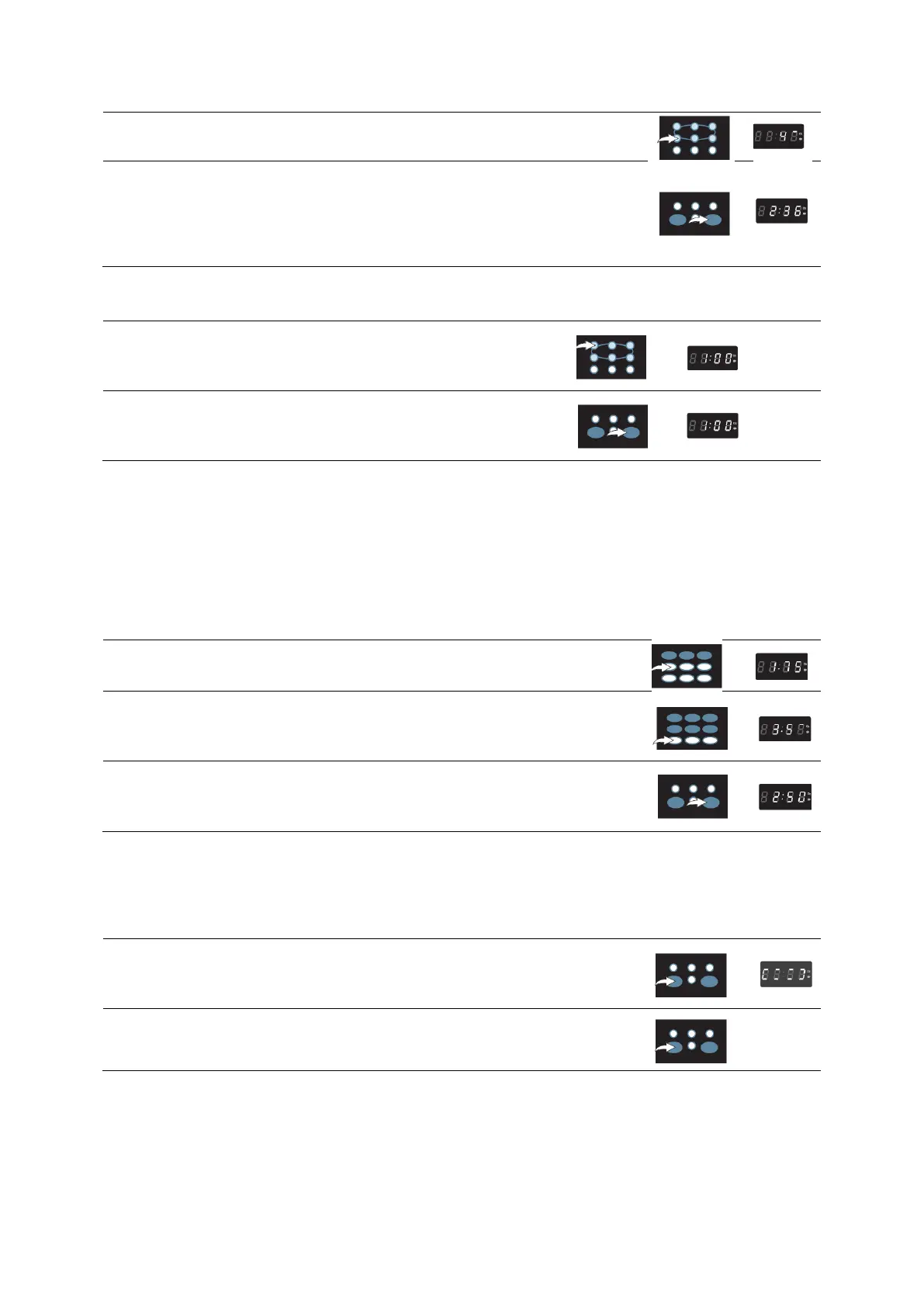
2. Press number keys to set the desired cooking weight.
3. Follow the steps on the previous page (COOKINGIN ONE STAGE) to
set a second stage, then press the START/+30SEC. button to start
cooking; the display will countdown the remaining time in minutes and
seconds and beep once between stages. It will beep five times when
all the stages have completed cooking.
EXPRESS COOK PROGRAM
The microwave can start cooking at the press of a button as follows:
1. Press the number keys 1-6 (express cook); the microwave
will immediately start cooking at high(100%) power for one to
six minutes.
2. Repeatedly press the START/+ 30SEC button, to increase
the cooking time in 30 second increments. (up to 99 minutes
99 seconds).
STOP / CLEAR BUTTON
To stop cooking or cancel a cooking program, simply press the STOP/CLEAR button, once to stop
cooking or twice to cancel a cooking program.
Always press the STOP/CLEAR button before opening the door.
AUTO COOK PROGRAM
Auto cook lets you easily cook items in the oven as it will automatically set the times and power levels
to give better results than one power only cooking.
1. Press AUTO COOK button, weight/portion will light in the display.
2. Repeatedly press the desired Auto Cook button to set the desired
weight/portion. Each Auto Cook item will have the most popular
weight/portion settings to chose.
3. Press the START/+30SEC. Button to start cooking. The display
will countdown the remaining cooking time in minutes and seconds. It
will beep five times when cooking is completed.
CHILD LOCK FUNCTION
CHILD LOCK functions to prevents unwanted oven operation by small children. The oven can be set
so that the control panel is deactivated or locked.
1. To activate, press and hold the STOP/CLEAR button for three
seconds, the display will appear as shown at the right and no buttons
can be pressed.
2. To deactivate, press and hold the STOP/CLEAR button for three
seconds, the display will return to the time.


 To Next Page
 Loading...