English 42
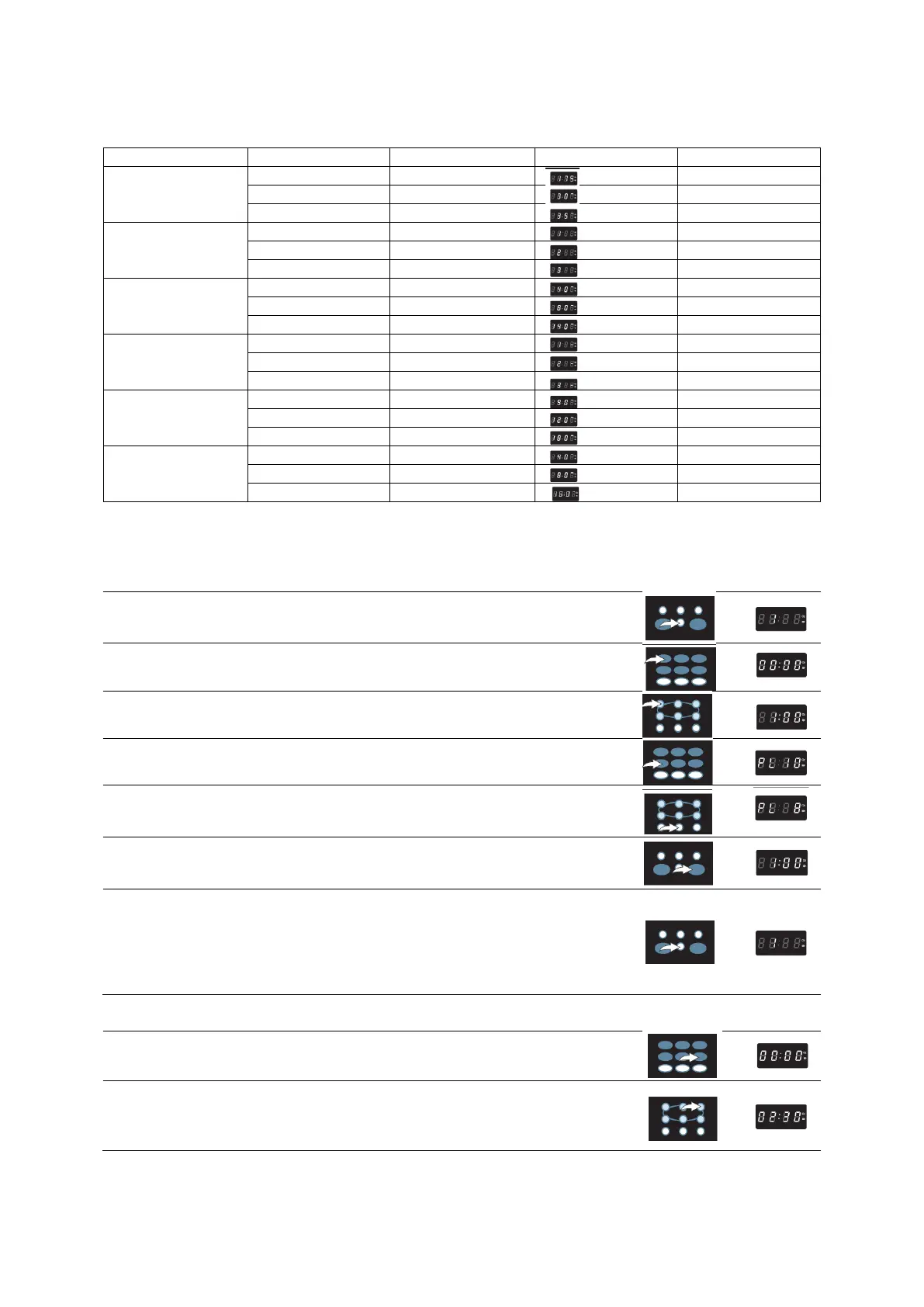
AUTO COOK MENU CHART
MEMORY FUNCTION
Memory lets you cook items in your own special style. A total of 3 memory settings are available in
this model. Set a memory setting as follows:
1. Press the MEMORY button repeatedly to select 1-3 memory.
2. Press the TIME COOK button , ―00 : 00‖ will light in the display..
3. Press number keys to set the desired cooking time.
4. Press POWER button , ―PL 10‖ will light in the display..
5. Press the number to set the desired power, the display will show the
percentage you chose.
6. Press the START/+30SEC button once to save your setting s into the
chip. Press the START/+3 0SEC. button again, cooking will start.
7. Press the MEMORY button repeatedly to choose the memori setting in
order to cook the desired item. Press the S T A R T / + 3 0 S E C
button to start cooking. The display will countdown the remaining
cooking time in minutes and seconds. It will beep five times when
cooking is completed. Remember above settings for future use.
KITCHEN TIMER FUNCTION
1. Press “KITCHEN TIMER” button
2. Press the number keys to enter the desired alarm time, for example
press 0-2-3-0 for 2 minutes 30 seconds (the maximum alarm time is
99 minutes and 99 seconds.)



 To Next Page