English 32
Attention: Please clean microwave oven often.Failure to do so may create a fire hazard and void the
warranty.
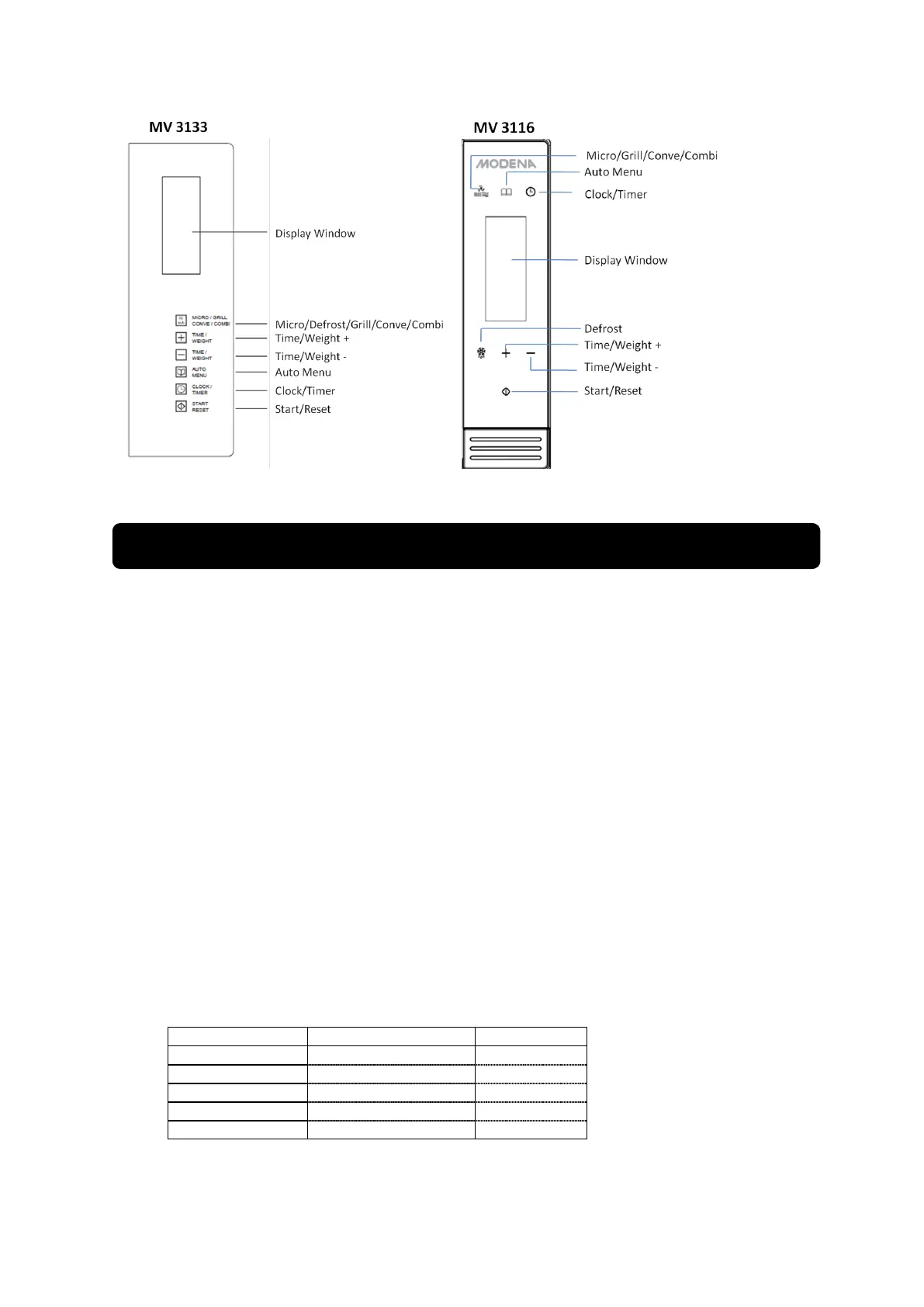
1. Single Button Heating
Only with a single press of a button, you can start simple cooking, it is very convenient and quick
to heat a glass of water, etc.
Example: to heat a glass of milk
- Put a glass of milk onto the glass turntable and close the door.
- Press the button ―Start/Reset‖, the microwave oven will work on 100% power for 1 minute.
- You will hear 5 beeps when cooking is completed.
2. Microwave Heating
This function has two options:
a. Quick microwave heating (100% power)
Example: to heat food on 100% power for 5 minutes
- set time to ―5:00‖
- Press ―Start‖
b. Manual-operation microwave heating
Example: to heat food on 70% power for 10 minutes
- Press ―Power/Grill‖ button, select 70% power
- Set time to ―10:00‖
- Press ―Start‖
There are 5 power levels and the longest microwave cooking time is 60 minutes.


 To Next Page