Pro Series Remote
Pairing the Hand Held Remote
1. With the fireplace ON press and hold the fireplace
ON/OFF button for about 3 seconds until you hear the
buzzer sound twice and the power indicators begin to
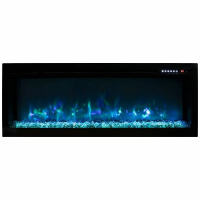
flash. (power indicators located top right of viewing
area).
2. Within 5 seconds on the hand held remote press the
ON/OFF(power) button repeatedly until the buzzer
sounds again and the indicators flash acknowledging
that it has paired. You may also hear another buzzer and
the pair is now completed.
- Pairing must be done within 5 seconds or the fireplace
will time out of pairing mode.
- To clear any paired remotes from the unit locate then
press and hold the reset button for 3 seconds. You
should hear a buzzer letting you know the codes have
been cleared so you can now pair a new remote or wall
control. (The reset is located next to the manual
controls and can be pressed with a paper clip).


 To Previous Page