Manual MODSTER CITO
20 www.modster.at
7. How-to-Start Guide:
Necessary tools:
• Hobby Knife (23410)
• Precision ruler
• Needle nose pliers (77980)
• Lexan scissors (214531)
• Flat and Philips screwdriver (53503)
• Wire cutters (40149)
• Cross wrench (129131)
• CA glue & rubber cement (217918)
• Thread locking compound (217918)
• Hex wrench (51437)
• 4 pcs AA Mignon batteries for the transmitter (103957)
Tire assembly
When installing the wheels, rst tighten the wheel nuts tightly and check the smooth running of the wheels.
Then loosen the wheel nuts until the wheels turn smoothly.
Stepwise wheel mounting:
• Insert the safety pin through the bore of the shaft
• Place the 6-pin wheel carrier on the pin
• Put on the wheel
• Put on the safety disc
• Tighten nut
Important notice: Be sure to unhitch the model during the initial start-up so that the wheels can rotate freely and the adjustments on the
transmitter can be carried out without any problem.
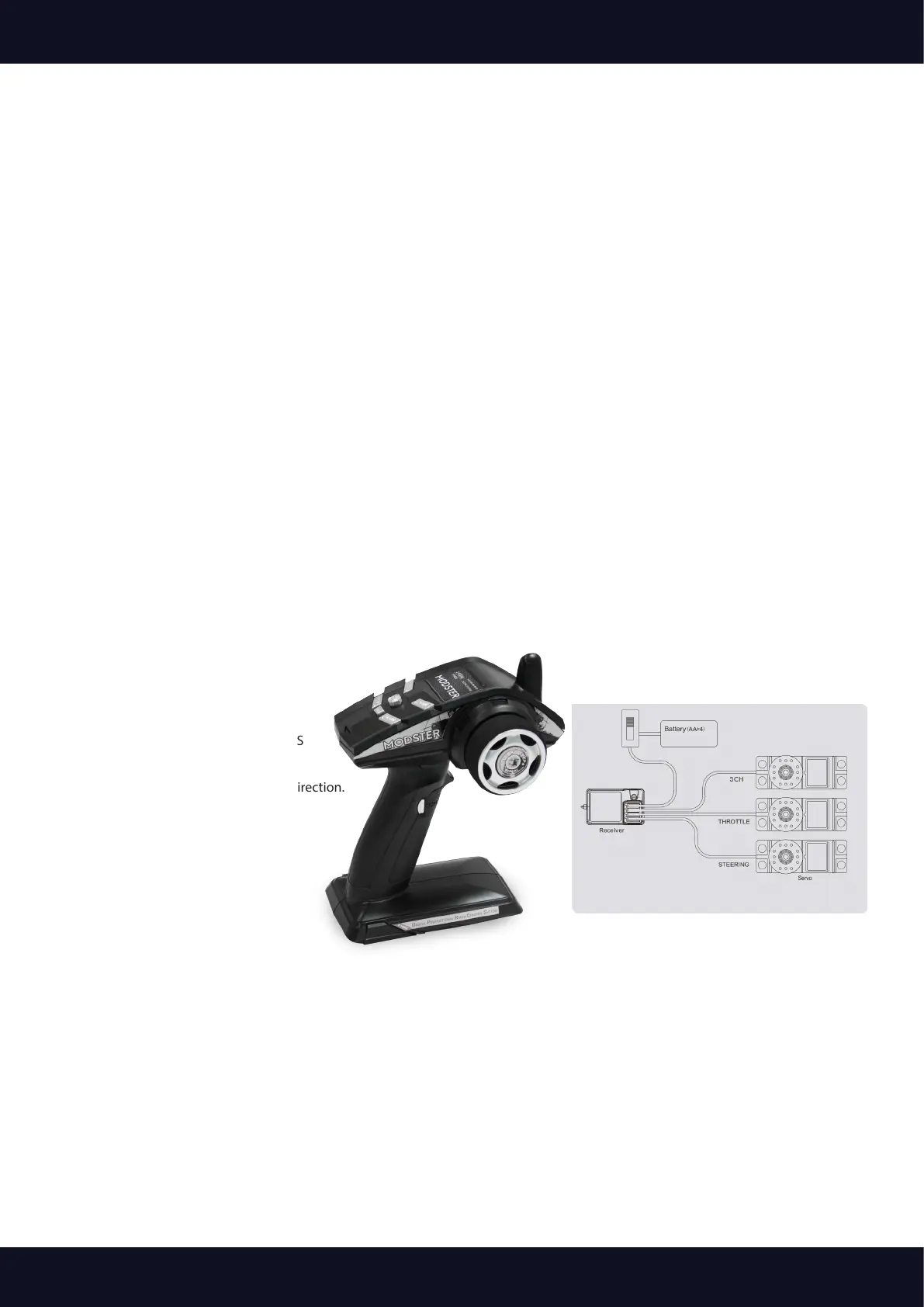
Transmitter Installation
Channel: 3CH
Frequency: 2.4GHz
Use DC: (4.0V-8.6V); ≤110mA
Weight.: 320g
R/F Power: < 20dBm; Sensivity: 1024
Modulation: 2-FSK; Frequency Signal: FHSS
Specications: One Set(200*165*105mm)
Insert the batteries (4*AA) in the correct direction.



 To Next Page