18
MoJack EZ Max Lift
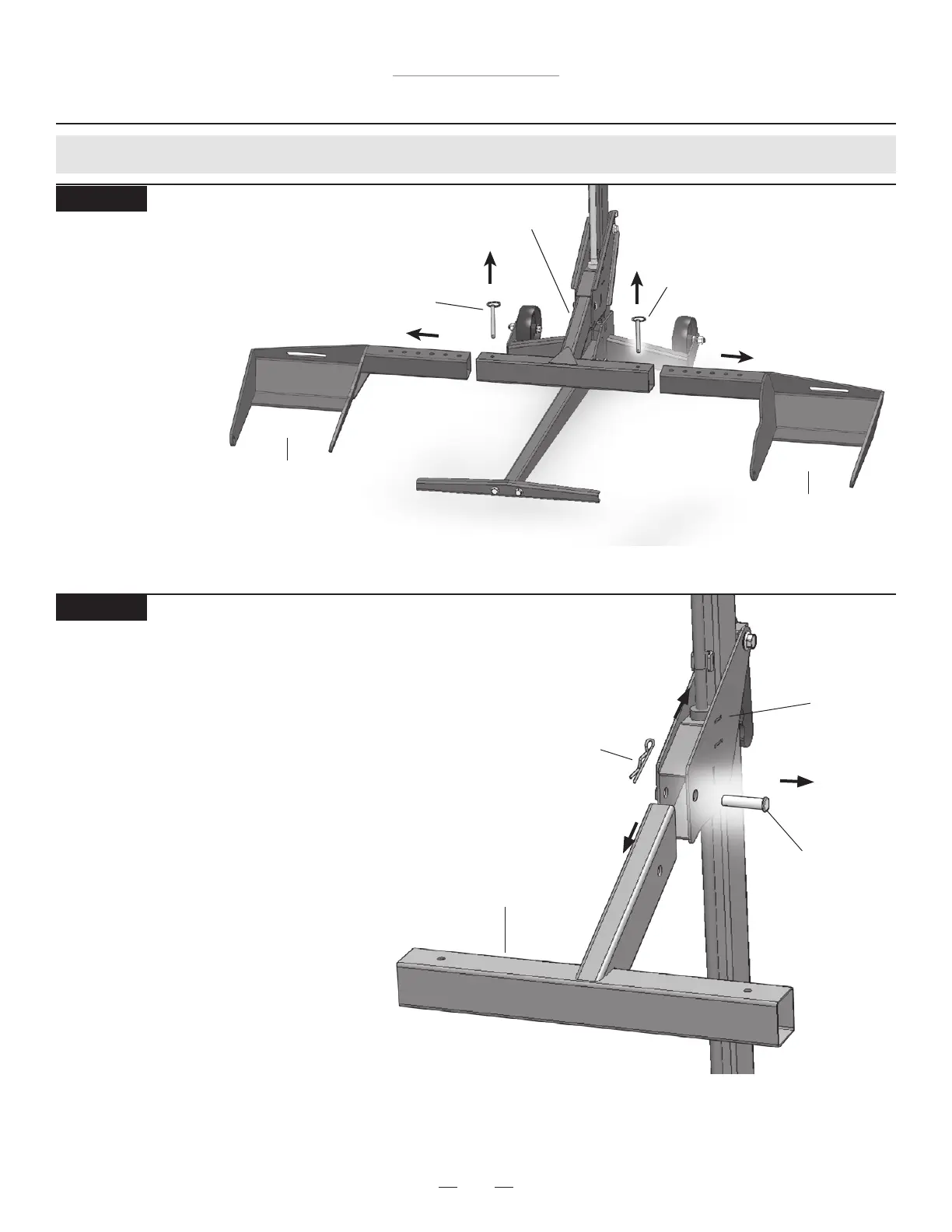
Hair Pin
Lift Arm
Carrier
Clevis Pin
Operating Instructions
STEP 17
Removing the Lift Arm
• While holding the Lift Arm, remove the
Hair Pin and Clevis Pin from Lift Arm.
• Slide the Lift Arm out of the Carrier.
• Store the Hair Pin and Clevis Pin in the
Lift Arm to prevent loss.
Preparing for Storage (Steps 16 - 20)
Push Pin
Push Pin
Lift Arm
Wheel Pad Lift Arm
Wheel Pad Lift Arm
STEP 16
Removing the Wheel Pads
• Remove Push Pins and
pull the Wheel Pad
Lift Arms out of the
Lift Arm.
• Store the Push Pins
in the Lift Arm to
prevent loss.



 To Next Page