19
MoJack EZ Max Lift
Operating Instructions
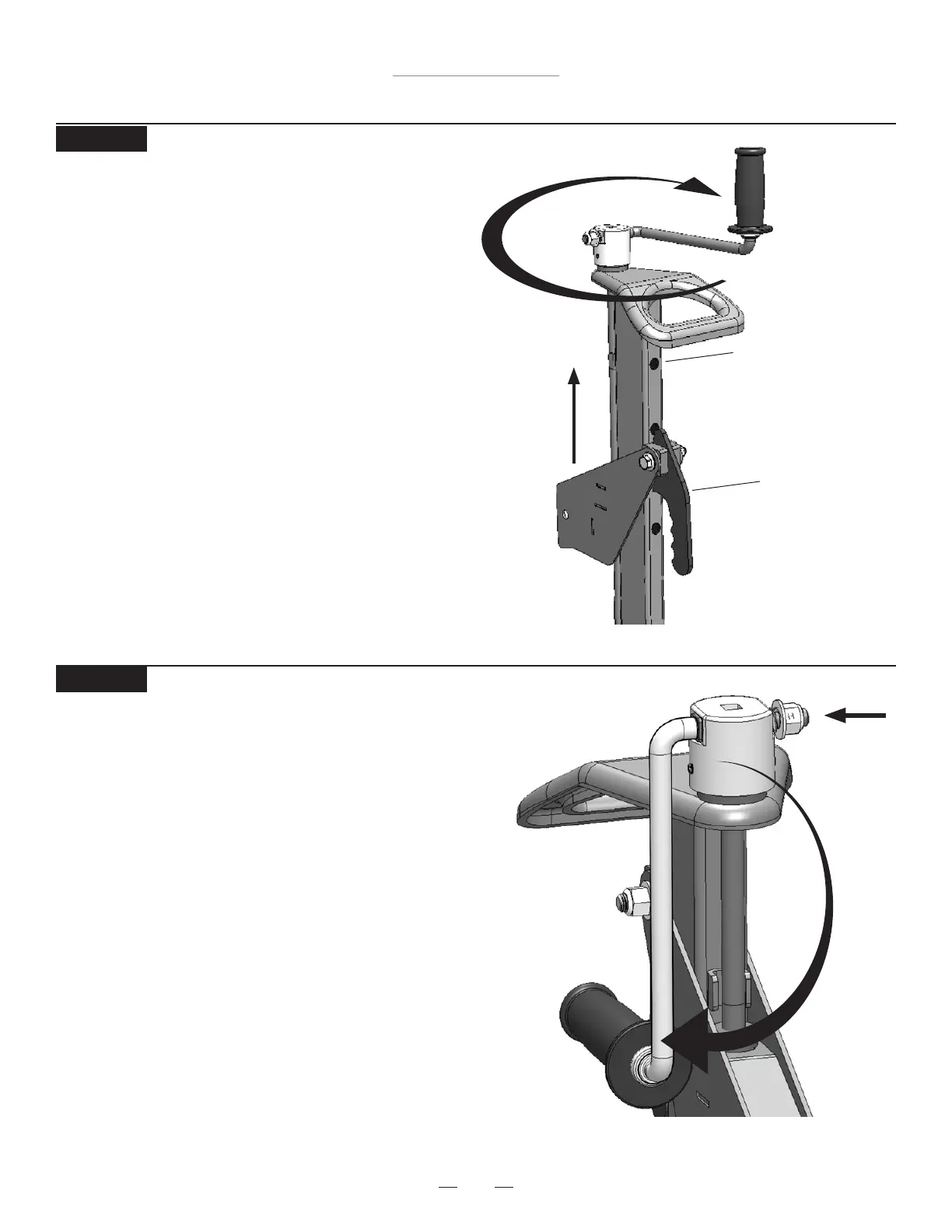
STEP 19
Rotate Crank Handle to Storage position
• Push in side of handle and rotate from operating posi-
tion to the storage position. Allow to seat into the locked
position.
STEP 18
Raise Carrier
• Raise the Carrier by turning the Crank
Handle clockwise until the Carrier Locking
Handle drops into the top Tower Hole.
Top Tower Hole
Carrier
Locking
Handle



 To Next Page