EasyManua.ls Logo

Molecular Devices AquaMax 2000 - User Manual

Molecular Devices AquaMax 2000
158 pages
Print Icon
To Next Page IconTo Next Page
Loading...
www.moleculardevices.com
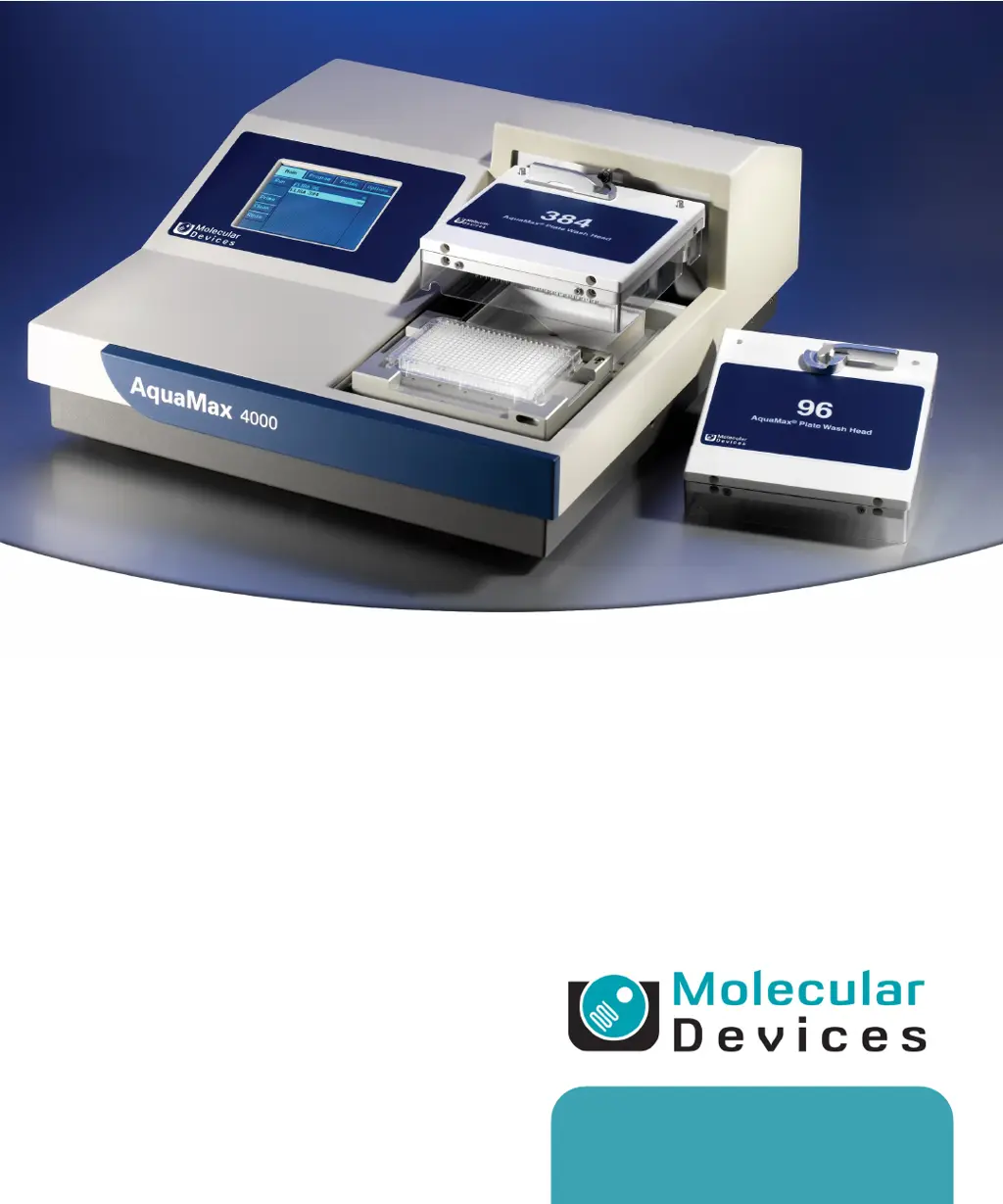
AquaMax
®
2000/4000
Microplate Washer
User Guide
0112-0151 K
June 2014

Table of Contents

Questions and Answers

  • M
    Michael MoyerSep 7, 2025
    Why is the robot not communicating with my Molecular Devices Laboratory Equipment?
    • M
      Michael TurnerSep 7, 2025
      Verify that the USB cable is connected to both the robot and the AquaMax Microplate Washer. Verify that the communication port setting corresponds to the virtual COM port assigned to the USB driver. Power-cycle both the robot and the AquaMax Microplate Washer to re-establish connections.
  • W
    wwhiteAug 25, 2025
    What to do if my Molecular Devices Laboratory Equipment shows “Z-Motor Pinched” or “Z- Motor Stalled” Error?
    • J
      Jesse MoodyAug 25, 2025
      If you see a “Z-Motor Pinched” or “Z- Motor Stalled” error, it indicates an obstruction to the motion of the wash head or an incorrect plate definition, or improper alignment between the wash head and plate carriage. First, turn off the power to the instrument and remove any obstructions from the path of the wash head. Then, verify that the plate height and well depth in the plate library match the plate in use and recalibrate the well depth using the Auto feature if necessary. Finally, ensure the dispense/aspiration probes are aligned to the center of the wells.
  • S
    sjonesAug 25, 2025
    What to do if my Molecular Devices Laboratory Equipment shows “Y-Motor Pinch” Error?
    • L
      Lucas RogersAug 26, 2025
      A “Y-Motor Pinch” error indicates an obstruction to the motion of the plate carriage. Turn off the power to the instrument and then remove any obstructions from the path of the plate carriage.
  • J
    Julia BarajasSep 16, 2025
    Why are the dispense probes dripping on my Molecular Devices AquaMax 2000?
    • M
      Michael JohnsonSep 16, 2025
      If you are experiencing dripping from the dispense probes on your Molecular Devices Washer, run a thorough prime program, such as the one-touch Prime program. If dripping continues, it's possible that one or more dispense probes are clogged.
  • B
    Bradley BoydSep 23, 2025
    What to do if dispense precision is out of spec on Molecular Devices AquaMax 2000?
    • M
      Melissa BondSep 23, 2025
      If the dispense precision is out of spec on the Molecular Devices Washer, with issues like high CV, left-right bias, empty wells, or outliers, run a full Prime program, such as the One-touch Prime program, to address potential air bubbles in the wash head or system fluidics. If problems persist, one or more dispense probes might be clogged.
  • T
    Tonya SummersSep 12, 2025
    How to fix data download issues from Molecular Devices Washer using AquaMax Utility?
    • J
      Jeffrey HernandezSep 12, 2025
      If you can't download data from the Molecular Devices Washer to your computer using the AquaMax Utility, first, ensure the USB cable is securely connected to both the washer and the computer. Next, verify that the communication port setting corresponds to the virtual COM port assigned to the USB driver. If the issue persists, restart your computer and power-cycle the washer to re-establish the connections.
  • B
    barnestaylorSep 2, 2025
    Why is the plate carriage or wash head of my Molecular Devices Laboratory Equipment not moving freely?
    • R
      Robert HaysSep 2, 2025
      If the plate carriage or wash head does not move freely, there may be an obstruction to the motion of the wash head or plate carriage. Remove any obstructions from the path of the wash head and plate carriage.
  • S
    sarah56Sep 3, 2025
    Why is there air in the bottle lines of my Molecular Devices Laboratory Equipment?
    • X
      xturnerSep 3, 2025
      To resolve air in the bottle lines, tap Prime on the Main tab to run the One-touch Prime program.
  • A
    Angelica MezaSep 23, 2025
    How to resolve “Y-Motor Pinch” error on Molecular Devices Washer?
    • D
      Daniel WilliamsSep 23, 2025
      If you encounter a “Y-Motor Pinch” error on your Molecular Devices Washer, turn off the power to the washer and remove any obstructions blocking the movement of the plate carriage.
  • K
    Kayla CarrilloAug 29, 2025
    How to fix pressure timeout error 154 on Molecular Devices Laboratory Equipment?
    • L
      Leonard WileyAug 29, 2025
      If the system cannot achieve target bottle pressure: Check that all pressure fittings are properly connected. Tighten caps on all reservoir bottles. Remove all pressure tubes from the bottles, and reconnect them to one reservoir bottle at a time, to determine which bottle is having pressure problems. Inspect the air tubes for leaks. Disconnect the air and liquid connectors from washer, but leave the waste connected, and then run the program.

Summary

Chapter 1: Introduction

Instrument Features

Describes the capabilities and features of the AquaMax 2000/4000 Microplate Washers.

Chapter 2: Installation

Unpacking and Setup

Provides instructions and warnings for unpacking, setting up, and connecting power to the instrument.

Stacker Integration

Explains how to connect the AquaMax washer to the StakMax plate stacker.

Chapter 3: Getting Started

Starting the Instrument

Details the procedures for powering on the AquaMax Microplate Washer.

Chapter 4: Operation: The Touch Screen Interface

Program Management and Editing

Details managing the program library and editing program steps.

Step Configuration

Covers settings for various wash steps like Dispense, Aspirate, Wash, and Prime.

Chapter 5: Maintenance

Instrument Cleaning and Preparation

Details purging, decontaminating, exterior cleaning, and wash head preparation.

Chapter 6: Troubleshooting

General and System Issues

Addresses general instrument, fluidics, pressure, and communication problems.

Wash and Cell Issues

Covers dispense, aspiration, wash, and cell wash problems.

Appendix E: Robot Command Interface

Errors

Molecular Devices AquaMax 2000 Specifications

General IconGeneral
TypeMicroplate Washer
Microplate Compatibility96-well and 384-well microplates
Waste Capacity2 L
Power Requirements100-240 VAC, 50/60 Hz
Residual Volume<2 μL/well
ShakingYes, variable speed and duration
SoakingYes, programmable duration
Liquid Level SensingYes
AutomationCompatible with robotic systems
Manifold Type8 or 12 channels
Wash Cycles1-99