Need help?
Do you have a question about the Momento M7 and is the answer not in the manual?
Important cautions for safe installation and handling the Micro SD card.
Steps for connecting the main camera, rear camera, and power cable.
Overview of the real-time driving video display and its interface elements.
Explanation of the main menu options like File List and Settings.
How to check recorded videos and play them back.
Accessing and configuring Memory, Camera, and System settings.
Configuration for Power Saver, MIC, Speaker, LED, and Time Zone.
Setting date/time manually and configuring system secret mode.
Viewing system details and performing software updates.
Instructions for downloading and using the PC Viewer software.
Technical details including card capacity, FOV, and operating conditions.
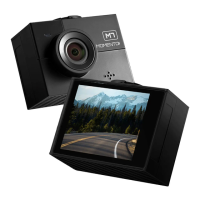
The Momento M7 is a comprehensive dashcam system designed for vehicle surveillance and recording, offering both front and rear camera coverage. It's built to capture real-time driving video, event recordings, and parking surveillance, providing a detailed visual record for reference and personal use.
The core function of the Momento M7 is to record video footage from the front and rear of a vehicle. The main camera, equipped with a lens and a security LED, is responsible for front-facing video recording. It integrates with a mount that includes GPS functionality, allowing for location tracking alongside video data. A speaker provides voice guidance, and a microphone records audio, enhancing the contextual information of the recorded footage.
The system supports an external rear camera, which connects to either CAM1 or CAM2 ports on the main unit, providing a broader view of the vehicle's surroundings. All recorded footage is stored on a Micro SD card, with support for capacities up to 256GB. The device features a power ON/OFF switch for manual control and a DC-IN port for power connection. An LCD touch screen serves as the primary interface for viewing live footage, accessing menus, and adjusting settings.
The Momento M7 offers various recording modes, including real-time driving video, driving event recordings (triggered by impacts), parking recordings, parking event recordings, and manual recordings. These modes ensure that critical moments are captured, whether the vehicle is in motion or parked. The system also includes a "Power Saver" feature, which can be configured to shut off the camera at a specified low voltage in parking mode, protecting the vehicle's battery.
For data management, the device allows users to partition the Micro SD card capacity between driving and parking recordings, and it includes a function to format the SD card directly from the device.
The Momento M7 is designed for user-friendly operation, primarily through its LCD touch screen and a dedicated PC Viewer application.
Installation involves selecting a clean, safe area in the vehicle, attaching the mount using double-sided tape, and then connecting the main camera to the mount. The rear camera cable connects to the main unit, and the power cable is plugged into the DC-IN port. For hardwire cable connections, professional installation is recommended, with clear wiring instructions provided for GND (Black), BAT (Yellow), and ACC (Red). Users are cautioned against accessing the device while driving due to safety concerns and the LCD layout not being optimized for such use. Proper insertion of the Micro SD card and ensuring the engine is off during installation are also emphasized.
The Live View screen displays real-time driving video from either the front or rear camera (selectable). It provides essential information such as the vehicle's battery status, date, and time. Users can manually record video, toggle the microphone and voice guidance on/off, and switch between camera views directly from this screen.
The Home Menu serves as the central hub for navigating the device's functions. From here, users can access the "File List" to review recorded videos, or go to "Settings" to configure various aspects of the camera and system.
The "File List" allows users to browse through different categories of recorded videos: Driving, Driving Event, Parking, Parking Event, and Manual. Within each category, videos are listed by date and time. During playback, users can view the recording mode icon, navigate through video files, select the camera view (front or rear), and control playback with options to view previous/next recordings, rewind/fast-forward by 5 seconds, and play/pause the video.
The "Settings" menu is divided into "Memory," "Camera," and "System" sections.
The Momento M7 offers a dedicated PC Viewer application, compatible with both Windows and Mac OS computers. This viewer can be downloaded from the Momento website and allows users to review recorded footage on a larger screen, potentially offering more detailed analysis capabilities than the on-device LCD. A manual for the PC Viewer is also available online.
The Momento M7 incorporates features and guidelines to ensure its longevity and proper functioning.
The device supports Micro SD cards up to 256GB, providing ample storage for recordings. Users are advised to insert the Micro SD card correctly and avoid excessive force to prevent errors. It's crucial to turn off the device before removing the SD card to prevent data corruption. The ability to format the SD card directly from the device simplifies maintenance and helps ensure optimal recording performance.
Software updates are a key maintenance feature, allowing for improvements in performance, bug fixes, and new functionalities. The update process involves removing the SD card, connecting it to a PC, copying the firmware upgrade file to the root of the card, and then reinserting the card into the dashcam. The upgrade runs automatically when the vehicle is turned on, and the device will restart upon completion. Users are strongly cautioned against turning off the product or removing the memory card during an update to prevent data loss or malfunction.
The "Power Saver" feature in parking mode is a crucial maintenance aspect for vehicle battery health. By allowing users to set a low voltage cutoff, it prevents the dashcam from draining the car battery excessively when the engine is off.
The manual emphasizes ensuring the installation area is clean, which contributes to the secure attachment of the device and prevents dust or debris from affecting its operation. Disconnecting the power cable when the device is not in use for extended periods is also recommended to conserve power and potentially extend the device's lifespan. The warning about not overlapping wiring with other devices (like navigation systems) helps maintain signal integrity and prevents interference, which is important for the reliable operation of all in-car electronics.
 General
| GPS | Yes |
|---|---|
| Wi-Fi | Yes |
| Parking Mode | Yes |
| G-Sensor | Yes |
| Frame Rate | 30fps |
| Loop Recording | Yes |
| Night Vision | Yes |
| Storage | MicroSD card |

 To Next Page