
 Need help?
Do you have a question about the Momentum Niro and is the answer not in the manual?
Overview of the Momentum Niro as a remote garage door controller and monitoring device.
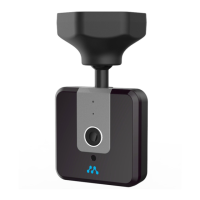
Details the physical components, features, and LED status indicators of the Niro device.
List of all items provided in the Momentum Niro package.
Details Wi-Fi, mobile device, and garage door opener requirements for the Niro.
Instructions for downloading the Momentum app and creating a user account.
Step-by-step guide for pairing the Niro with your Wi-Fi and Momentum account.
Procedures for physical installation, including mounting, wiring, and testing the Niro device.
How to configure rules for automatic recording and receive mobile alerts for triggered events.
Details on saving recordings using Momentum Cloud Storage or a micro-SD card.
Using the app dashboard to control the garage door and view device status.
Instructions for viewing the live video stream and navigating the feed.
Guide on capturing still images and recording video clips from the Niro camera.
Details on using two-way audio communication through the Niro device.
How to access and play back recorded videos and photos from the activity list.
Methods for saving recordings to local storage and deleting them from cloud or SD card.
Adjusting settings, managing devices, updating firmware, and recovering forgotten passwords.
Troubleshooting connection issues, including power cycling, reset, and support resources.
General information about the Momentum company and its products.
 General
| Connectivity | Wi-Fi |
|---|---|
| Smart Home Compatibility | Amazon Alexa, Google Assistant |
| Motor Type | DC |
| Battery Backup | Yes |
| Security | Rolling code technology |

 To Next Page
