

EasyManua.ls Logo

MOMOHO BTS0011 - User Manual

MOMOHO BTS0011
2 pages
Print Icon
To Next Page IconTo Next Page
Loading...
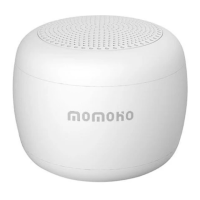
MINI Bluetooth Speaker
User Manual
Charging the battery:
Bluetooth pairing for music/phone call/camera remote shutter
Note:
When music sound become smaller and you hear the
warning tone “DI DI”,Please charge this speaker in time.
1.Speaker 2.Micro USB socket
5.Hole for cord 6.Hole for MIC
1.Insert the charging cable into the Micro USB input port,
connect the USB plug into 5V/300mAh USB power terminal.
The LED indicator will turn red.
2.After charging completed, the red LED indicator will turn off.
1.Turn on the speaker by pressing “ ” button for 3 seconds,
The speaker will have a voice prompt and blue indicator will
flash.
2.
Turn on your device and activate the Bluetooth function.
3.Search for Bluetooth pairing name “BTS0011” and click to
pai
r,the speaker will pair automatically and the speaker will
have a voice prompt,the blue indicator will light on.
Then,just need to press “ ” button to play music when
open your music player or answer the call when the call is
coming or take a photo when open the camera of your
devices.
1
2
3
4
6
5
Note:
1.When you can’t take a photo,under the Android
system,please open “Settings”-“Camera”,then set
“Volume key” to“Settings”;under the IOS system,
you just need to refresh the Bluetooth connection.
2.When you can’t play tthe music,please refresh the
Bluetooth connection.
3.Under the music playing model,short press “ ”
button can increase the volume.
Specification:
Dong guan Haolisheng Electronic Technology Co.,Ltd
4.Turn off the speaker by pressing “ ” button for 4 seconds
and the speaker will sound “DI DO”. When disconnected,
this speaker will turn off after 5 miniutes.
Model BTS00
11
Power Rating PO=1W
Transmitting Frequency 150-16KHZ
THD <1%
S/N >90DB
Speaker Parameter 4Ω2W Dimaeter 30mm
Battery 3.7V/140mAh
Bluetooth
V
ersion Bluetooth V4.2
Recharge
V
oltage DC 5V 0.3A
Product Size 35.6X25mm
Question and Answer IconNeed help?

Do you have a question about the MOMOHO BTS0011 and is the answer not in the manual?

Summary

Speaker Operation and Specifications

Charging the Battery

Instructions for charging the mini Bluetooth speaker using a USB cable and power terminal.

Bluetooth Pairing and Usage

Steps for pairing the speaker via Bluetooth for music, calls, or camera shutter.

Product Specifications

Technical details including model, power, frequency, speaker parameters, and dimensions.

FCC Compliance and Safety Information

FCC Warning Statement

Details on FCC compliance, potential interference, and user guidance for correction.

RF Exposure Evaluation

Statement regarding the device's compliance with general RF exposure requirements.

Overview

This document describes the Momoho® MINI Bluetooth Speaker, a compact and portable audio device designed for wireless music playback, hands-free calling, and remote camera shutter control.

Function Description

The MINI Bluetooth Speaker serves multiple purposes:

  • Wireless Music Playback: Connects via Bluetooth to play audio from your smart devices.
  • Hands-Free Calling: Allows users to answer incoming calls directly through the speaker.
  • Remote Camera Shutter: Functions as a remote shutter for taking photos on connected devices.

Important Technical Specifications

The speaker boasts the following key specifications:

  • Model: BTS0011
  • Power Rating: PO=1W
  • Transmitting Frequency: 150-16KHz
  • Total Harmonic Distortion (THD): <1%
  • Signal-to-Noise Ratio (S/N): >90DB
  • Speaker Parameter: 4ΩW Diameter 30mm
  • Battery: 3.7V/140mAh
  • Bluetooth Version: Bluetooth V4.2
  • Recharge Voltage: DC 5V 0.3A
  • Product Size: 35.6X25mm

Usage Features

The speaker is designed for ease of use with several intuitive features:

Physical Components:

  • Speaker: The primary audio output.
  • Micro USB Socket: Used for charging the device.
  • Button: A multi-function button for power, playback, call management, and volume control.
  • LED Indicator: Provides visual feedback on the device's status (charging, pairing, connected).
  • Hole for Cord: Allows for attachment of a lanyard or carrying cord.
  • Hole for MIC: Integrated microphone for hands-free calling.

Powering On/Off:

  • To Turn On: Press the "" button for 3 seconds. The speaker will provide a voice prompt, and the blue LED indicator will flash, signaling it's ready for pairing.
  • To Turn Off: Press the "" button for 4 seconds. The speaker will emit a "DI DO" sound. If disconnected, the speaker will automatically turn off after 5 minutes of inactivity.

Bluetooth Pairing:

  1. Activate Speaker: Turn on the speaker as described above.
  2. Activate Bluetooth on Device: Enable Bluetooth on your smartphone or other compatible device.
  3. Search and Connect: Search for the Bluetooth pairing name "BTS0011" on your device and select it to pair.
  4. Confirmation: The speaker will automatically pair and provide a voice prompt, and the blue LED indicator will remain steadily lit, indicating a successful connection.

Music Playback:

  • Once paired, open your music player on the connected device.
  • Press the "" button on the speaker to play music.
  • To increase volume during music playback, short press the "" button.

Hands-Free Calling:

  • When a call comes in, press the "" button on the speaker to answer it.

Camera Remote Shutter:

  • Open the camera application on your connected device.
  • Press the "" button on the speaker to take a photo.
  • Note for Android Users: If the remote shutter function doesn't work, navigate to "Settings" -> "Camera" on your device and set "Volume key" to "Settings".
  • Note for iOS Users: If the remote shutter function doesn't work, simply refresh the Bluetooth connection.

Maintenance Features

Charging the Battery:

  1. Connect Charger: Insert the charging cable into the Micro USB input port of the speaker.
  2. Power Source: Connect the USB plug of the cable to a 5V/300mAh USB power terminal (e.g., a wall adapter or computer USB port).
  3. Charging Indicator: The LED indicator will turn red while charging.
  4. Charging Complete: The red LED indicator will turn off once the battery is fully charged.
  5. Low Battery Warning: When the music volume becomes lower and you hear the warning tone "DI DI", it's time to recharge the speaker.

Troubleshooting Tips:

  • Music Playback Issues: If music doesn't play, try refreshing the Bluetooth connection.
  • Camera Shutter Issues: Refer to the specific instructions for Android and iOS devices mentioned above.

FCC Warning: This device complies with Part 15 of the FCC Rules, ensuring it does not cause harmful interference and accepts any interference received. Users are advised to reorient or relocate the receiving antenna, increase separation between equipment, connect to a different circuit, or consult a dealer/technician if interference occurs. Any unauthorized modifications to the device could void the user's authority to operate it. The device has been evaluated for general RF exposure and can be used in portable exposure conditions without restriction.

Manufacturer Information: Dong guan Haolisheng Electronic Technology Co.,Ltd Address: Fourth Industrial Zone, Xiagang VillageChang'an Town, Dongguan City, Guangdong Province China Website: http://www.momohotech.com, www.hlsmould.com Email: momoho@hismould.com Phone: 0769-89040995 Fax: 0769-89046669
MOMOHO BTS0011 Specifications

General IconGeneral
BrandMOMOHO
ModelBTS0011
CategorySpeakers
LanguageEnglish