

EasyManua.ls Logo

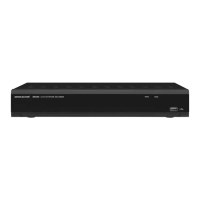
Monacor IOR-204 - User Manual

Monacor IOR-204
56 pages
Go to English
Print Icon
To Next Page IconTo Next Page
Loading...
ELECTRONICS FOR SPECIALISTS ELECTRONICS FOR SPECIALISTS ELECTRONICS FOR SPECIALISTS ELECTRONICS FOR SPECIALISTS
Mehrkanal-Netzwerk-Rekorder
zur Videoüberwachung
Multi-Channel Network Recorder
for Video Surveillance
IOR-204
Bestell-Nr. • Order No. 18.9130
IOR-208
Bestell-Nr. • Order No. 18.9140
IOZ-204BV
Bestell-Nr. • Order No. 18.9150
IOZ-204DV
Bestell-Nr. • Order No. 18.9160
IOZ-408BV
Bestell-Nr. • Order No. 18.9170
IOZ-408DV
Bestell-Nr. • Order No. 18.9180
NWR-801POE
Bestell-Nr. • Order No. 18.0002
NWR-1608POE
Bestell-Nr. • Order No. 18.0001
NWR-3216POE
Bestell-Nr. • Order No. 18.0107
NWR-6400
Bestell-Nr. • Order No. 18.0176
BEDIENUNGSANLEITUNG Software-Version 8
INSTRUCTION MANUAL Software Version 8

Table of Contents

Question and Answer IconNeed help?

Do you have a question about the Monacor IOR-204 and is the answer not in the manual?

Summary

Safety Notes

Connecting the Recorder

Installing the hard disk

Step-by-step guide for installing the internal hard disk drive.

Cameras, monitor, USB mouse

Instructions for connecting cameras, monitors, and USB peripherals.

Power supply

Instructions for connecting the power supply unit to the device.

Setting the Recorder into Operation

Defining the language, the device ID and the password during first-time operation

Initial setup for language, device ID, and administrator password.

Setup wizard

A guided process for configuring the recorder's initial settings.

Managing passwords and users

Managing user accounts and their access permissions.

Factory setting

Resetting the recorder to its original factory default configuration.

Operation

Live surveillance

Real-time monitoring of camera feeds.

Recordings

Manual and automatic recording initiation and management.

Replaying recordings

Accessing and reviewing previously recorded video footage.

Controlling a PTZ camera

Operating PTZ cameras remotely for pan, tilt, and zoom functions.

Deleting data;Formatting the hard disk

Procedure for formatting the hard disk and erasing all data.

Insertions and Error Messages

Remote Surveillance and Remote Access to the Recorder

Via mobile phones or tablet computers

How to access the recorder remotely using mobile devices.

Remote access via a computer

Steps to access the recorder remotely from a PC using a web browser.
Summary

Safety Notes

Connecting the Recorder

Installing the hard disk

Step-by-step guide for installing the internal hard disk drive.

Cameras, monitor, USB mouse

Instructions for connecting cameras, monitors, and USB peripherals.

Power supply

Instructions for connecting the power supply unit to the device.

Setting the Recorder into Operation

Defining the language, the device ID and the password during first-time operation

Initial setup for language, device ID, and administrator password.

Setup wizard

A guided process for configuring the recorder's initial settings.

Managing passwords and users

Managing user accounts and their access permissions.

Factory setting

Resetting the recorder to its original factory default configuration.

Operation

Live surveillance

Real-time monitoring of camera feeds.

Recordings

Manual and automatic recording initiation and management.

Replaying recordings

Accessing and reviewing previously recorded video footage.

Controlling a PTZ camera

Operating PTZ cameras remotely for pan, tilt, and zoom functions.

Deleting data;Formatting the hard disk

Procedure for formatting the hard disk and erasing all data.

Insertions and Error Messages

Remote Surveillance and Remote Access to the Recorder

Via mobile phones or tablet computers

How to access the recorder remotely using mobile devices.

Remote access via a computer

Steps to access the recorder remotely from a PC using a web browser.

Monacor IOR-204 Specifications

General IconGeneral
BrandMonacor
ModelIOR-204
CategoryTuner
LanguageEnglish

Related product manuals
