7
English
sensitivity. This input is also suitable for connection
to a headphone output (e. g. from an MP3 player).
The amplifier is also provided with a headphone
output and a power supply jack for operating or
charging mobile devices.
4 Setting Up and
Connecting the Amplifier
When setting up the amplifier, always provide free
air circulation through all air vents to ensure suf-
ficient cooling.
Always switch off the amplifier before making or
changing any connections.
4.1 Audio sources
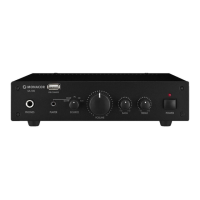
The inputs PC, CD and AUX (11) allow to connect
three audio sources with line signal level (e. g. CD
player, tuner or audio output of a PC, mixer or DVD
player). Connection is made via RCA jacks, for the
left (L) and right (R) channels respectively.
It is possible to connect another signal source
with line level via the 3.5 mm jack PLAYER (3) on the
front panel. The jack can also be used for signals
with lower level, e. g. from the headphone output
of an MP3 player. To select the level, use the selec-
tor switch SOURCE (4) (
☞
chapter 5).
4.2 Speakers
Connect speakers with an impedance of 4 to 8 Ω
to the spring terminals (12) (LEFT = left speaker,
RIGHT = right speaker; observe the correct polarity
⊕ / ⊖ ). When several speakers are interconnected
at an output, the total impedance of the speakers
at each output must not fall below 4 Ω.
4.3 Headphones
Use the 6.3 mm jack PHONES (1) to connect stereo
headphones. In this case, the speakers will be muted.
4.4 Connector “USB CHARGE”
Use the connector USB CHARGE (2) to connect
a mobile device (e. g. MP3 player) which allows
to be supplied with power or allows its batteries
to be recharged via USB port. It is supplied with
power from the amplifier (500 mA max.). Thus, an
additional power supply unit is not required.
4.5 Power supply
Finally connect the mains cable (10) to a socket
(230 V/ 50 Hz).
5 Operation
1)
Prior to initial operation, set the control VOLUME
(5) to “0”.
2)
Switch on the amplifier with the switch
POWER(8). The power LED (9) lights up.
3) Switch on the audio source used, then select it
with the switch SOURCE (4). When the audio
source has been connected to the input PLAYER
(3), select “HI IMP” for signal outputs with line
level or “LO IMP” for signal outputs with lower
level.
4)
Adjust the desired volume with the control
VOLUME. Adjust the sound as desired with the
controls BASS (6) and TREBLE (7).
CAUTION Never adjust the audio system to
a very high volume. Permanent
high volumes may damage your
hearing! Your ear will get accus-
tomed to high volumes which do not seem
to be that high after some time. Therefore,
do not further increase a high volume after
getting used to it.
5)
After operation, switch off the amplifier with
the switch POWER.
6 Specifications
RMS output power
at 4 Ω: � � � � � � � � � � � � � � � � � 2 × 25 W
at 8 Ω: � � � � � � � � � � � � � � � � � 2 × 20 W
Max� output power: � � � � � � � � � 2 × 50 W
Frequency range: � � � � � � � � � � � 20 – 20 000 Hz
S/N ratio: � � � � � � � � � � � � � � � � � > 70 dB
Headphone output
Connection: � � � � � � � � � � � � � 6�3 mm jack
Min� load impedance: � � � � � � 32 Ω
Inputs (sensitivity, impedance, connection)
PC, CD, AUX: � � � � � � � � � � � � 140 mV, 46 kΩ, RCA
PLAYER: � � � � � � � � � � � � � � � � “HI IMP” 140 mV, 12 kΩ
“LO IMP” 25 mV, 32 kΩ,
3�5 mm jack
Tone control
Low frequencies (BASS): � � � � 100 Hz, ±12 dB
High frequencies (TREBLE): � � 12 kHz, ±12 dB
USB connector: � � � � � � � � � � � � type A, 5 V/ 500 mA max�
Power supply: � � � � � � � � � � � � � 230 V/ 50 Hz
Power consumption: � � � � � � � � 150 VA max�
Ambient temperature: � � � � � � � 0 – 40 °C
Dimensions (W × H × D): � � � � 212 × 56 × 250 mm
Weight: � � � � � � � � � � � � � � � � � � 2�6 kg
Subject to technical modification.
All rights reserved by MONACOR
®
INTERNATIONAL GmbH & Co. KG. No part of this instruction manual may be
reproduced in any form or by any means for any commercial use.


 To Next Page
 Loading...