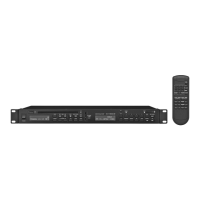
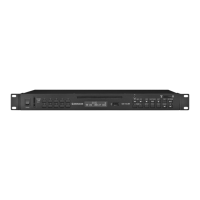
Funktionen der Tasten Functions of the buttons Fonctions des touches Funzioni dei tasti
Tasten am Player Buttons at the player Touches sur le lecteur Tasti sul lettore
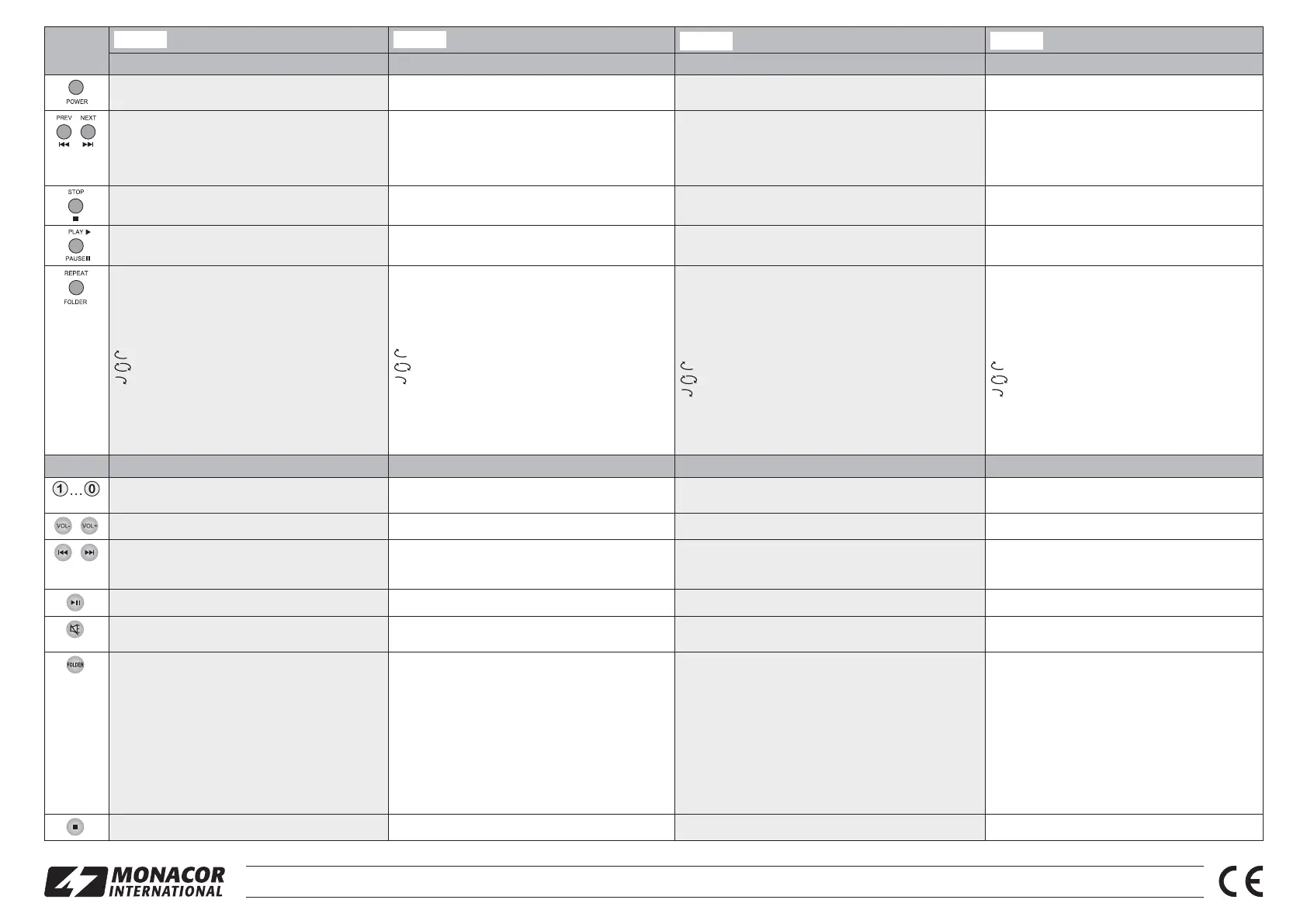
Ein- und Ausschalten des Players
(Taste ca. 1 Sekunde gedrückt halten)
To switch the player on and off
(keep the button pressed for approx. 1 sec.)
Marche/arrêt du lecteur
(touche maintenue enfoncée pendant une seconde environ)
Accendere e spegnere il lettore
(tener premuto il tasto per 1 secondo ca.)
im Stopp- und Pausenmodus: = Sprung zum nächs-
ten Titel,
= Sprung zum vorherigen Titel.
Danach startet sofort die Wiedergabe des Titels.
während der Wiedergabe:
Lautstärke reduzieren (
) oder erhöhen ()
In the stop mode/pause mode:
= go to the next title, = go to the previous title.
Then the replay of the title will be immediately started.
During replay:
to reduce (
) or increase () the volume.
En mode arrêt et pause :
= saut au titre suivant, = saut au titre précédent.
Ensuite la lecture du titre démarre immédiatement.
Pendant la lecture :
Diminution (
) ou augmentation () du volume
Nel modo di stop e di pausa: = salto al titolo succes-
sivo,
= salto al titolo precedente.
Dopodiché si avvia subito la riproduzione del titolo.
Durante la riproduzione:
ridurre il volume (
) oppure aumentarlo ()
Stoppen der Wiedergabe und Rückkehr zum Titelanfang To stop the replay and to return to the beginning of the title Arrêt de la lecture et retour au début du titre Fermare la riproduzione e ritorno all'inizio del titolo
Unterbrechen und Fortsetzen der Wiedergabe To pause and continue the replay Interruption et poursuite de la lecture Interrompere e proseguire la riproduzione
im Stopp- und Pausenmodus: Ordneranwahl
Die Taste drücken (Ordneranzeige blinkt). Dann den Ord-
ner über die Taste
oder anwählen und mit der Taste
bestätigen: Der 1. Titel im angewählten Ordner startet.
während der Wiedergabe: Wahl des Abspielmodus
Folgende Abspielmodi sind verfügbar:
endlose Wiederholung aller Titel des Ordners
endlose Wiederholung aller Titel des Tonträgers
endlose Wiederholung des aktuellen Titels
Die Taste so oft drücken, bis das Symbol für den
gewünschten Abspielmodus blinkt und danach zur Bestä-
tigung die Taste
drücken.
Hinweis: Wird im Auswahlmodus für 5 Sekunden keine Taste
gedrückt, wird er verlassen.
In the stop mode/pause mode: to select the folder
Press the button (folder indication starts flashing). Then se -
lect the folder with the button
or and confirm with the
button
: The first title of the selected folder will be started.
During replay: to select the replay mode
The following replay modes are available:
all titles of the folder continuously repeated
all titles of the sound carrier continuously repeated
current title continuously repeated
Press the button repeatedly until the symbol for the replay
mode desired starts flashing, and then press the button
to confirm.
Note: The player will exit the selection mode after 5 seconds if no
button is pressed.
En mode arrêt et pause : sélection de dossier
Appuyez sur la touche (lʼaffichage de dossier clignote). Ensuite,
sélectionnez le dossier via la touche
ou et confirmez avec
la touche
: le premier titre dans le dossier sélectionné dé -
marre.
Pendant la lecture : sélection du mode de lecture
Les modes suivants sont disponibles :
lecture continue de tous les titres du dossier
lecture continue de tous les titres du support audio
répétition continue du titre en cours
Appuyez sur la touche jusquʼà ce que le symbole pour le mode de
lecture voulu clignote et appuyez sur la touche
pour confirmer.
Conseil : si aucune touche nʼest activée pendant 5 secondes, vous quit-
tez ce mode.
Nel modo di stop e di pausa: scelta della cartella
Premere il tasto (l'indicazione della cartella è lampeg-
giante). Quindi scegliere la cartella tramite il tasto
o
e confermare con il tasto : si avvia il primo titolo della
cartella scelta.
Durante la riproduzione: scelta del modo di riproduzione
Sono disponibili i seguenti modi di riproduzione:
ripetizione senza fine di tutti i titoli della cartella
ripetizione senza fine di tutti i titoli del supporto audio
ripetizione senza fine del titolo attuale
Premere il tasto tante volte finché lampeggia il simbolo
per il modo richiesto, e quindi confermare con il tasto
.
N.B.: Se nel modo di scelta non si preme nessun tasto entro
5 secondi, si esce da modo.
Tasten auf der Fernbedienung Buttons on the remote control Touches sur la télécommande Tasti sul telecomando
Titelanwahl innerhalb des Ordners: Die Nummer, die der
Ti tel im Ordner hat, eingeben und die Taste
drücken.
To select a title within a folder: Enter the number that the
title has within the folder, and then press the button
.
Sélection de titre dans le dossier : saisissez le numéro que le
titre a dans le dossier et appuyez sur la touche
.
Scelta del titolo all'interno di una cartella: Digitare il nu -
mero del titolo nella cartella e quindi premere il tasto
.
Lautstärke reduzieren (VOL-) oder erhöhen (VOL+) To reduce (VOL-) or increase (VOL+) the volume Diminution (VOL-) ou augmentation (VOL+) du volume Ridurre il volume (VOL-) oppure aumentarlo (VOL+)
kurz drücken: Titelanwahl ( = vorwärts, = zurück)
gedrückt halten:
schneller Vorlauf (
), schneller Rücklauf ()
Press briefly: title selection ( = forward, = reverse)
Keep pressed: fast forward (
), fast reverse ()
Brièvement enfoncée :
sélection de titre (
= vers lʼavant, = vers lʼarrière)
Maintenue enfoncée : avance rapide (
), retour rapide ()
Premere brevemente: scelta del titolo ( = in avanti,
= indietro); tenere premuto: avanzamento veloce () ,
ritorno veloce (
)
Unterbrechen und Fortsetzen der Wiedergabe To pause and continue the replay Interruption et poursuite de la lecture Interrompere e proseguire la riproduzione
Ton auschalten und wieder einschalten (Der Ton lässt sich
auch durch Drücken einer Taste VOL wieder einschalten.)
To mute and unmute the sound (The sound can also be
unmuted by pressing one of the VOL buttons.)
Coupure et réactivation du son (On peut également réactiver le
son en appuyant sur une touche VOL.)
Disattivare l'audio e riattivarlo (L'audio può essere riatti-
vato anche premendo un tasto VOL.)
Ordneranwahl: Die Taste einmal drücken (Ordneranzeige
blinkt). Dann zur Anwahl des Ordners entweder die Taste
oder verwenden oder über die Zifferntasten die Ord-
nernummer eingeben. Danach zur Bestätigung die Taste
drücken: Der 1. Titel im angewählten Ordner startet.
Wahl des Abspielmodus: Die Taste so oft drücken, bis
das Symbol für den gewünschten Abspielmodus blinkt
(drei Abspielmodi verfügbar
Taste REPEAT/FOLDER
am Player) und danach zur Bestätigung die Taste
drücken.
Hinweis: Wird im Auswahlmodus für 5 Sekunden keine Taste
gedrückt, wird er verlassen.
To select the folder: Press the button once (folder indica-
tion will start flashing). Then, to select the folder, either use
the button
or or enter the folder number with the
numeric keys. Then press the button
to confirm: The first
title in the folder selected will be started.
To select the replay mode: Press the button repeatedly
until the symbol for the replay mode desired starts flashing
(three replay modes available
button REPEAT/FOLDER
at the player), and then press the button
to confirm.
Note: The player will exit the selection mode after 5 seconds if no
button is pressed.
Sélection de dossiers : Appuyez une fois sur la touche (lʼindi-
cation de dossier clignote). Ensuite, pour sélectionner le dossier,
utilisez soit la touche
ou la touche soit saisissez le numéro
du dossier via les touches numériques. Ensuite, appuyez sur la
touche
pour confirmer : le premier titre du dossier sélectionné
démarre.
Sélection du mode de lecture : Appuyez sur la touche jusquʼà
ce que le symbole pour le mode de lecture souhaité clignote
(trois modes disponibles
touche REPEAT/FOLDER sur le
lecteur) et ensuite appuyez sur la touche
pour confirmer.
Conseil : si aucune touche nʼest activée pendant 5 secondes, vous quit-
tez ce mode.
Scelta della cartella: Premere il tasto una volta (l'indica-
zione della cartella lampeggia). Quindi, per scegliere la
cartella usare o il tasto
o oppure digitare il numero
della cartella con i tasti numerici. Quindi premere il tasto
per confermare: Si avvia il primo titolo della cartella
scelta.
Scelta del modo di riproduzione: Premere il tasto tante
volte finché lampeggia il simbolo per il modo richiesto (so -
n o disponibili tre modi di riproduzione
tasto REPEAT/
FOLDER sul lettore) e quindi confermare con il tasto
.
N.B.: Se nel modo di scelta non si preme nessun tasto entro
5 secondi, si esce da modo.
Stoppen der Wiedergabe und Rückkehr zum Titelanfang To stop the replay and to return to the beginning of the title Arrêt de la lecture et retour au début du titre Fermare la riproduzione e ritorno all'inizio del titolo
Deutsch English
Italiano
Français
®
MONACOR INTERNATIONAL GmbH & Co. KG • Zum Falsch 36 • 28307 Bremen • Germany Copyright
©
by MONACOR INTERNATIONAL. All rights reserved. A-1627.99.01.02.2015


 To Next Page
 Loading...