EasyManua.ls Logo

Monitor Silo Patrol SE 344A - User Manual

Monitor Silo Patrol SE 344A
18 pages
Print Icon
To Next Page IconTo Next Page
Loading...
SiloPatrol
®
SE Silo Monitoring Unit (SMU)
BUL L E T I N
344A
I N S T A L L A T I O N & O P E R A T I O N
®
Thank you for purchasing a quality product manufactured by Monitor
Technologies LLC. We realize that you do have a choice of vendors
when procuring level measurement equipment and we sincerely appre-
ciate your business!
This manual contains the information necessary to ensure a safe and
successful installation. Please read and comply with the section on page
18 of this manual pertaining to SAFETY. Doing so will ensure proper
operation of the equipment and the safety of all personnel.
Before discarding the shipping container, please inspect it thoroughly
and verify that all parts ordered are accounted for. Observe the specifi-
cation label on the SMU cover. Verify the voltage, output type, cable
type, cable length, flange style, and location approval (ordinary or haz-
ardous). All SMUs are shipped with a standard plumb bob to ease instal-
lation. If an alternate plumb bob is ordered, it will be packed separately.
See Mechanical Installation section for method to change plumb bob.
In the event that information contained herein does not completely sat-
isfy your requirements or answer your questions, you may contact
Technical Support on our website www.monitortech.com, by telephone
at 800-766-6486 (630-365-9403), or by e-mail at techsupport@moni-
tortech.com. If your SMU ever requires service either in or out of warran-
ty, please contact us and obtain an RMA number prior to shipping the
unit to us.
www.monitortech.com
SMU
Important Notice
SMU has wireless
Bluetooth
®
set-up.
See Page 8 for more
details and instructions
on downloading
ConfigureSensor app.
Ordinary
Location
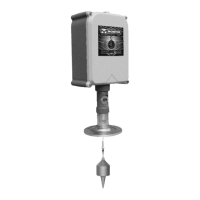
Unit Shown
Question and Answer IconNeed help?

Do you have a question about the Monitor Silo Patrol SE 344A and is the answer not in the manual?

Summary

Principle of Operation

Pre-Installation Considerations

Choosing a Location for SMU

Discusses vessel location, material angle of repose, and obstructions for SMU placement.

Mechanical Installation

SMU Mounting

Details on selecting location, preparing flange, and mounting the SMU unit.

Electrical Installation

General SMU Electrical Setup

Discusses dust-ignition-proof precautions and factory wiring for all SMUs.

SMU RS-485 Model

Power Input

Instructions for connecting power to the RS-485 model SMU.

RS-485 Network

Details on interconnecting SMUs using shielded cable for RS-485 communication.

Lock-Out Function

Explains the lock-out input function and its voltage requirements.

Relay Output

Description of the configurable isolated SPDT switch output.

SMU Analog(4-20 mA) Model

Power Input

Instructions for connecting power to the Analog (4-20mA) model SMU.

Sound Input

Details on using the 'sound' input for initiating measurement cycles.

Relay Output

Details on the configurable isolated SPDT switch output for the analog model.

4-20 mA Output

Explains the isolated, self-powered current loop output.

Lock Out Input

Explains the lockout input function for the analog model.

Setup

SMU RS-485 Model Setup

Hardware and specific configuration parameters for the RS-485 model.

SMU Analog(4-20 mA) Model Setup

Details on Auto Timer, defining 4mA/20mA values, and error reaction for the analog model.

ConfigureSensor App Parameters

Discusses Bluetooth parameter programming using the ConfigureSensor app.

ConfigureSensor App Menu Selection - RS-485

RS485 Protocol Selection

Options for selecting RS485 communication protocols like Modbus RTU, Modbus Ascii, and SiloPatrol.

RS485 Settings Configuration

Configuration options for baud rate, data bits, parity, and stop bits for RS485.

Device Address Configuration

How to assign unique network addresses to SMUs.

Relay Settings Configuration

Configuration of relay actions based on various conditions like cycle operate, error, and thresholds.

ConfigureSensor App Settings - RS-485 Continued

Miscellaneous Settings

Various miscellaneous settings including cycle limit, auto timer, and descend-assist.

Vessel Name Setting

Setting the vessel name for identification.

Show Measurement Data

Viewing current measurement data like cycle operate and temperature.

Show SMU Statistics

Displaying accumulated good/bad cycles and software version.

ConfigureSensor App Statistics - RS-485

Show RS485 Statistics

Detailed statistics related to RS485 communication performance.

Show Register Map

Information on the Modbus register map.

ConfigureSensor App Menu Selection - Analog 4-20 mA

4-20 mA Settings Configuration

Configuration for 4-20mA distance values, error reaction, and force current.

Relay Settings Configuration

Configuration of relay actions for the analog model.

ConfigureSensor App Settings - Analog 4-20 mA Continued

Miscellaneous Settings

Miscellaneous settings for analog model, including cycle limit, auto timer, and descend-assist.

Show Measurement Data

Viewing analog model measurement data like cycle operate and temperature.

Show SMU Statistics

Displaying accumulated cycles and software version for the analog model.

Operation

General Operational Guidelines

Recommends periodic measurement use and discusses operational limits.

SMU Analog(4-20 mA) Output Operation

Details on outputting 4mA and 20mA signals and error conditions.

SMU;HMI² System Operation

Steps for operating the SMU when connected to an HMI² system.

SMU;SiloTrack System Operation

Reference to bulletins for operating the SMU with SiloTrack systems.

Maintenance

Fuse Replacement

Instructions and specifications for replacing SMU fuses by qualified personnel.

Preventive Maintenance

Wiper Seal Replacement

Cable Replacement Procedure

Troubleshooting

SMU Will Not Make Measurement

Solutions for when the SMU fails to initiate a measurement cycle.

SMU Reports Error After Measurement

Explains causes and solutions for Return, Index, and Motion errors.

Plumb Bob Stuck in Socket

Advice on addressing issues with the plumb bob sticking in its socket.

Inaccurate SMU Measurement

Troubleshooting steps for inaccurate measurements, including cable length and wiper seals.

Safety

General Safety

Essential safety instructions for proper operation and personnel safety.

Electrical Shock Caution

Warnings regarding high voltage and servicing by qualified personnel.

Hazardous Location Caution

Precautions for using SMUs in hazardous locations, including enclosure integrity and maintenance.

Mechanical Hazards

Warnings about the weight of the SMU and pinch points during service.

Electromagnetic Compatibility (EMC)

Details on EMC testing and compliance standards for industrial environments.

Specifications

Monitor Silo Patrol SE 344A Specifications

General IconGeneral
BrandMonitor
ModelSilo Patrol SE 344A
CategoryMeasuring Instruments
LanguageEnglish