9
Initial Setup
1. Charge the Precision Cooking Probe using the
provided Micro USB cable and a computer or
USB charger (not included).
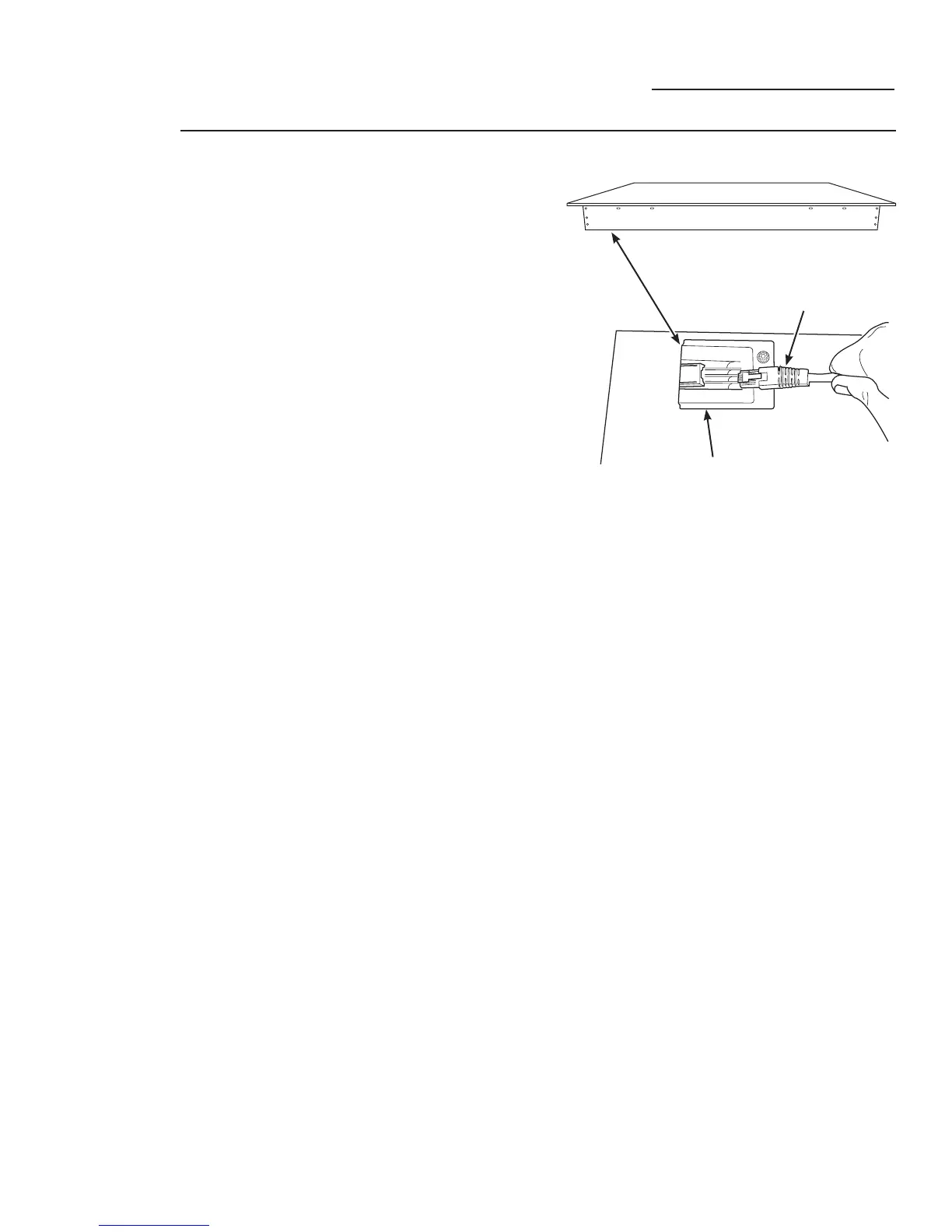
2. Locate the input connector jack on the bottom
side of the cooktop. It can be found in the front
left corner.
3. Connect the Bluetooth
®
Module. Stick the
module to the bottom of the cooktop. It
contains magnets which will allow it to adhere
to the bottom of the cooktop.
4. Power on the Precision Cooking Probe by
pressing and holding the Power button for 3
seconds. The Bluetooth
®
Indicator will turn on
and flash 3 times.
5. Wait 5-10 seconds while the devices join. Once
the joining process is complete the Bluetooth
®
Module indicator shall turn on solid and the
Precision Cooking Probe Indicator shall flash
once every 5 seconds.
6. CONGRATULATIONS! Setup is complete.
Using Your Cooktop
Precision Cooking Probe
Side View of Cooktop
Input Connector Jack Located
on Bottom Side of Cooktop
Ethernet Cable Connector
on the Bluetooth
®
Module



 To Next Page