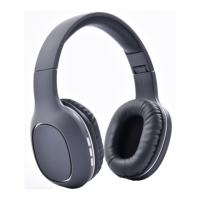
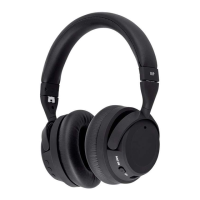
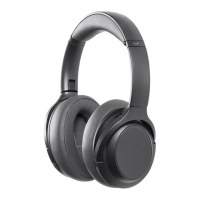
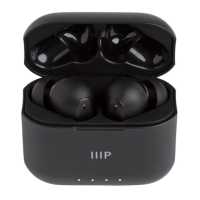
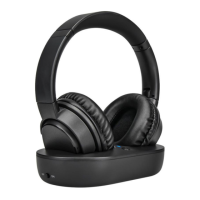
The Monoprice BT-250ANC Bluetooth® Wireless Over-Ear Headphones with Active Noise Cancelling (ANC) are designed to provide a high-quality audio experience with the added benefit of noise cancellation. These headphones are intended for indoor use and offer a range of features for convenient and enjoyable listening.
Function Description:
The BT-250ANC headphones are primarily designed for wireless audio playback via Bluetooth® connectivity. They allow users to listen to music, podcasts, and other audio content from their mobile devices without the need for physical cables. A key feature of these headphones is Active Noise Cancelling (ANC), which helps to reduce ambient noise, providing a more immersive listening experience, especially in noisy environments. The headphones also support hands-free calling, enabling users to answer and manage phone calls directly from the device.
Usage Features:
- Wireless Connectivity: The headphones connect to your mobile device using Bluetooth® technology, offering freedom of movement without tangled wires.
- Active Noise Cancelling (ANC): A dedicated ANC switch allows users to turn the noise cancelling feature on or off, providing control over their listening environment. When activated, ANC helps to minimize external distractions.
- Intuitive Controls: The headphones feature a set of easy-to-use controls for managing audio playback and calls.
- Power On/Off: Press and hold the ►|| button for 3 seconds to turn the headphones on or off.
- Play/Pause: Momentarily press the ►|| button to pause or resume audio playback.
- Call Management:
- To answer an incoming call, momentarily press the ►|| button.
- To hang up a call in progress, momentarily press the ►|| button.
- To redial the last number dialed, double-press the ►|| button.
- Track Navigation:
- To skip forward to the next track, momentarily press the + button.
- To skip back to the previous track, momentarily press the — button.
- Volume Control:
- To increase the volume, press and hold the + button.
- To decrease the volume, press and hold the — button.
- Bluetooth Pairing: The pairing process is straightforward. After turning on the headphones, they will either reconnect to a previously paired device or enter Bluetooth pairing mode, indicated by an alternating red and blue LED flash. Users can then select "MP43550" from their device's Bluetooth settings. A beep and a solid blue LED indicate a successful connection.
- Safety Considerations: It is crucial to use these headphones responsibly. Avoid using them while operating a motor vehicle, heavy equipment, or in situations where situational awareness is critical, such as walking in traffic. Prolonged exposure to excessive volume levels can cause hearing damage, so it is recommended to reduce the volume to a minimum before wearing the headphones and then gradually increase it to a comfortable listening level.
Maintenance Features:
- Battery Charging: The headphones are equipped with a Lithium battery that requires regular charging to maintain its performance.
- Initial Charge: Charge the battery before the first use.
- Regular Charging: To keep the battery fresh and capable of holding a full charge, it should be charged at least once every three months.
- Charging Process: Use the included Micro USB Charging Cable. Plug one end into the Micro USB Port on the headphones and the other end into a USB power source (e.g., wall charger, power bank). A red LED indicates that charging is in progress. The LED will turn off when the battery is fully charged, which typically takes 2-3 hours.
- Storage: After charging, unplug the cable and store it safely.
- Cleaning: To clean the headphones, use a soft, dry cloth only. Avoid using chemical cleaners, solvents, or detergents, as these can damage the device. For stubborn deposits, the cloth can be moistened with warm water.
- No User Serviceable Parts: The device does not contain any user-serviceable parts. Users should not attempt to open, service, or modify the headphones, as this could void warranties and potentially damage the device.
- Environmental Disposal: As the device contains a Lithium battery, it must be disposed of in accordance with local, state, or federal regulations for electronic waste. Do not dispose of it with regular household waste.
- Environmental Protection: To ensure longevity and safe operation, do not expose the headphones to water, moisture, excessive vibration, extreme force, shock, or fluctuations in temperature or humidity. Keep the device away from excessively high temperatures, heat sources (like fireplaces, stoves, radiators), and direct sunlight. If moisture accidentally gets into or onto the device, immediately disconnect it from its power source and allow it to dry completely before re-applying power.

 Need help?
 General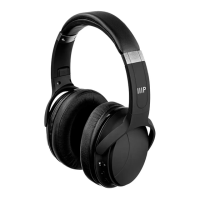

 To Next Page