7
SETUP
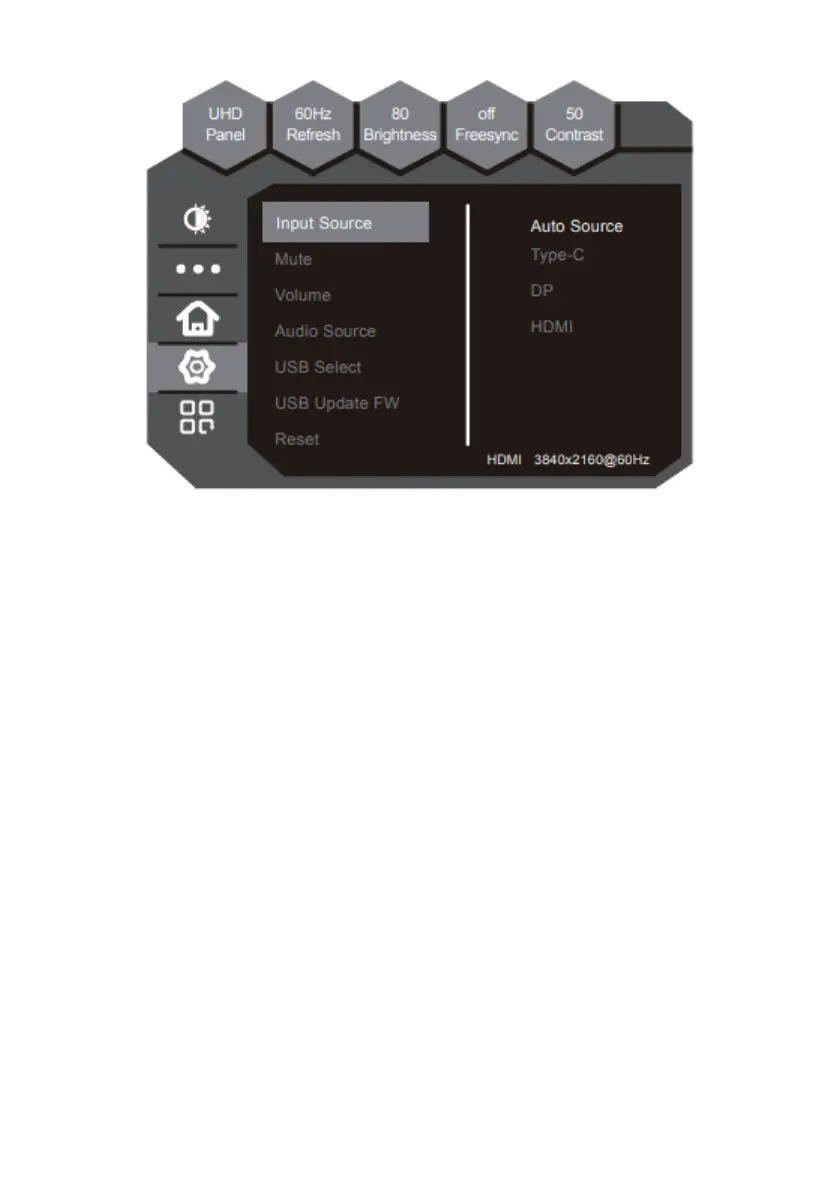
The function allows you to change the signal source and adjust the volume.
1. INPUT SOURCE
a. HDMI - Select HDMI as the video source of the monitor
b. DP - Select DP (Display Port) as the video source of the monitor
c. TYPE-C - Select TYPE-C as the video source of the monitor
2. MUTE - Option to mute/unmute
3. VOLUME - Adjust the volume
4. AUDIO SOURCE - Choose the audio source from different sources
5. USB Select - Follow the instructions below to set up USB Select for your
monitor:
a. Connect Type-C/USB-B to your computer
b. Select Type-C/USB-B of USB Port Select in the OSD
6. USB Update FW - Update monitor firmware via USB flash drive
7. RESET - This option resets all values in the OSD back to the factory standard


 To Next Page