8
OTHER SETTINGS
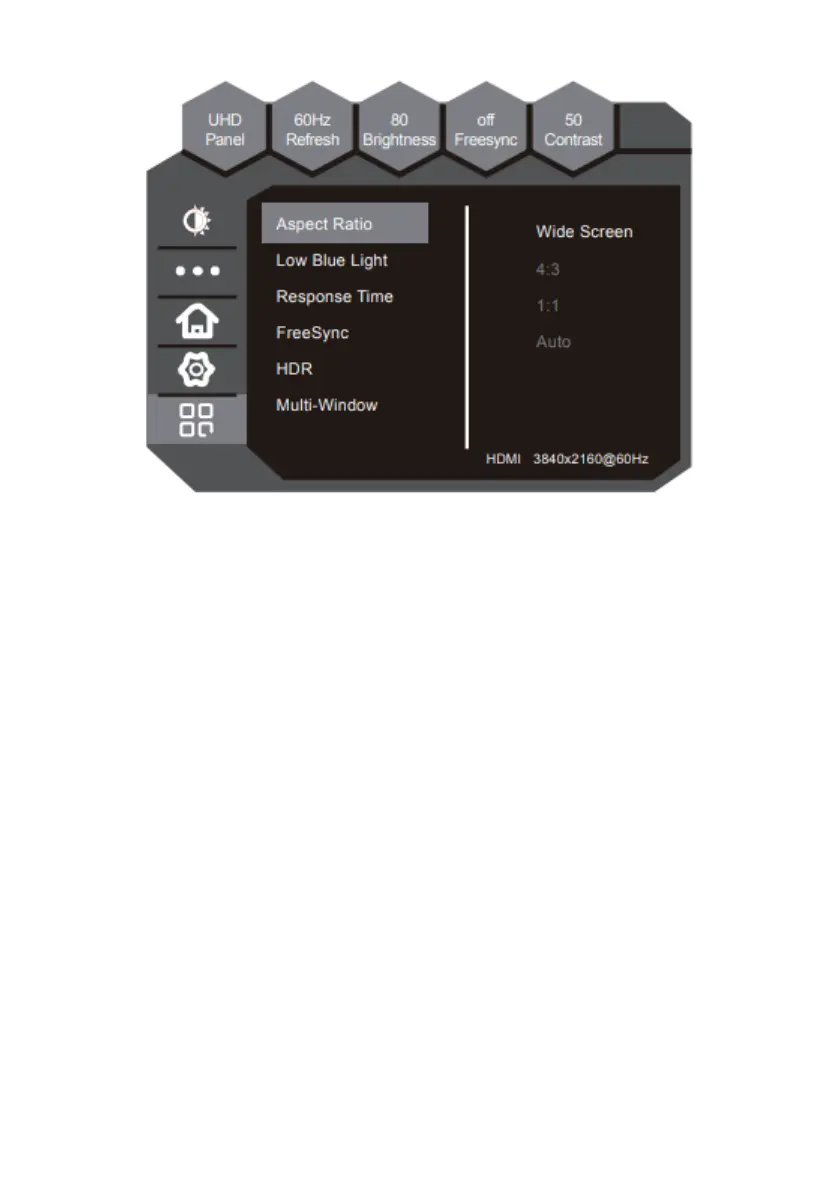
This function includes some new features.
1. Aspect Ratio
a. Wide Screen - Set Aspect Ratio is Wide Screen
b. 4:3 - Set Aspect Ratio is 4:3
c. 1:1 - Set Aspect Ratio is 1:1
d. Auto - Set Aspect Ratio is Auto
2. LOW Blue Light
a. off – Close Low Blue Light
b. LOW – Set Low Blue Light to Low
c. Medium – Set Low Blue Light to Medium
d. High – Set Low Blue Light to High
e. MaxHigh – Set Low Blue Light to MaxHigh
3. Response Time
a. on - Open Response Time
b. off - Close Response Time
4. FreeSync - This option supports a dynamic refresh rate aimed at reducing
screen tearing


 To Next Page