Need help?
Do you have a question about the Monoprice PAR-64 and is the answer not in the manual?
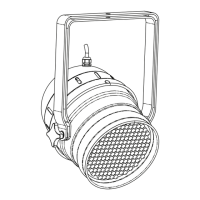
Lists all items included in the PAR-64 StageLight package for user verification.
Essential safety precautions and operational guidelines to ensure safe and correct use of the stage light.
Detailed breakdown of each DMX channel's purpose and value range for light control.
Explanation of how to use the device's control panel buttons for navigation and operation.
Explains specific menu options like DMX addressing, program selection, speed, and color adjustments.
Enumerates the sixteen pre-programmed lighting effects, such as static colors and cycling patterns.
A step-by-step guide to selecting a specific built-in program using the device's menu interface.
How to connect multiple lights for synchronized operation, designating one as master and others as slaves.
Wiring diagram for creating a converter cable between 3-pin XLR and 5-pin DMX connectors.
Steps to diagnose and fix issues preventing the stage light from powering up.
Solutions for when the stage light does not respond correctly to DMX commands.
 General
| Brand | Monoprice |
|---|---|
| Model | PAR-64 |
| Category | Flood Light |
| Language | English |

 To Next Page