EasyManua.ls Logo

Monoprice SB-200SW - User Manual

Monoprice SB-200SW
20 pages
Print Icon
To Next Page IconTo Next Page
Loading...
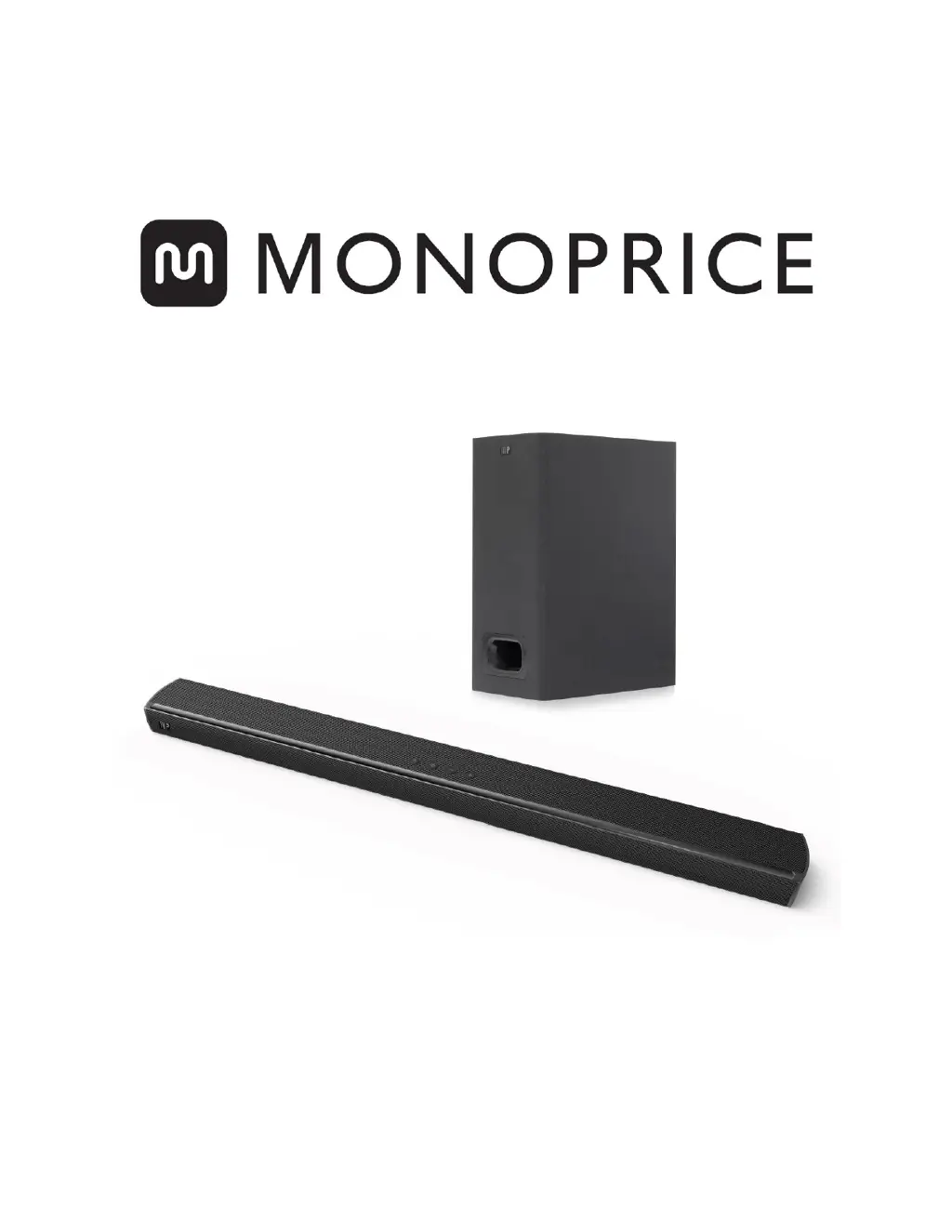
SB-200SW Premium Slim Soundbar with Wireless Subwoofer
P/N 38037
User's Manual

Questions and Answers

  • W
    warrenstevenJul 27, 2025
    What to do if my Monoprice SB-200SW has no sound?
    • H
      hessedwinJul 27, 2025
      If your Monoprice Stereo System has no sound, first increase the volume and ensure that the mute function is off by pressing the MUTE button on the remote. Try playing audio from a different source to isolate the issue. For digital audio connections, verify that your TV or audio source device is set to output PCM audio. If your TV isn't passing through audio, try connecting directly to your audio source device. Make sure your TV's audio output is set to FIXED or STANDARD, not VARIABLE. When using Bluetooth, check that the volume on your mobile device is turned up and not muted.
  • F
    Frederick KingAug 7, 2025
    How to troubleshoot a Monoprice SB-200SW Stereo System that has no power?
    • D
      Devin WatsonAug 7, 2025
      If your Monoprice Stereo System isn't powering on, ensure the AC power cord is securely connected to both the soundbar and a working AC power outlet. Test the outlet with another device, like a lamp, to confirm it's live. Press the Power button on the soundbar to turn it on. As a troubleshooting step, unplug the soundbar, wait 30 seconds, and then plug it back in.
  • G
    Gabriel SingletonAug 17, 2025
    What to do if Monoprice Stereo System remote control doesn't work?
    • J
      Jason SpencerAug 17, 2025
      If the remote control for your Monoprice Stereo System isn't working, first ensure that you have selected the correct source. Make sure you are aiming the remote at the IR Receiver on the front of the soundbar. Check the remote's battery to make sure it's correctly aligned. If needed, try replacing the battery with a new one.

Summary

Safety Warnings and Guidelines

Features

Customer Service

Package Contents

Product Overview

Soundbar Front Panel

Details the LED indicators and IR receiver on the front of the soundbar.

Soundbar Top Panel

Describes the power and volume controls on the top of the soundbar.

Soundbar Rear Panel

Details the AC socket, various audio inputs, and service port on the rear panel.

Remote Control

Subwoofer Rear Panel

IR Remote Control

Preparation For Use

Explains how to prepare the remote control by removing a plastic battery tab.

Connections

HDMI ARC

Details connecting the soundbar to a TV using HDMI ARC for audio return.

Optical

Explains how to connect the soundbar using a digital optical audio cable.

Coaxial

Details connecting the soundbar using a digital coaxial audio cable.

AUX

Describes connecting the soundbar via 3.5mm AUX or RCA audio cables.

Power

Pairing the Soundbar and Subwoofer

Automatic Pairing

Explains the automatic pairing process between the soundbar and subwoofer.

Manual Pairing

Provides steps for manually pairing the soundbar and subwoofer if automatic pairing fails.

Operation

Power

Details how to turn the soundbar on, put it in standby, and turn it off.

Bluetooth Pairing

Disconnecting Bluetooth

Troubleshooting

Specifications

Technical Support

Regulatory Compliance

Notice for FCC

Details FCC compliance rules and regulations for the device.

Radio Notice for FCC

Provides caution and details for FCC radio device operation.

Notice for Industry Canada

States compliance with Canadian ICES-003 standards for digital apparatus.

Radio Notice for Industry Canada

Explains IC RSS-210 compliance and cautions for radio device operation.

Monoprice SB-200SW Specifications

General IconGeneral
Equalizer modesMovie, Music, TV
RMS rated power60 W
Audio output channels2.4.2 channels
Soundbar mode controlYes
Peak Music Power Output (PMPO)100 W
Impedance8 Ω
Tweeter diameter19 mm
Crossover frequency20000 Hz
Number of tweeter drivers2
Full-range driver diameter50 mm
Tweeter diameter (imperial)0.75 \
Full-range driver diameter (imperial)2 \
Subwoofer typeActive subwoofer
Subwoofer connectivityWireless
Subwoofer frequency range40 - 120 Hz
Woofer diameter (subwoofer)5.25 \
Product colorBlack
Wall mountable-
Wi-FiNo
Bluetooth version4.2
USB 2.0 ports quantity1
Connectivity technologyWired & Wireless
AC input voltage100 - 240 V
AC input frequency50/60 Hz
Soundbar power consumption30 W
Weight and Dimensions IconWeight and Dimensions
Depth86 mm
Width900 mm
Height45 mm
Subwoofer depth220 mm
Subwoofer width150 mm
Subwoofer height320 mm

Related product manuals