EasyManua.ls Logo

Monoprice SB-300 - User Manual

Monoprice SB-300
29 pages
Print Icon
To Next Page IconTo Next Page
Loading...
SB-300 Dolby Atmo Soundbar
P/N 42033
User's Manual
Question and Answer IconNeed help?

Do you have a question about the Monoprice SB-300 and is the answer not in the manual?

Summary

Safety Warnings and Guidelines

Introduction

Features

Lists the key features of the soundbar, including Dolby Atmos, HDMI inputs, Bluetooth, and USB streaming.

Customer Service

Package Contents

Product Overview

Overall

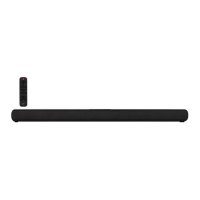
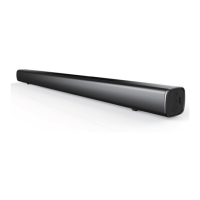
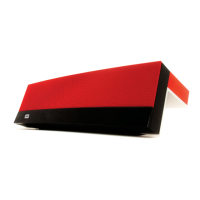
Describes the general appearance and key components of the soundbar, including the IR receiver and display.

Top Panel

Details the buttons and controls located on the top surface of the soundbar.

Rear Panel

Identifies and describes the various input and output ports on the rear of the soundbar.

Remote Control

Explains the functions of the buttons on the included remote control for operating the soundbar.

Installation

Safety Warning

Provides critical safety information and warnings regarding the mounting and installation process.

Positioning

Guides users on how to position the soundbar for optimal placement on a table or wall.

Wall Mounting

Outlines the step-by-step instructions for securely mounting the soundbar to a wall.

Remote Control Preparation

Soundbar Enhanced Features

Dolby Atmos

Explains the Dolby Atmos technology and its immersive audio capabilities.

eARC;ARC

Details the eARC/ARC functionality for audio return channel and TV control.

Connections

HDMI OUT

Describes how to connect the soundbar's HDMI OUT to a TV for audio playback.

HDMI IN 1;HDMI IN 2

Explains how to connect external video source devices using the HDMI IN ports.

OPTICAL

Guides on connecting the soundbar using a digital optical audio cable.

COAXIAL

Details how to connect the soundbar using a digital coaxial audio cable.

AUX

Explains how to connect analog audio sources using the 3.5mm AUX input.

Power

Power Saving

Bluetooth Operation

USB Operation

Troubleshooting

Technical Support

Specifications

Regulatory Compliance

Notice for FCC

Provides information regarding compliance with FCC regulations for digital devices.

RF Exposure Statement for FCC

Details the RF exposure limits and user instructions for FCC compliance.

Notice for Industry Canada

Outlines compliance with Canadian ICES-003 regulations.

RF Exposure Statement for Industry Canada

Specifies RF exposure compliance requirements for Canada.

Overview

The Monoprice™ SB-300 Dolby Atmos® Soundbar is a home theater audio system designed to deliver an immersive listening experience with built-in Atmos height speakers. It offers a wide range of connectivity options for various audio and video devices, along with wireless streaming capabilities.

Function Description

The primary function of the SB-300 Soundbar is to enhance your home theater audio by providing a true and powerful Dolby Atmos experience. Dolby Atmos is an advanced audio encoding method that creates three-dimensional sound by utilizing height speakers to bounce sound off the ceiling, simulating overhead audio without requiring physically mounted ceiling speakers. The soundbar integrates these height speakers to produce a more enveloping soundstage.

Beyond its advanced audio processing, the soundbar acts as a central hub for your audio and video sources. It features two HDMI® inputs for connecting source devices like DVD players, Blu-ray Disc™ players, or gaming consoles, allowing you to pass video through to your TV while processing the audio. An HDMI eARC output enables connection to your TV, supporting the Audio Return Channel (ARC) and Enhanced Audio Return Channel (eARC) features. This allows the soundbar to play audio originating from the connected TV, such as broadcast TV or smart TV apps.

For digital audio, the soundbar includes coaxial and optical digital audio inputs, providing flexibility for connecting older or different types of audio sources. An analog 3.5mm input is also available for connecting devices like smartphones, MP3 players, or the analog audio outputs of your TV.

Wireless audio streaming is supported via Bluetooth® 4.2, allowing you to connect mobile devices and stream audio wirelessly. Additionally, a USB input is provided for playing MP3 audio files directly from a USB flash drive.

Usage Features

The SB-300 Soundbar is designed for ease of use and offers several features to enhance your listening experience:

  • Dolby Atmos Support: Experience immersive, three-dimensional sound with content encoded in Dolby Atmos. For full Atmos support, it is recommended to use one of the HDMI® inputs with an HDMI 2.0 compliant cable (such as the included Premium High Speed HDMI Cable) and ensure your source devices have "No Encoding" selected for the audio bitstream. If using eARC/ARC, your TV must also support Dolby Atmos.
  • Multiple Input Options:
    • HDMI Inputs (HDMI IN 1/HDMI IN 2): Connect up to two HDMI source devices. Note that only one HDMI input can be active at a time.
    • HDMI Output (HDMI OUT TV eARC/ARC): Connects to your TV, supporting eARC/ARC for audio return from the TV. This allows the soundbar to play audio from broadcast TV or smart TV apps.
    • Optical Input: Digital optical audio input for connecting TVs or other audio sources.
    • Coaxial Input: Digital coaxial audio input for connecting TVs or other audio sources.
    • AUX Input: 3.5mm analog audio input for connecting smartphones, MP3 players, or TV analog audio outputs.
    • USB Input: Play MP3 audio files directly from a USB flash drive (up to 32GB, FAT16 or FAT32 format).
    • Bluetooth® 4.2: Wirelessly stream audio from Bluetooth-enabled mobile devices supporting the A2DP profile. If your device supports AVRCP, you can control playback using the soundbar's remote.
  • Remote Control: A full-featured IR remote control is included, offering convenient access to all soundbar functions from up to 19.6 feet (6 meters) away. The remote allows you to:
    • Power the system on/off or into standby.
    • Select input sources (AUX, BT, OPT/COA, HDMI® 1/2, HDMI eARC, USB).
    • Activate Bluetooth® pairing mode.
    • Mute/unmute audio.
    • Adjust volume levels.
    • Adjust bass and treble response.
    • Toggle Atmos® height speakers on/off (VERTICAL SURROUND).
    • Select one of four DSP sound modes (EQ).
    • Adjust display brightness (DIMMER).
    • Control playback (play/pause, skip tracks) for Bluetooth® and USB inputs.
  • Top Panel Controls: The soundbar also features physical buttons on its top panel for basic operations: power, input selection, Bluetooth® mode, mute, and volume adjustment.
  • DSP Sound Modes: Four Digital Signal Processing (DSP) sound modes are available to optimize audio for different content types, accessible via the remote control's EQ buttons.
  • Automatic Standby: To conserve power, the soundbar automatically enters standby mode after 15 minutes of no detected audio or video signal. It will automatically turn on when a signal is detected.
  • Wall Mounting Option: The soundbar can be mounted directly beneath a wall-mounted TV using the included wall mount brackets and hardware, providing a clean and integrated setup. Alternatively, it can be placed on a table in front of the TV.
  • Display: An integrated display shows system status information, including the selected input and the audio format being played (DOLBY ATMOS, DOLBY DIGITAL, PCM, or NONSUPPORT FORMAT).

Maintenance Features

Maintaining the SB-300 Soundbar is straightforward, focusing on safe operation and basic care:

  • Cleaning: Clean the device using only a soft, dry cloth. For stubborn deposits, the cloth can be moistened with warm water. Avoid chemical cleaners, solvents, or detergents, as these can damage the device.
  • Battery Management: For the remote control, remove the batteries if the controller will be unused for a lengthy period to prevent potential leakage. Do not mix new and old batteries or different types of batteries (alkaline, standard, rechargeable).
  • No User-Serviceable Parts: The device is designed without user-serviceable parts. Do not attempt to open, service, or modify the soundbar, as this could void warranties and potentially cause damage or injury.
  • Power Cord Care: Take care to prevent damage to the power cord by avoiding crimping, pinching, walking on, or tangling with other cords. Ensure the power cord does not present a tripping hazard. Always grasp the connector head or adapter body when unplugging the unit, never pull on the cord itself.
  • Environmental Considerations:
    • Avoid exposing the device to water or moisture of any kind. If moisture gets in, immediately remove it from its power source and allow it to dry completely before reapplying power.
    • Do not touch the device or connected cables with wet hands.
    • Ensure no condensation occurs in humid environments, as this can damage internal components.
    • Avoid excessive vibration, extreme force, shock, or fluctuations in temperature or humidity.
    • Do not expose the device to excessively high temperatures or direct sunlight, and keep it away from heat sources like fireplaces, stoves, or radiators.
    • Do not place or install the device in areas exposed to excessive dust, humidity, oil, smoke, or combustible vapors.
  • Installation Safety: If wall mounting, ensure it is performed by qualified personnel to avoid personal injury or property damage. Always check for electrical wiring or plumbing inside walls before drilling. The installer is responsible for ensuring the wall can safely support the soundbar's weight. Use a stud finder on drywall walls.

Monoprice SB-300 Specifications

General IconGeneral
RMS rated power- W
Audio output channels- channels
Soundbar mode controlYes
Impedance4 Ω
Number of speakers2
Soundbar speaker RMS power50 W
Subwoofer included-
Product colorBlack
Analog audio input3.5
Wi-FiNo
Bluetooth codecA2DP, AVRCP
Bluetooth version4.2
Number of HDMI outputs1
USB 2.0 ports quantityUSB 2.0 ports have a data transmission speed of 480 Mbps, and are backwards compatible with USB 1.1 ports. You can connect all kinds of peripheral devices to them.
Connectivity technologyWired & Wireless
AC input voltage100-240 V
AC input frequency50 - 60 Hz
Soundbar power consumption30 W
Power consumption (standby)0.5 W
Weight and Dimensions IconWeight and Dimensions
Depth106 mm
Width1000 mm
Height74 mm
Soundbar weight2700 g

Related product manuals