EasyManua.ls Logo

Monoprice SSVC-4.1 - User Manual

Monoprice SSVC-4.1
2 pages
Print Icon
To Next Page IconTo Next Page
Loading...
1
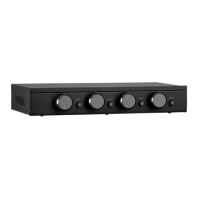
SSVC-4.1 Single Input 4-Channel Speaker Selector with Volume Control
P/N 38159
Quick Install Guide
INTRODUCTION
The SSVC-4.1 Speaker Selector is a resistor-based, impedance matching speaker selector
used for connecting up to four pairs of 4-ohm or 8-ohm speakers, while maintaining a safe
impedance load for your amplifier or receiver. Each pair of speakers can be independently
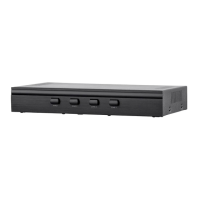
turned on or off using push buttons on the front panel, with no need for worrying about
amplifier loading. Each zone features an independent volume control.
FEATURES
Connect and safely control multiple speaker pairs with a single amplifier
Automatic impedance protection circuitry
100 watts/channel continuous power handling capacity, 200 watts/channel peak
5-ohm minimum amplifier impedance with four 4-ohm speakers selected, 6-ohm
minimum with 8-ohm speakers
Individual zone on/off buttons and volume controls
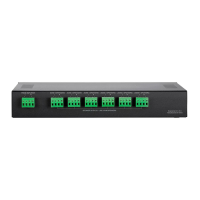
Heavy-duty screw-type connectors supporting 12-18 AWG speaker wire
Isolated left/right circuit grounds provide safe connection for amplifiers with
floating grounds or bridged configurations
Accurate, noise-free switching
Question and Answer IconNeed help?

Do you have a question about the Monoprice SSVC-4.1 and is the answer not in the manual?

Summary

Introduction

Product Features

Connectivity and Control

Safely connect and control multiple speaker pairs with a single amplifier, featuring independent zone controls and volume adjustments.

Impedance and Power Handling

Automatic impedance protection circuitry supports 4 or 8-ohm speakers, handling 100W continuous/200W peak power per channel.

Connection Specifications

Uses heavy-duty screw-type connectors for 12-18 AWG wire and provides isolated grounds for amplifier compatibility.

Installation Guide

Wire Gauge and Connection

Determine correct wire gauge, lay out wires, connect to selector blocks, and ensure no stray strands for safe installation.

Amplifier Input Connection

Connect zone wires to speakers and input wires to the amplifier, using the 'A' output if the amplifier has A and B outputs.

Volume Control Setup

Setting Amplifier Volume

Set amplifier volume to minimum, enable zones, and turn selector volume to maximum before adjusting amplifier.

Achieving Distortion-Free Audio

Slowly increase amplifier volume to find maximum without distortion, then set zone volume to a comfortable listening level.

Monoprice SSVC-4.1 Specifications

General IconGeneral
BrandMonoprice
ModelSSVC-4.1
CategoryRecording Equipment
LanguageEnglish

Related product manuals