2
MonoWare connection
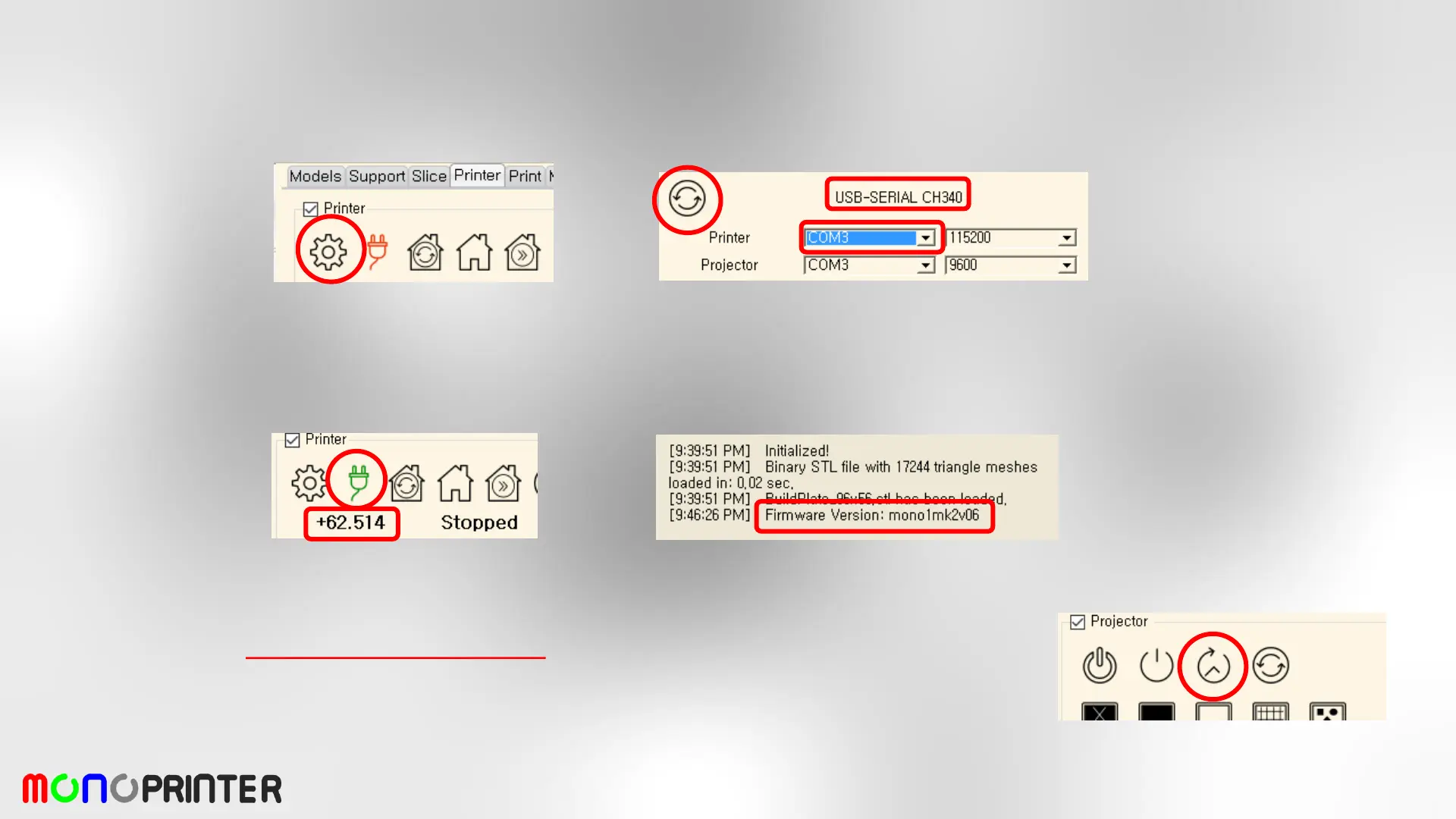
- Launch MonoWare
- Go to ‘Printer Setting’ and refresh COM ports
- Select a COM port that shows USB-SERIAL CH340.
- Baud rate is usually 115200. Don’t need to change.
- Press OK button to save and finish the printer setting.
- Press Connect button. Then MonoWare will connect to Mono1.
- If the connection is successful, the firmware version will be displayed and the
motor position will be updated. (Latest version: mono2mk1v01)
- Press ‘Check projector bulb hours’ button several times until the actual bulb
hours are displayed on the message box. This invokes a successful connection
between Mono1 and the projector.


 To Next Page