6
Build platform calibration 4
- Press ‘Homing’ button and wait for it is completed
- Check if the platform is touching down the FEP film
and/or forcing it down further.
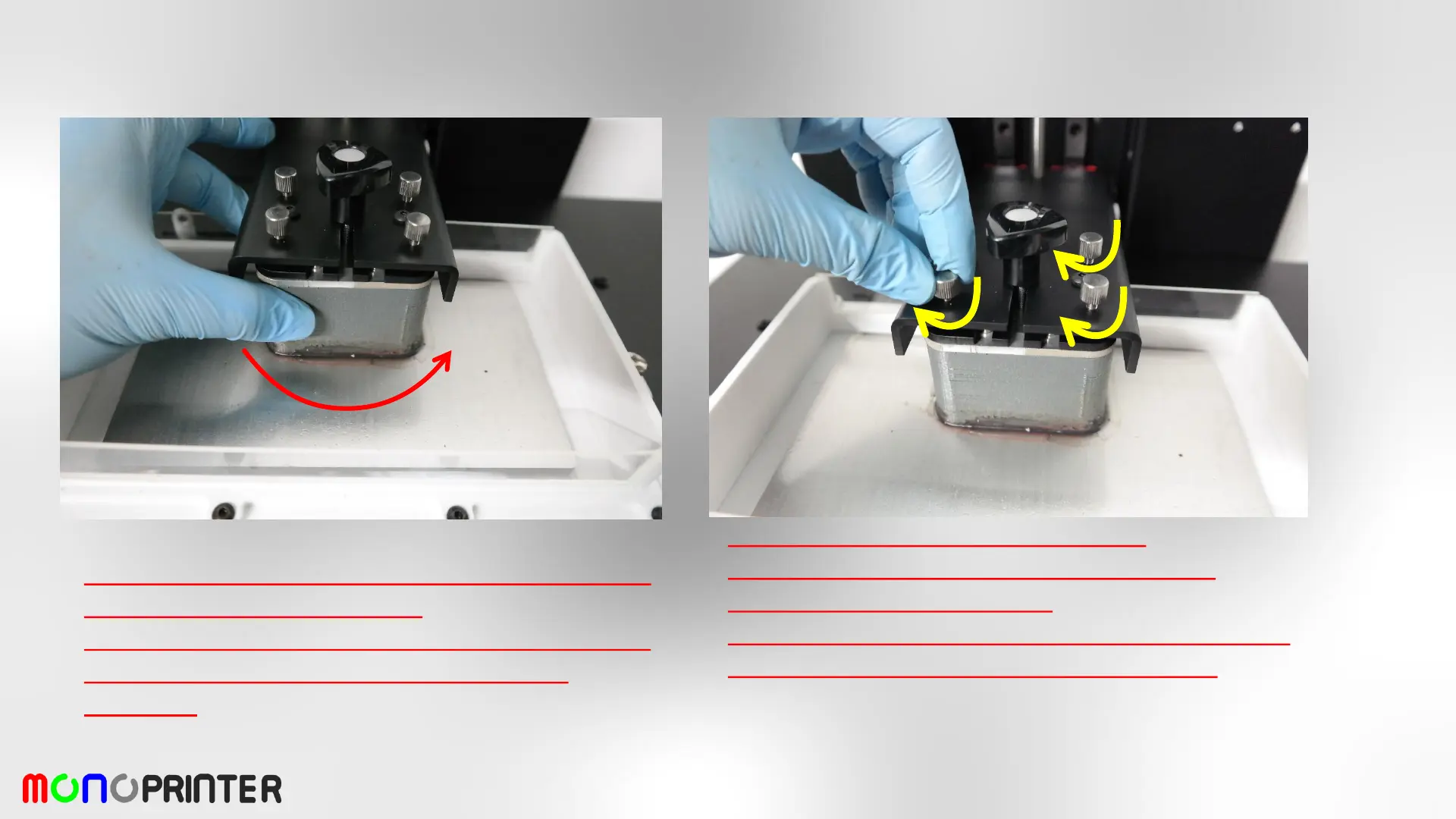
- After homing process, the build platform should be
freely movable (there should be a small gap
between).
- Gently tighten the thumb screws (x4).
- Check if the hex screws are still loose during
tightening the thumb screws.
- If the hex screws are locked, loosen the hex screws
further and tighten the thumb screws again.


 To Next Page