EasyManua.ls Logo

Monroe 30 - Maintenance and Service; Battery Replacement

Monroe 30
12 pages
Print Icon
To Previous Page IconTo Previous Page

Loading...
(1)
20
h
BATTERY
REPLACEMENT
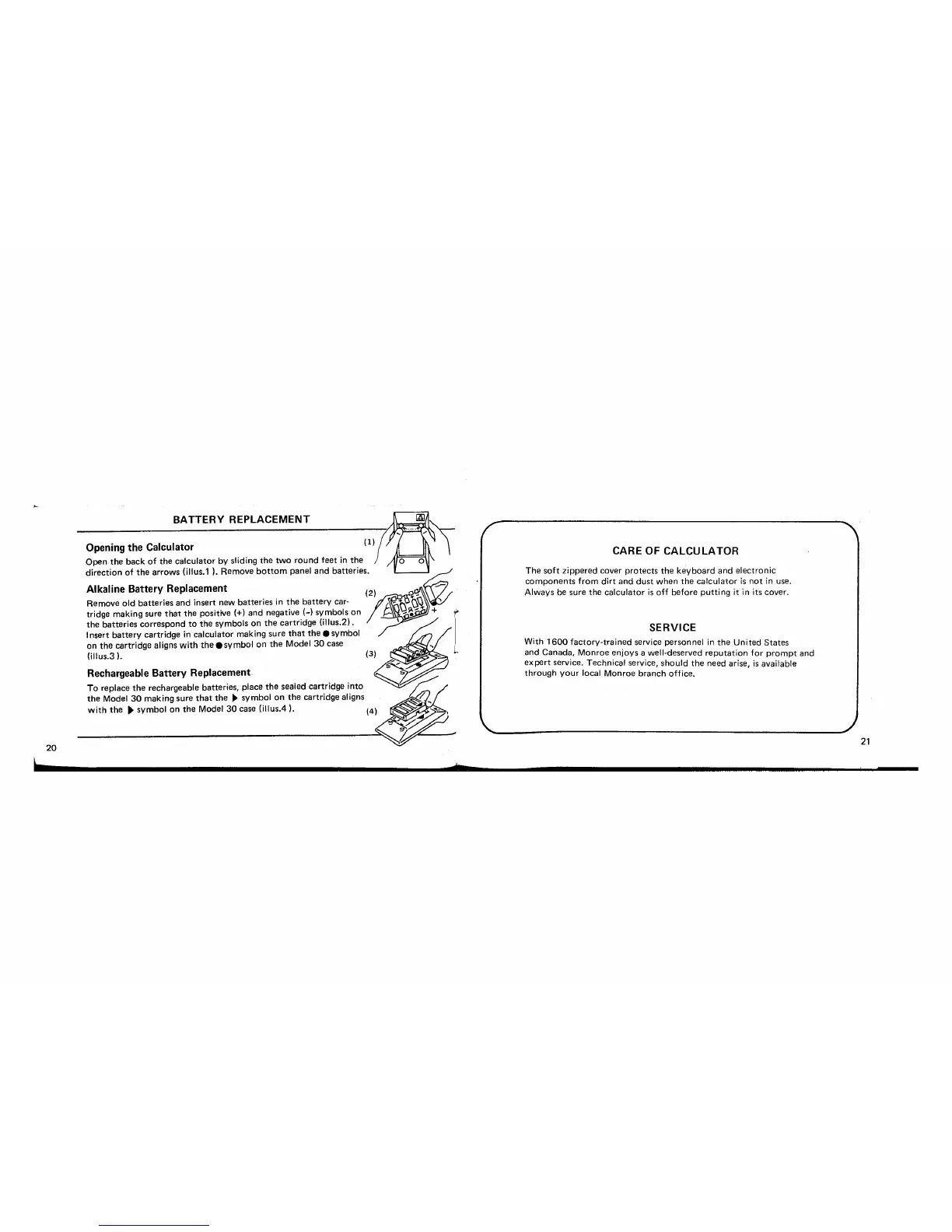
Opening the Calculator
Open
the
back
of
the
calculator by sliding
the
two
round
feet
in
the
Alkaline Battery Replacement
Remove
old
batteries
and
insert new
batteries
in
the
battery
car-
tridge making sure
that
the
positive (+)
and
negative (-) symbols
on
the
batteries
correspond
to
the
symbols on
the
cartridge
(illus.2) .
Insert
battery
cartridge
in
calculator making
sure
that
the
symbol
on
the
cartridge aligns with
the
.symbol
on
the
Model
30
case
(jllus.3
).
Rechargeable Battery Replacement
To
replace
the
rechargeable batteries, place
the
sealed cartridge into
the
Model
30
making sure
that
the
~
symbol
on
the
cartridge aligns
with
the
~
symbol
on
the
Model
30
case (i1lus.4).
b
CARE
OF
CALCULATOR
The
soft
zippered cover
protects
the
keyboard
and
electronic
components
from
dirt
and
dust
when
the
calculator
is
not
in
use.
Always be sure
the
calculator
is
off
before
putting
it
in
its cover.
SERVICE
With
1600
factory-trained
service personnel
in
the
United
States
and Canada, Monroe
enjoys
a well-deserved
reputation
for
prompt
and
expert
service. Technical service,
should
the
need arise,
is
available
through
your
local Monroe
branch
office.
21

Related product manuals