EasyManua.ls Logo

Monroe 99 - Operating Controls; Basic Controls; Memory Keys

Monroe 99
13 pages
Print Icon
To Next Page IconTo Next Page
To Previous Page IconTo Previous Page
Loading...
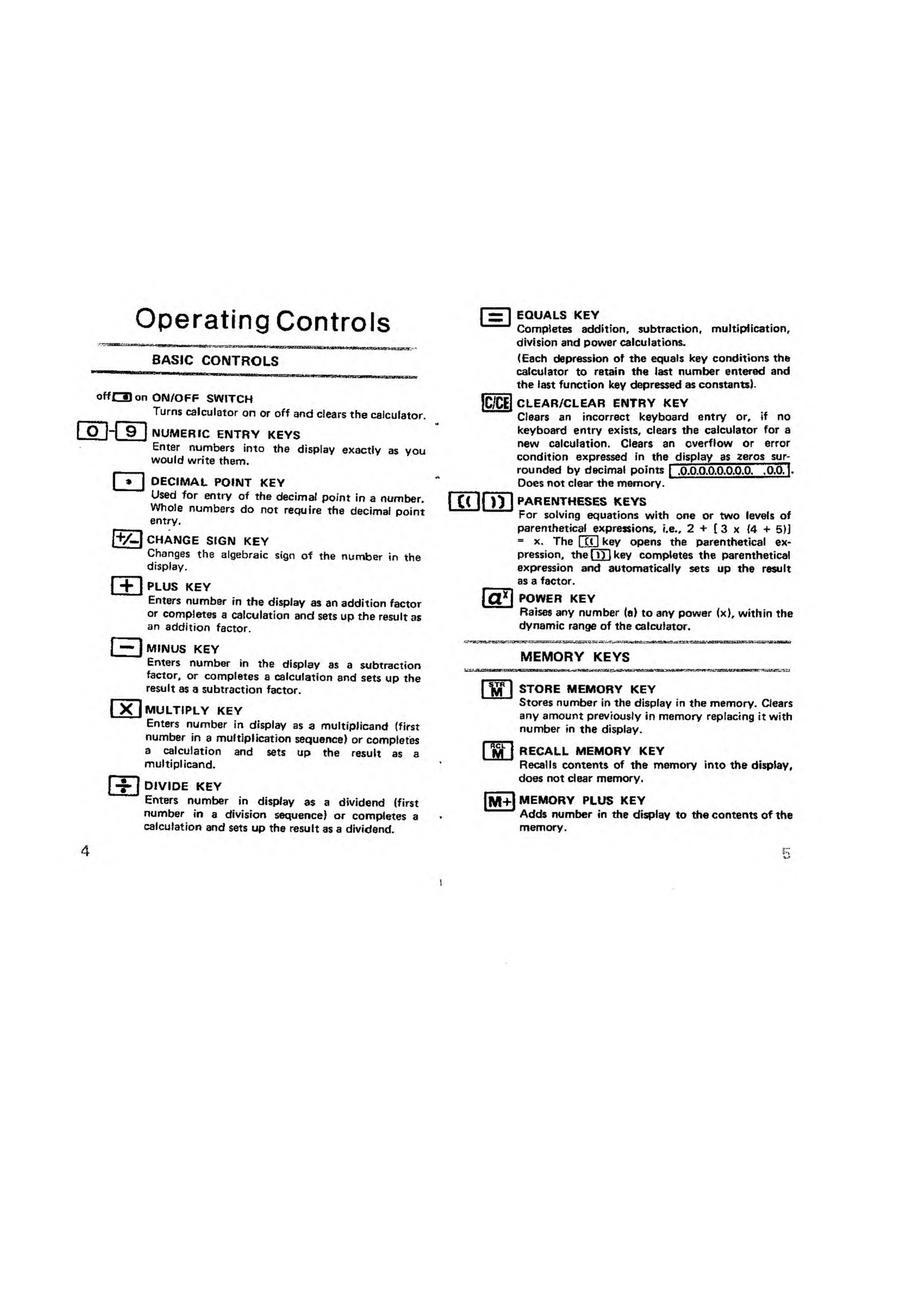
Operating
Controls
BASIC
CONTROLS
ff£3
on
ON/OFF
SWITCH
Turns
calculator
on
or
off
and
clears
the
calculator
NUMERIC
ENTRY
KEYS
Enter
numbers
into
the
display
exactly
as
yoi
would
write
them.
cn
DECIMAL
POINT
KEY
Used
for
entry
of
the
decimal
point
in
a
number
Whole
numbers
do
not
require
the
decimal
poirv
entry,
1+/-1
CHANGE
SIGN
KEY
Changes
the
algebraic
sign
of
the
number
in
the
display.
m
PLUS
KEY
Enters
number
in
the
display
as
an
addition
facto
or
completes
a
calculation
and
sets
up
the
result
aj
an
addition
factor.
MINUS
KEY
Enters
number
in
the
display
as
a
subtractior
factor,
or
completes
a
calculation
and
sets
up
the
result
as
a
subtraction
factor.
MULTIPLY
KEY
Enters
number
in
display
as
a
multiplicand
(first
number
in
a
multiplication
sequence)
or
completes
a
calculation
and
sets
up
the
result
as
a
multiplicand.
I
divide
key
Enters
number
in
display
as
a
dividend
(first
number
in
a
division
sequence)
or
completes
a
calculation
and
sets
up
the
result
as
a
dividend.
m
EQUALS
KEY
Completes
addition,
subtraction,
multiplication,
division
and
power
calculations.
(Each
depression
of
the
equals
key
conditions
the
calculator
to
retain
the
last
number
entered
and
the
last
function
key
depressed
as
constants).
IC/CEl
CLEAR/CLEAR
ENTRY
KEY
Clears
an
incorrect
keyboard
entry
or,
if
no
keyboard
entry
exists,
clears
the
calculator
for
a
new
calculation.
Clears
an
overflow
or
error
condition
expressed
in
the
display
as
zeros
sur-
rounded
by
decimal
points
1
.Q.Q.O.O.O.O.O.O,
OCTl
-
Does
not
clear
the
memory.
PARENTHESES
KEYS
For
solving
equations
with
one
or
two
levels
of
parenthetic
al
e
xpressions,
i.e.,
2
+
(3
x
(4
+
5)j
=
x.
The
1
C(
I
ke
y
opens
the
parenthetical
ex¬
pression,
the
QX)
key
completes
the
parenthetical
expression
and
automatically
sets
up
the
result
as
a
factor.
POWER
KEY
Raises
any
number
(a)
to
any
power
(x),
within
the
dynamic
range
of
the
calculator.
MEMORY
KEYS
m
STORE
MEMORY
KEY
Stores
number
in
the
display
in
the
memory.
Clears
any
amount
previously
in
memory
replacing
it
with
number
in
the
display.
|
m
l
1
RECALL
MEMORY
KEY
Recalls
contents
of
the
memory
into
the
display,
does
not
clear
memory.
[M+l
MEMORY
PLUS
KEY
Adds
number
in
the
display
to
the
contents
of
the
memory.

Related product manuals