EasyManua.ls Logo

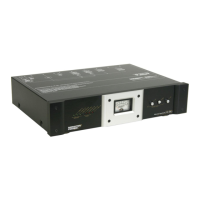
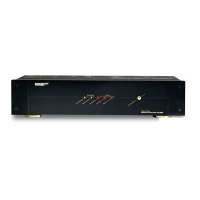
Monster Power HTS1000MKIII - User Manual

Monster Power HTS1000MKIII
79 pages
Print Icon
To Next Page IconTo Next Page
Loading...
®
HTS 1000 MKIII
Home Theatre Reference PowerCenter
Owner’s Manual
PowerCenter
de Référence pour Cinéma Maison
Guide de l’utilisateur
PowerCenter
Reference para Cine en Casa
Manual del propietario

Questions and Answers

  • P
    Patricia YoungAug 1, 2025
    What to do if my Monster Power Home Theater System PowerCenter is not receiving power?
    • M
      Mark JacobsAug 1, 2025
      If your Monster Power Home Theater System's PowerCenter isn't receiving power, first, ensure the PowerCenter switch is turned on and properly plugged into a grounded 120V outlet. Also, check if a nearby wall switch needs to be activated. If it still doesn't work, the thermal circuit breaker may have tripped due to too many connected devices. Reset it by pressing the Thermal Circuit Breaker button. Wait 10 minutes before attempting to reset it. If it continues to trip, try moving some components to another PowerCenter, as you might be drawing too much current.
  • C
    Chad GuerraAug 10, 2025
    Why is my Monster Power Home Theater System component not receiving power?
    • S
      Sandra BrownAug 10, 2025
      If a component connected to your Monster Power Home Theater System is not receiving power, check if it's plugged into a switched outlet and ensure the PowerCenter is turned on. If it's already on, try plugging the component into an unswitched outlet. Also, if the component is plugged into a switched outlet, make sure the component's power is also turned on, as some components require their power switch to be on to receive power from a switched outlet.
  • C
    Catherine RamirezAug 21, 2025
    How to stop speakers from humming or buzzing noise on Monster Power Home Theater System?
    • S
      Stephanie AlexanderAug 21, 2025
      If your speakers are emitting a humming or buzzing noise with your Monster Power Home Theater System, it might be due to the PowerCenter sharing AC power with improperly grounded equipment. Try connecting your PowerCenter to a dedicated outlet. If the issue persists, unplug components from the PowerCenter one at a time to see if the noise stops. If you find an improperly grounded component, attach a copper wire from its chassis to the PowerCenter's grounding post.

Summary

Safety Information

Power Sources and Grounding

Warnings and instructions regarding safe power sources and proper electrical grounding.

Liquid and Electrical Shock Hazards

Precautions to prevent electrical shock hazards related to liquid spills or proximity to water.

Proper Grounding and Installation

Grounding Requirements

Highlights the necessity of a properly grounded outlet for user and equipment safety.

Monster Patented Clean Power Stages

Clean Power Functionality

Explains how Clean Power filters AC powerline noise and isolates connected equipment.

HTS 1000 MKIII Clean Power

Details the Stage 2 circuitry, including ultra-advanced filters for noise reduction and isolation.

Monster Exclusive T2 Technology

T2 Technology Function

Explains T2's role in monitoring lines and automatically disconnecting the PowerCenter during voltage extremes.

T2 Auto-Disconnect

Describes how T2 automatically shuts down the unit for 15 seconds during voltage sags or swells.

Monster HTS 1000 MKIII PowerCenter Features

Hook-Up Guide

Troubleshooting

No Power Issues

Provides solutions for when the PowerCenter is not receiving power, including checking connections and switches.

Overload and Circuit Breaker

Details how to reset the thermal circuit breaker and manage component load to prevent tripping.

Limited Warranty Overview

Monster Power HTS1000MKIII Specifications

General IconGeneral
BrandMonster Power
ModelHTS1000MKIII
CategoryHome Theater System
LanguageEnglish

Related product manuals