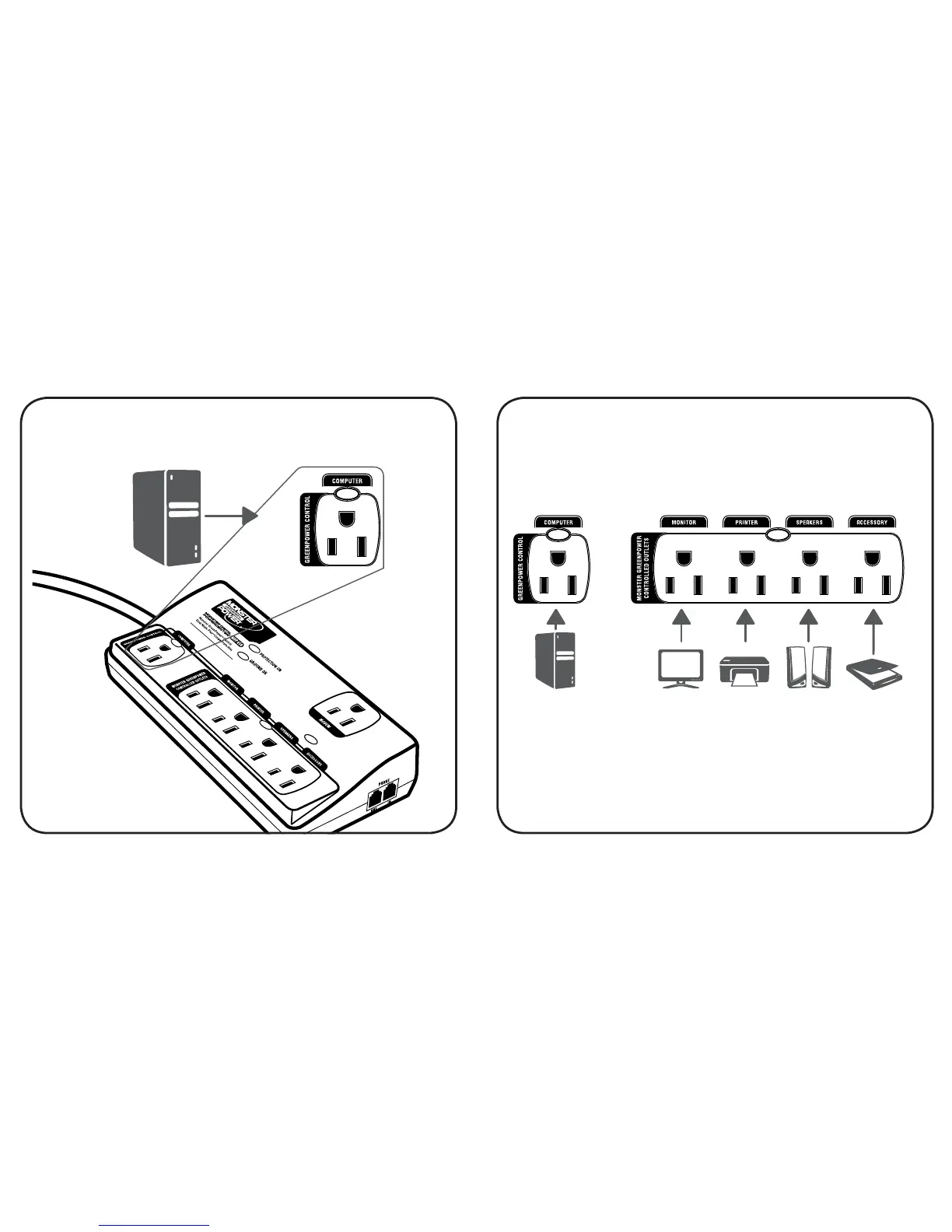
Scanner
Speakers
MonitorComputer
Printer
STEP 1: Connect your computer or other device
to the “GREENPOWER CONTROL” outlet.
Computer
STEP 2: Connect devices such as scanners and
monitors to the “GREENPOWER CONTROLLED
OUTLETS” so they won’t use power when your
computer is powered off or in sleep mode.
NOTE: The outlets on your Digital PowerCenter
™
are labeled for your convenience. It will not harm
your equipment to plug it into an outlet that’s
labeled differently.


 To Next Page