CONTROLS AND CONNECTIONS | 9
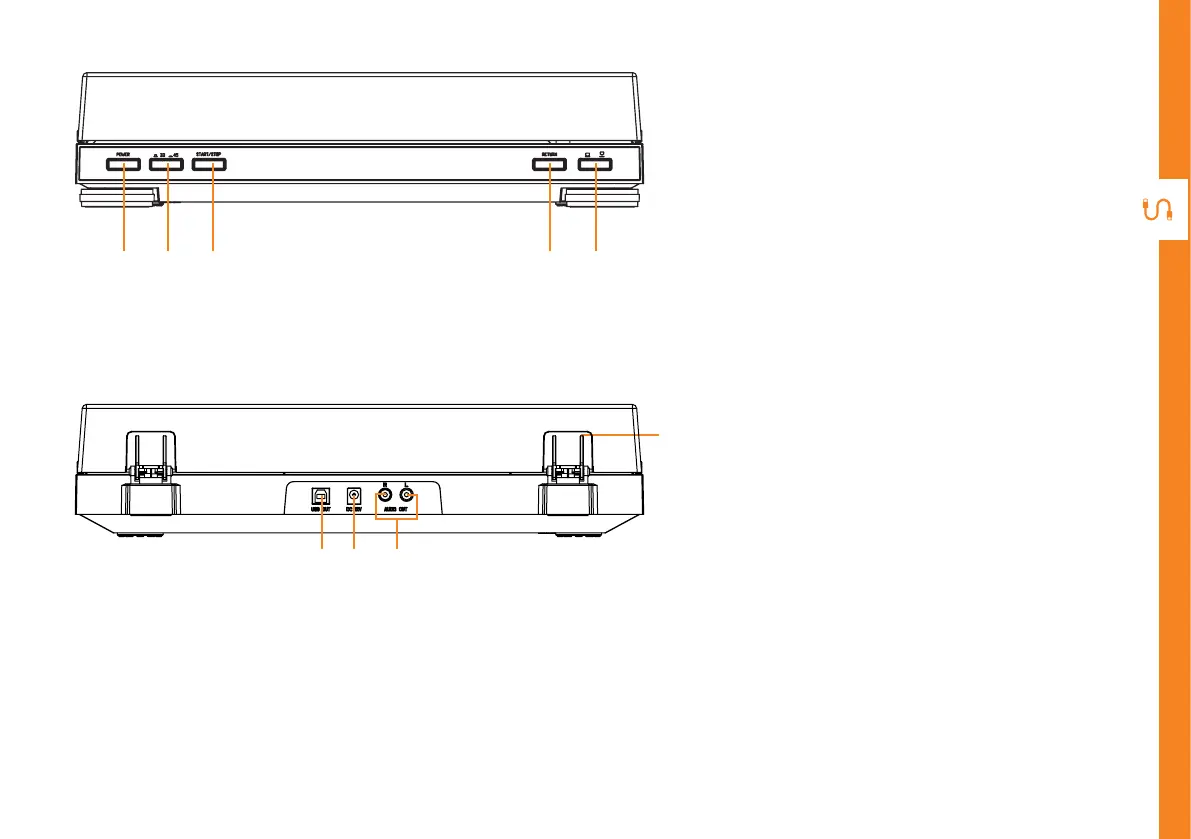
REAR VIEW
FRONT VIEW
11 12 13
14
6 7 8 9 10
6. POWER : press to turn the turntable
on. Press again to turn the turntable
o.
7. 33/45 : press to switch between 33
and 45RPM playback.
8. START/STOP : press to start the
turntable. Press again to stop
(pause) the record.
9. RETURN : press to return the tone
arm to its resting position.
10. Tone arm lift: press to raise the
tonearm up/down.
11. USB port : use the supplied USB
cable and connect to your PC to
record the vinyl music to your PC.
NOTE: USB port is not for USB
playback
12. DC port - use the supplied AC
adaptor to connect to the DC port
and the other end to a power source.
13. RCA output - use the supplied
3.5mm to RCA audio cable to
connect to your external speakers
(not included) for audio playback
14. Acrylic dust cover



 To Next Page