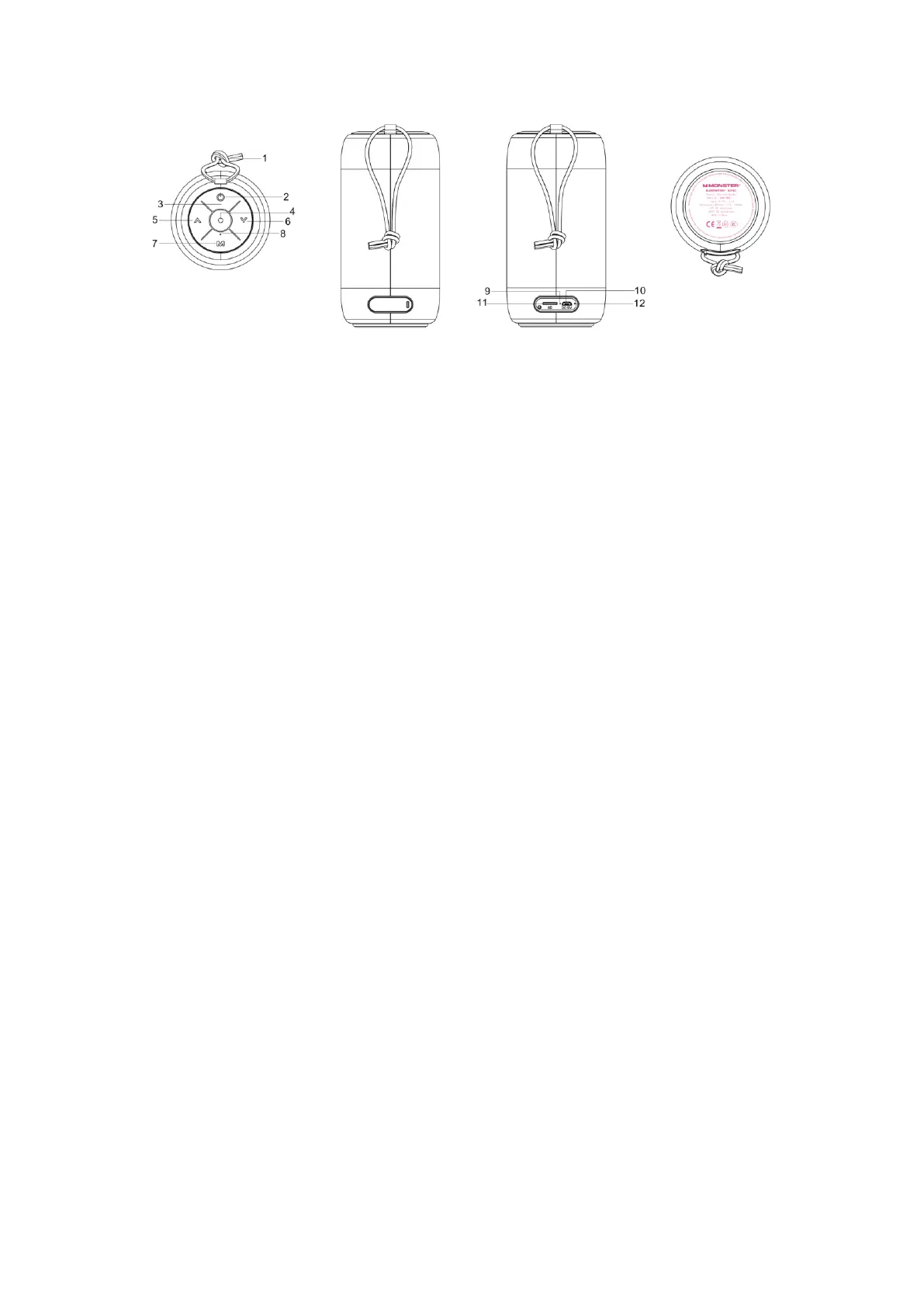
Product Overview:
*SPEAKER
* Micro USB Cable (Charging only)
* Lanyard
* Quick Start Guide & Warranty letter
1. Lanyard
2. Power On/Off Button
3. LED indicator(power on/off/pairing)
4. Multi Function Button(MFB)
(Pairing,phone call/end/reject,music play/pause)
5. Volume Up Button
6. Volume Down Button
7. Power On/Off Button
8. MIC
9. charging LED
10.charge out
11. SD card slot
12. Reset button
Power/Charging
Before using the speaker,you need to charge the battery and pair the speaker with a
compatible device.
The package includes a Micro USB cable that can be connected to your computer or other
device made for USB charging.
You can use a standard USB compatible charging device,or you can plug the USB cable


 To Next Page