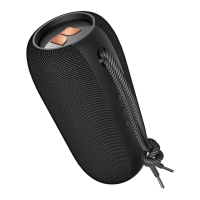
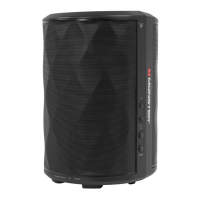
Product number – Monster S310
Drive unit – 2″*2 8W 4Ohms
Bluetooth version – 4.2
Waterproof coefficient – IPX5
Audio decoding – SBC, AAC
Charging performance of the charging compartment – DC 5.0V
Endurance – 4 hours (100% volume)/26 hours (50% volume)
battery capacity – 4000mAh
Charging time – 6 hours
Weight – 473g
Instructions
Bluetooth pairing
1. Turn on the horn, the indicator light flashes blue quickly
2. Turn on the Bluetooth of the device to be connected and connect to “Monster S310”
3. If the connection is successful, you will hear the “connected” prompt (the blue indicator light
is always on)
4. If you have connected a Bluetooth device, press and hold the multi-function button for two
seconds to disconnect from other devices
Reset method
1. Please delete the Bluetooth connection record on the phone first
2. In the absence of any music or incoming calls, press and hold the volume up key and volume
down key for 3 seconds
Instructions
1. Switch on and off: Press and hold the power button for 2 seconds, you can hear the power-on
prompt
2. Adjust the volume: Short press the volume adjustment ▲ or ▼ button to increase or decrease
the volume
3. Switch tracks: In the music playback mode, press and hold the volume adjustment ▲ or ▼ for
2 seconds to adjust the next track or the previous track. a
4. Play/pause, answer/hang-up: short press the multi-function button, you can play/pause
music, answer/hang up
5. Voice assistant (not during music playback): (only support SIRI)
6. Reject the call: press and hold the multi-function button for 2 seconds to reject the call
7. SD card playback: plug in the SD card when power on, the SD card will give priority to
playback, if you need to use Bluetooth Play, you can short press the M key to switch the
audio source
8. Stereo mode (two speakers, limited to the same style): Turn on two speakers, and when
there is no connection, in them Short press the multi-function button twice on one speaker
and hear the prompt sound, the speaker will automatically connect to the other speaker.
After successful connection, you will hear Left channel and Right channel voice prompts
Monster Superstar S310 User Manual – Download [optimized]
Monster Superstar S310 User Manual – Download
Related Manuals:
1. Monster S110 User Manual Monster S110 wireless Bluetooth speaker Product specification Product number
– ...
2. Monster iSport User Manual [Pairing Instructions] 190688 MONSTER BLUETOOTH HEADPHONES
User Manual Monster, LLC Important Monster®...
3. Monster Rockin Roller 4 User Manual Monster Rockin Roller 4 User Manual – Optimized PDF Monster...
4. Monster Clarity 100 Airlinks User Manual Monster Clarity 100 Airlinks true wireless bluetooth headset
Product specification...










 To Next Page