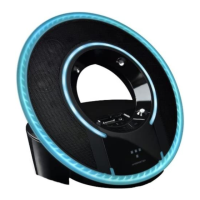
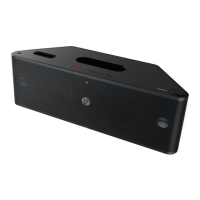
Using Remote Control to Control iPod/iPhone
Lighting Effects Control: Push to activate Tron LED lighting system
Power: Turns Light Disc Audio Dock On/Off.
Dimmer: Push
to dim lights. Push again to bring lights back
to full intensity.
Play Previous Track: Push
once to play previous track.
Play Next Track: Push
once to play next track.
Fast Forward Through a Track: Push
and hold. Release to stop
scanning and resume normal play.
Scan Backward Through a Track: Push
and hold. Release to stop
scanning and resume normal play.
Play/Pause: Push
and release. Push again to resume play.
Shuffle: Push
once to begin shuffle. Push again to end shuffle
Repeat: Push
once to repeat playlist. Push twice to end repeat.
Push three times to repeat single track.
Playlist/Clock/Visualizer App: Exclusive to the Tron Light Disc
Audio Dock, the Monster Visualizer’s high resolution graphics sync with
your music and engages the disc’s Monster LED Light Drive for a total
immersion of light and sound.
Mute: Push
once to mute audio. Push again to resume audio.
11
ENGLISH


 To Next Page
 Loading...