Operating Instructions
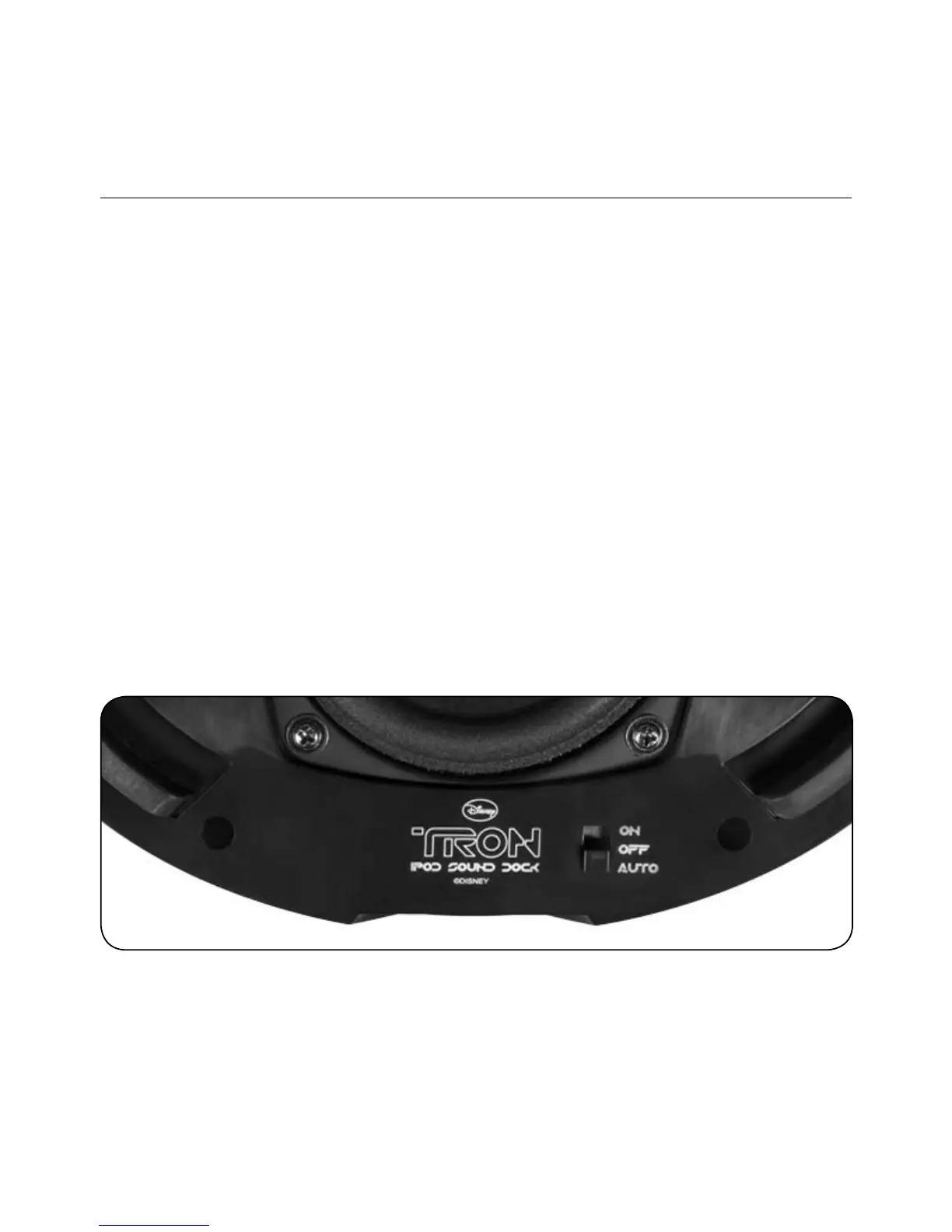
A three-way switch (On-Auto-Off) is located underneath the dock base.
ON Position: s Turns audio/lighting functions On
AUTO Position: s Puts dock on standby/switches to ON when
iPod/iPhone is docked*
In AUTO Mode, when an IPOD/ iPHONE is docked, the Light Disc
Audio Dock will POWER ON. The Light Disc’s rings will light Up. This
also applies to the AUX INPUT IN on the back of the DOCK when
an Audio Signal is detected and the Dock is in the AUTO MODE
OFF Position: s Turns all audio/lighting functions Off – will continue
to charge docked iPod/iPhone
*It is recommended that the switch be left in the AUTO position for energy
efficiency and user convenience.
7
ENGLISH


 To Next Page