EasyManua.ls Logo

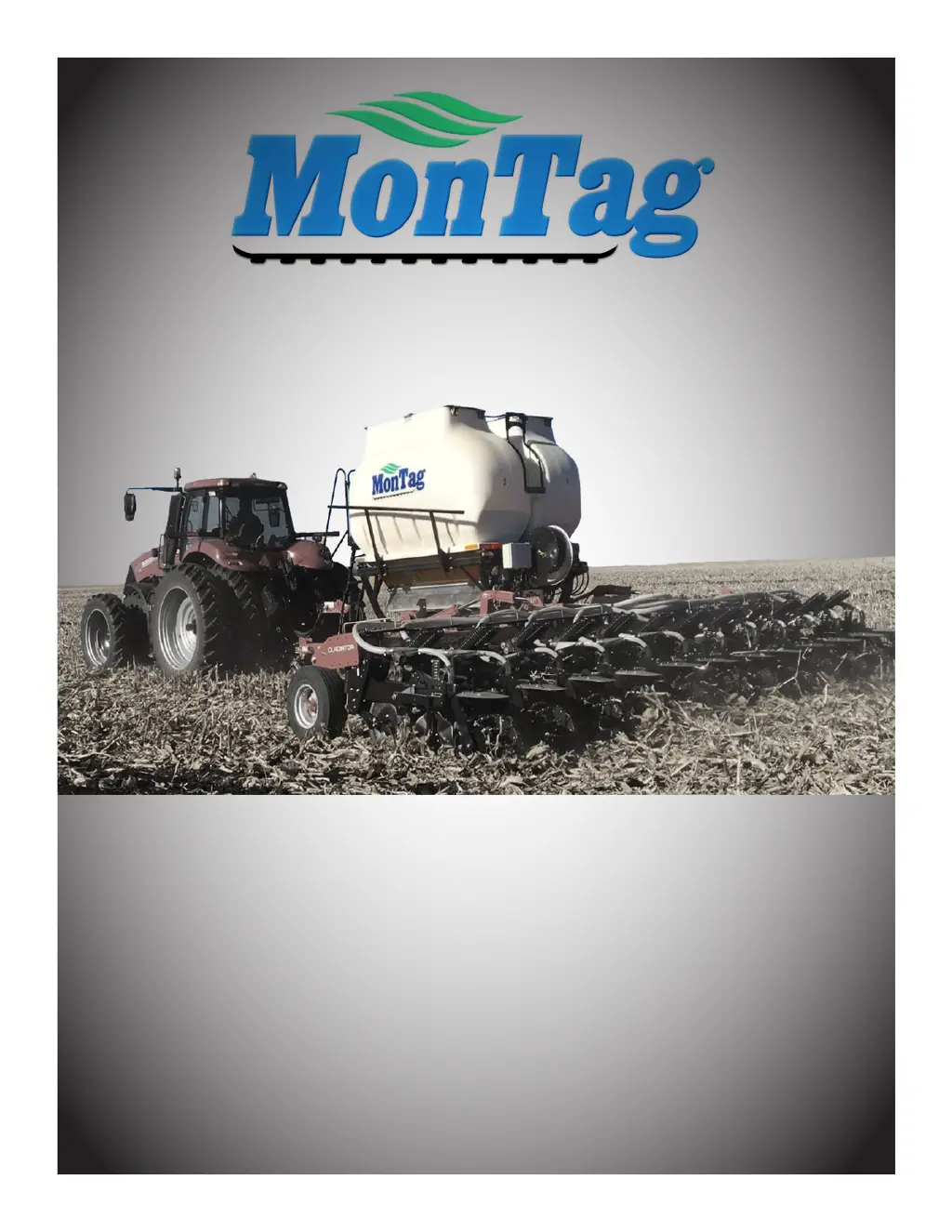
Montag GEN 2 - 2218 - User Manual

Montag GEN 2 - 2218
84 pages
Print Icon
To Next Page IconTo Next Page
Loading...
Gen 2 Operations Manual
Models 2218, 2208, 2108
P003162- Effective 1-1-2020 thru current
Read manual before operating Montag equipment
MONTAG MANUFACTURING, INC.
3816 461ST AVE
EMMETSBURG, IA 50536
www.montagmfg.com
PH 712-852-4574

Table of Contents

Questions and Answers

  • M
    maybrookeSep 15, 2025
    What should I do if the download box will not load on my Montag Farm Equipment?
    • T
      Tracy SmithSep 15, 2025
      If the download box will not load on your Montag Farm Equipment, ensure that the LEDs are lit on the download box and unplug any other implement plugged into the Montag ISO Connection, which is located under the Montag ECU.
  • N
    nicolehaynesAug 29, 2025
    Why is my Montag GEN 2 - 2218 Farm Equipment not holding the set rate, and how can I fix it?
    • R
      ruthclineAug 29, 2025
      If your Montag Farm Equipment is not holding the rate, consider the following: * Check for correct product information, including density, calibration factor, and rate, if you are getting an alarm that says “Metering drive cannot maintain target rate”. * Ensure the auger RPM is within the 5-105 range. * Verify the correct ground speed. * Adjust the meter amplification factor. * Add a new product with correct numbers. * Clear the object pool by following the monitor manufacturer's instructions. * Power cycle the controller. * Verify the correct calibration factor for that specific meter. * Increase ground speed if running too low of an auger speed (under 10 RPM).
  • G
    Grace ThomasAug 31, 2025
    What causes scales to show erratic readings on Montag GEN 2 - 2218 and how can I resolve it?
    • R
      Robert JohnsonAug 31, 2025
      If the scales on your Montag Farm Equipment are showing erratic readings, consider these steps: * Verify the correct Digistar Calibration # for both tanks are set up as 115030 and calibration 5333, as a possible cause could be a bad Scale Link ISO node, j-box, or load cell. * Remove the 2 blank plugs and check for moisture. Blow out the j-block if moisture is present to see if the problem goes away. * If the customer is using grease, clean it with alcohol, as grease draws moisture and should not be used with scales. * Look for areas where the tank might be hanging up or binding, preventing the load cells from getting the actual weight. * If testing the load cell by tap test, a bad load cell will jump 1000-2000 lbs.
  • L
    Lisa JonesSep 1, 2025
    How do I correct a calibration factor that is off on my Montag GEN 2 - 2218 Farm Equipment?
    • C
      Charles BrownSep 1, 2025
      If the calibration factor is off on your Montag Farm Equipment, here are some steps to take: * Perform a calibration test, either a catch or no-catch test. The test must be started with the fan on and ended with the fan on. Also, start and stop on level ground to ensure scale accuracy. * Verify there are no sheared couplers. * Ensure the hydraulic motor drive shaft couplers are properly connected.
  • B
    brandygonzalezSep 3, 2025
    What could cause one tank on my Montag GEN 2 - 2218 Farm Equipment to not hold its rate?
    • D
      Douglas HallSep 3, 2025
      If one tank is not holding rate on your Montag Farm Equipment, here are some troubleshooting steps: * Check for correct product information, including density, calibration factor, and rate, as the setup may be incorrect. * Check for a bad speed sensor cable. * Shut the slide gate and run the meters in diagnostic mode to verify the shaft RPMs for both tanks. * Check all harnesses and harness connections to motor encoders and PWM valves. * Power cycle the controller.
  • E
    estradajoannSep 4, 2025
    How do I troubleshoot a problem with the encoder or PWM valve on my Montag Farm Equipment?
    • V
      Valerie MataSep 5, 2025
      To troubleshoot an encoder or PWM valve issue on your Montag Farm Equipment: * Shut the slide gate and run the meters in the diagnostic screen. If it still does not run, set the meters to 100% and check for 12 VDC at the PWM valve. Look for harness damage. If the augers turn but there is no RPM, check the encoder harness for the given tank. Test for 12 VDC on pins 1 & 3 of the encoder harness. Remove the plastic cap over the encoder motor shaft to verify hydraulic flow at the encoder motor. If there is 12VDC and the motor is turning, replace the sensor in the motor. Follow the replacement instructions (the entire motor must be returned with the speed sensor unadjusted if still under warranty).
  • W
    websterlisaNov 23, 2025
    Why are the augers not turning on my Montag GEN 2 - 2218 Farm Equipment, and how can I fix it?
    • H
      Hannah MartinezNov 23, 2025
      If the auger(s) on your Montag Farm Equipment are not turning, consider the following: * Confirm the fan is running, as the augers will only turn while the fan is active. Also, ensure the augers are not obstructed, and safely remove any obstructions by following the instructions in the Montag operations manual. * Check that the controller setup is complete with the correct product information, including density, calibration factor, rate, and ground speed registration. * If using prescriptions, verify the mapping is in the correct format and entered correctly. Ensure the prescription icon is by the rate on the home screen, and a non-zero target rate is displayed. * Turn off section control on your monitor. If the augers then turn, your monitor or prescription settings are likely sh...
  • C
    cookcheyenneNov 27, 2025
    What should I do if there's no fertilizer in one or more rows of my Montag Farm Equipment?
    • C
      coopersusanNov 27, 2025
      If you're experiencing no fertilizer distribution in one or more rows with your Montag Farm Equipment, consider the following: * Check all augers and clean out the system. Close the slide gate and run the meters in diagnostics mode. Check all augers for rotation and replace any sheared couplers. Clean out the hoses and ensure air is coming out of each hose at the toolbar before applying fertilizer. Refer to instructions for addressing calculated and actual weight discrepancies. If using bin chaining, verify the setup is correct as directed in the controller operations manual. The combined auger speeds should be less than 130 RPM. * With the fan still running, inspect the auger cartridge for bridging or obstructions that prevent even product flow. Shut off the fan and then turn it back...
  • C
    Courtney CummingsSep 14, 2025
    Why is the Digistar VT good but not showing on the Montag GEN 2 - 2218 Farm Equipment home page?
    • S
      Steven StewartSep 14, 2025
      If the Digistar VT is good but not showing on the Montag Farm Equipment home page, verify that the scale system setting is set to “Yes” on the Montag VT.
  • B
    Bradley JacksonSep 12, 2025
    Why are the augers turning in the wrong direction on my Montag Farm Equipment?
    • L
      lisaperezSep 12, 2025
      If the augers on your Montag Farm Equipment are turning in the wrong direction, remember that the augers must turn counter-clockwise (CCW). Check the hydraulic schematic and verify each hydraulic motor is in the correct position. Also, check all augers and clean out the system. Close the slide gate and run the meters in diagnostics mode. Check all augers for rotation and replace any sheared couplers. Clean out the hoses and make sure air is coming out of each hose at the toolbar before starting to apply fertilizer.

Summary

Introduction and Specifications

Introduction and Machine Identification

Overview of the Gen 2 applicator, safety, and machine identification.

Hydraulic Requirements

Tractor hydraulic capacity requirements for dry fertilizer application.

Model Specifications

Detailed specifications for 2218, 2208, and 2108 models.

Warranty Information

Terms and conditions of the new equipment warranty.

Safety

General Safety Overview

Introduces risks, hazards, and general safety precautions for operating the equipment.

Specific Hazard Warnings

Details specific hazards like pinch points, rotating parts, and high pressure fluids.

Safety Label Locations

Identifies the location of safety warning labels on models 2218, 2208, 2108.

Highway and Transport Safety

Safety guidelines for operating the equipment on public roads.

Operation Procedures

Assembly Procedures

Steps for assembling Gen 2 units onto carts or implements.

Connecting Gen 2 System

Procedures for connecting hydraulic and air hoses, and controller setup.

Slide Gate Operation and Tank Filling

Explains slide gate controls and safe tank filling procedures.

Disconnecting from Implement

Procedures for safely disconnecting the cart from the implement.

Troubleshooting, Maintenance, and Service

Troubleshooting Guide

Guide for diagnosing and resolving Gen 2 system issues.

Harness Connections and Pinouts

Diagrams and details for electrical connections and pinouts.

Routine Maintenance and Storage

Steps for routine inspections, maintenance, and storage of the Gen 2 system.

Service and Repair Procedures

Instructions for replacing components like load cells, gearboxes, and fan motors.

Appendix - Configuration and Calibration

Row Configuration Charts

Charts detailing row configurations for Gen 2 units.

Hydraulic Schematics

Provides hydraulic schematics for various Gen 2 configurations.

ISOBUS Controller Setup and Calibration

Guides for setting up the ISOBUS controller and calibration procedures.

Montag GEN 2 - 2218 Specifications

General IconGeneral
BrandMontag
ModelGEN 2 - 2218
CategoryFarm Equipment
LanguageEnglish