6
Section 3: Operating
The Appliance
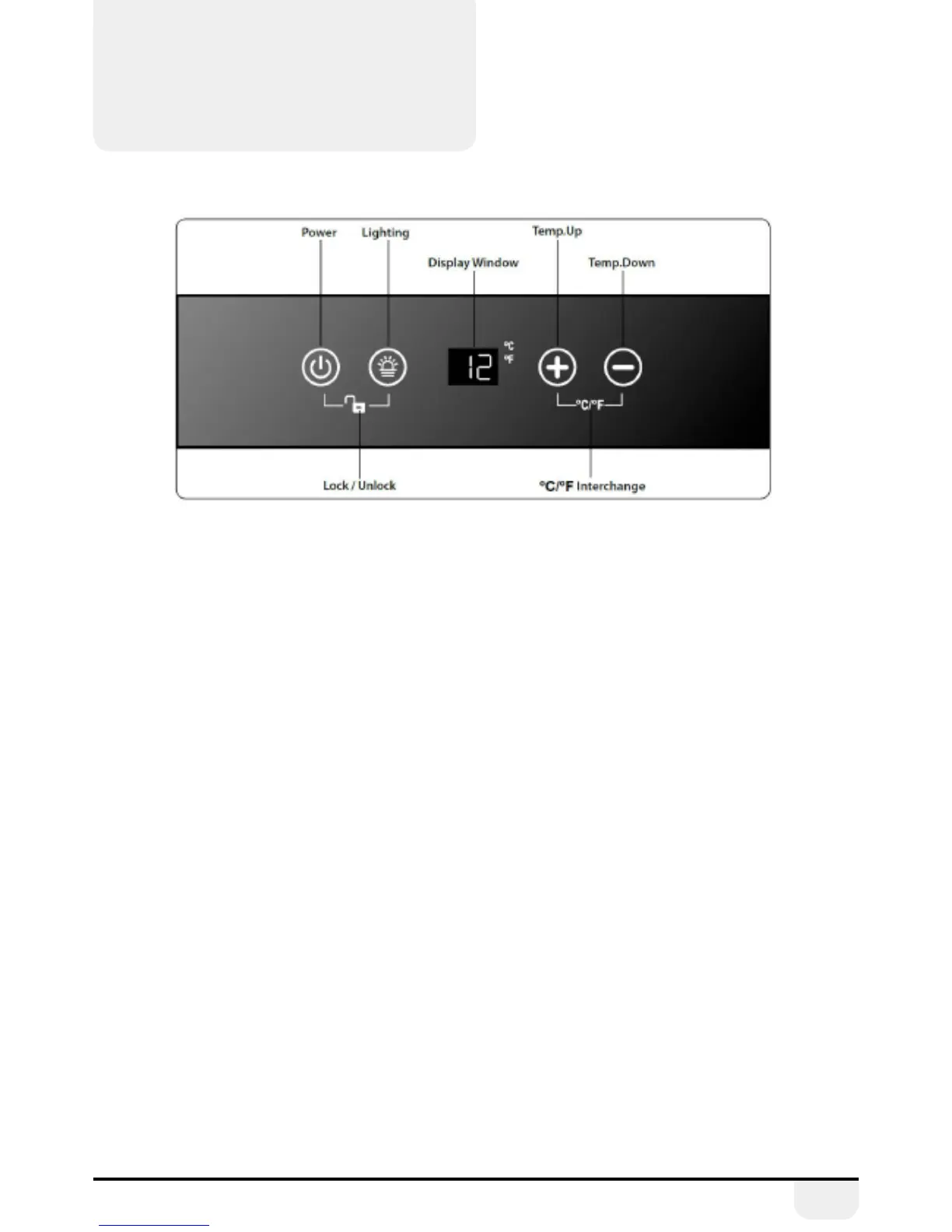
3.1. Switching on the Appliance
• Allow the appliance to stand for a minimum of
4 hours after installation.
• Plug in the appliance and switch on at the mains
supply.
• Press and hold the Power button for 10 seconds
(To turn the unit o, simply press and hold the Power
button for 10 seconds).
• Set the temperature control to the required setting
as detailed in the Temperature Control section.
• Leave the appliance for approximately 4 hours for
the correct temperature to be reached.
• To lock the control panel, press and hold the Power &
Lighting buttons for 3 seconds. (Press and hold for 3
seconds to de-activate).
3.2. Temperature Control
Please note that this is a wine cooler and not a fridge.
This appliance is intended to be used exclusively for the
storage of wine. The interior of this appliance will not get
as cold as a fridge – it is designed to maintain wines at
the correct temperature. The temperature range
is 2°– 20°C.
• Press and hold the ‘+’ & ‘-’ buttons for 5 seconds to
change between Fahrenheit (°F) & Celsius (°C).
• Press the ‘Lighting’ button to turn on or turn o
the interior light.
• The temperature can be adjusted by pressing ‘+’ or
‘-’ and set between 2° and 20° C (36-68°F) (+/-3).
• After approximately 10 seconds, the display will
revert to showing the current temperature inside
the cabinet. N.B. It will take a period of time for the
appliance to reach the actual required temperature
following the setting or adjustment of the tempera-
ture on the control panel.


 To Next Page