14 INSTRUCTIONS FOR USE
POWER SETTING
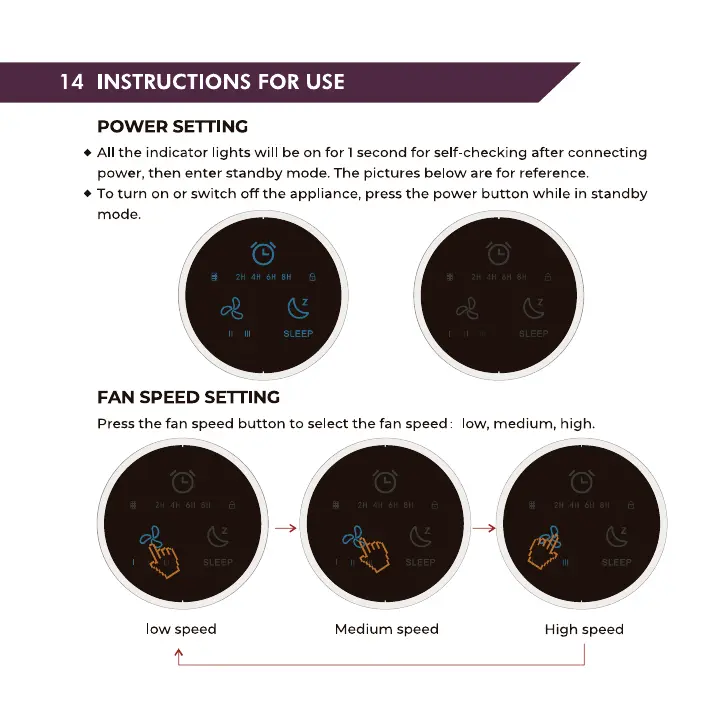
All the indicator lights will be on for 1second for self-checking after connecting
power, then enter standby mode. The pictures below are for reference.
• To turn on or switch off the appliance, press the power button while in standby
mode.
FAN SPEED SETTING
Press the fan speed button to select the fan speed: low, medium, high.
low speed Medium speed High speed


 To Next Page