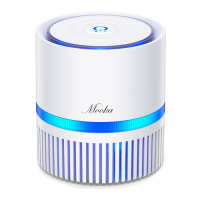
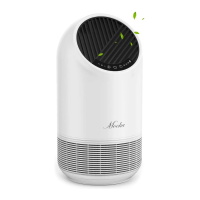
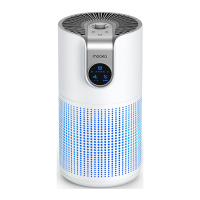
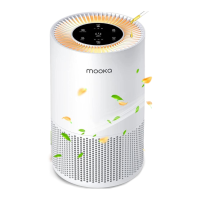
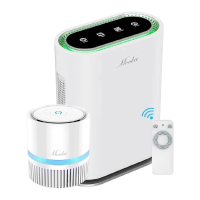
This document provides a user manual for the Mooka Air Purifier, detailing its functions, specifications, usage, and maintenance.
Function Description
The Mooka Air Purifier is designed to completely purify the air in your home, creating a comfortable living environment. It addresses various airborne contaminants through a multi-stage filtration system and additional features:
- Dust, Allergens & Pollutants: Equipped with a powerful HEPA filter, it eliminates over 99.97% of airborne particles larger than 0.3 microns in diameter. This includes dust, pet dander, fire pollutants, tobacco residue, and allergens like pollen, mold spores, and dust mites.
- Smoke & Odors: The purifier effectively eliminates bad smells and odors from sources such as cooking, smoking, pets, and trash.
- UV Sterilizer: To neutralize microorganisms like bacteria and viruses, which pose significant health risks, the air purifier includes a UV Sterilizer.
- High Concentration of Negative-Ions: Negative ions quickly absorb and neutralize harmful substances, enhancing the body's immunity. They are also known for virus-killing properties and are a key indicator of air quality.
- Filter Replacement Reminder: After approximately 2,000 hours of operation, a four-segment indicator light illuminates to remind users to replace the used filter.
- Highly Efficient Composite Filter: The filtration system consists of four layers:
- Preliminary Filter: Filters out large particles and hair.
- HEPA Filter (H12 class): Effectively removes tiny dust and smoke particles.
- Activated Carbon Filter: Adsorbs bad smells and harmful gases.
- Formaldehyde Adsorption Particles: Specifically designed for the adsorption and decomposition of formaldehyde.
- Real-time Monitoring of Air Quality: The purifier detects air quality and automatically adjusts airflow. An LED indicator displays air quality: Blue (clean, good), Green (some pollutants, average), and Red (high amount of pollutants, bad).
- Multiple Levels of Air Purification: Utilizing advanced negative ion technology, a HEPA filter, activated carbon filter, special formaldehyde adsorption particles, and a UV sterilizer, the device effectively filters air, eliminates peculiar smells, and decomposes harmful gases.
Important Technical Specifications
- Voltage/Frequency: AC100V~120V/60Hz
- Ion Output: 2×10⁷ pcs/cm³
- Fan Speed & Power Consumption:
- High: 75W
- Med: 41W
- Low: 36W
- Sleep: 19W
- Standby: <1W
- Product Net Weight: 12.3 lbs
- Power Cord Length: 5.9 feet
- Dimensions: L350×W180×H466mm
Usage Features
The Mooka Air Purifier offers various control options and modes:
- Control Panel: Features ON/OFF, Timer, Fan Speed and Mode, and Negative-ion buttons. The filter replacement indicator is also integrated into the Timer button.
- Remote Control: Provides comprehensive control over Power on/off, Mode, Air volume adjustment, Negative-Ion on/off, Timer, and UV on/off functions.
- General Control:
- Upon connecting to power, the device emits a "beep" sound, all indicators light up for 3 seconds, and it enters standby mode.
- Turn on using the ON/OFF button on the control panel or remote.
- The ionizer starts automatically when the appliance is turned on, operating in "Auto Mode."
- In "Auto Mode," the fan speed indicator lights up, and the appliance measures air quality, displaying it in blue, green, or red. Fan speed adjusts automatically based on air quality.
- In "Manual Mode," the LED color still indicates air quality, but the fan speed remains at the user-set level.
- The "Timer" button allows selection of Off/1/2/4/8 hour programs.
- The ionizer can be toggled on/off via the "Ionizer" button on the control panel or remote. The ion symbol lights up when active.
- The UV light activates upon turning on the appliance and turns off automatically after 4 hours. It can only be toggled on/off via the remote control.
- Switching Between Modes:
- Auto Mode to Manual Mode: Use the 'fan' button on the remote or 'fan speed' on the control panel.
- Any Mode to Sleep Mode: Press 'mode' (remote) once or 'fan speed' (control panel) four times. In Sleep Mode, all lights except the sleep mode indicator are off. Press any key to activate lights; if no other key is pressed for 2 minutes, it returns to Sleep Mode. To exit Sleep Mode, press 'mode' or 'fan' (remote) or 'fan speed' (control panel).
- Manual Mode to Auto Mode, then Sleep Mode: Press 'mode' (remote). Alternatively, use the 'fan speed' (control panel) to cycle through Sleep Mode and then Auto Mode.
- Air Sensor Capabilities:
- Can sense: Smoke, incense, cooking and pet odors, cosmetics, alcohol, sprays.
- Can sometimes sense: Water vapor, oil smoke, temperature changes when opening/closing doors.
- Cannot sense: Dust, ticks, feces, mildew reproductive cells and pollen, bacteria, viruses.
Maintenance Features
Regular maintenance is crucial for optimal performance:
- Machine: Wipe dust and dirt with a wrung dry cleaning cloth once per month.
- Front Cover: Wipe dust and dirt with a wrung-dry cleaning cloth, or wash under water once per month. Ensure it is completely dry before reinstallation.
- Dust Collection Filter: Vacuum the black part of the filter to remove collected dust and hair. It can also be cleaned by gently tapping it over a trash can. Do not vacuum the white part of the filter. Do not wash the filter.
- Filter Replacement: Filters should be replaced every 3 or 6 months, or more frequently with heavy use.
- General Cleaning: Disconnect from power before cleaning or replacing the filter. Use neutral cleaning detergents.
- Caution: Do not use alkaline detergents, mineral oil, alcohol, or decolourants.
Safety and Notifications
The manual emphasizes several safety precautions:
- WARNING (Death or Serious Injury Risk):
- Do not touch the power plug with wet hands to avoid electric shock.
- Before cleaning, disconnect the appliance from power to eliminate electric shock risk.
- Only use with 120V AC power; other voltages may cause fire.
- Ensure the plug is fully inserted into the socket to prevent electric shock or fire. Avoid broken plugs or loose power sockets.
- Do not damage the power cord or socket (cutting, refitting, excessive twisting, dragging, placing heavy objects). Contact an authorized repair center for power cord/plug repair.
- Do not drag the power cord when moving or storing the appliance to prevent damage, fire, or electric shock.
- Do not insert rod-like instruments or fingers into air intakes or outlets.
- Do not refit or disassemble the appliance, as this may cause damage.
- ATTENTION (Personal Injury or Property Damage Risk):
- Do not use alcohol or diluents to clean the appliance, and keep it away from pesticides.
- Do not use the appliance in high-temperature or high-humidity areas (e.g., bathrooms) to prevent electric shock or fire.
- Keep the appliance away from flammable materials at all times.
- FCC Compliance: The device complies with part 15 of the FCC Rules, ensuring it does not cause harmful interference and accepts any received interference.
Getting Started
Before initial use, remove the plastic bag surrounding the filter. The manual provides step-by-step instructions for filter installation:
- Hold the lower left and right corners of the cover and pull on both sides.
- Pull up the cover.
- Remove the front cover.
- Remove the used filter and place the new filter into the housing, ensuring pull straps face outward.
- Replace the cover by placing the tabs on the top into the slots on the unit.
- Push the bottom of the cover into place, then press the lower left and right corners until a clicking sound is heard.


 To Next Page
 General