16 INSTRUCTIONS FOR USE
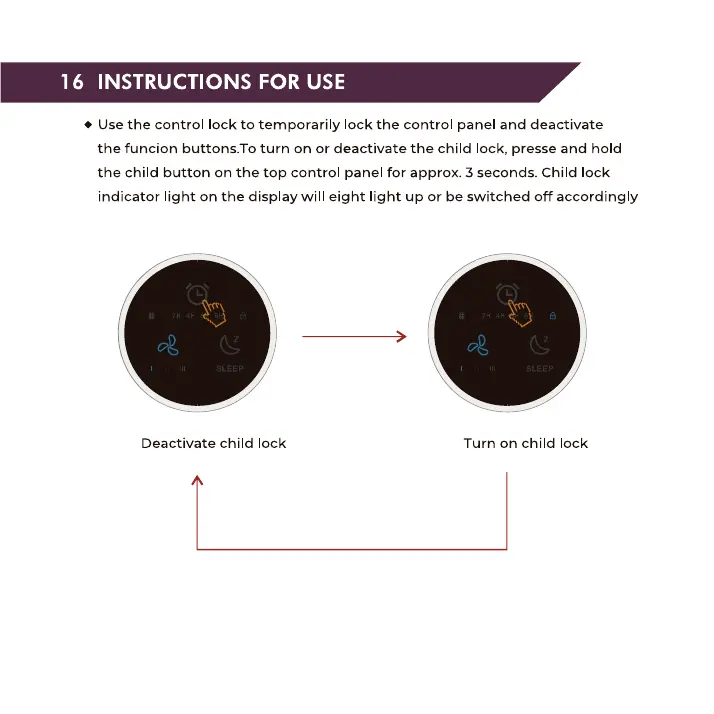
• Use the control lock to temporarily lock the control panel and deactivate
the funcion buttons. To turn on or deactivate the child lock, presse and hold
the child button on the top control panel for approx. 3 seconds. Child lock
indicator light on the display will eight light up or be switched off accordingly
Deactivate child lock Turn on child lock


 To Next Page