Power button
Double click
Double click
Mode1
Mode3
Mode2
DAY FLASH
(DOUBLE BLAST)
FL 1
FL 2
SOS
*The light will shut off after 3 seconds
when you have selected the mode in
automatic standby status.
Normal Working Status
Steady blue
Automatic Working Status
Steady Green
Normal Working Status
Steady blue
Automatic Standby Status
Flashing Green
Well-lit environment situation
Dark environment situation
1. Turn on the light.
2. Press and hold the power button about 3 seconds to toggle
between automatic status and normal status.
3. Select the mode you want to use by pressing the power button.
HOW TO MOUNT THE HEADLIGHT
HOW TO MOUNT THE HEADLIGHT TO HELMET
INSTALL
click
1. Install the bracket onto handlebar by wrapping rubber strap
around post/bar and stretching strap around hook to secure.
2. Slide headlight forward onto bracket until it clicks into place.
3. Press down release lever to remove.
4. The bracket fits all round bars and AERO style bars.
WRAPPING
RELEASE
PRESS
INSTALL
click
RELEASE
PRESS
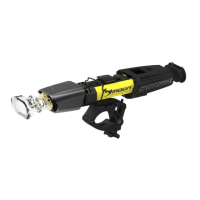
1. Remove the belt from one side of the helmet mount.
2. Place the helmet mount into the suitable location on helmet.
3. Wrap belt around helmet and attach the end of the belt to itself tightly.
4. Insert the headlight into the helmet mount until it clicks into place.
5. Press down release lever to remove.
LIGHT SENSITIVE AUTO ON/OFF OPERATION
To adjust the vertical beam angle when mounted on the helmet,
loosen the screw knob and rotate the light up or down to your
preferred angle, then tighten the screw knob to secure the light in
place.
BELT
SCREW
KNOB
RELEASE
LEVER
PRESS
1. Connect the remote switch by using the usb port.
2. Put one end of the belt go through the cycle handlebar.
3. Align to the controller button and pass through.
4. Please pull the Velcro ends tightly.
REMOTE SWITCH INSTALLATION
2. Press and hold the power button about 1 second to switch off.
(With mode memory, the light will resume previous mode upon next
usage.)
!
USER GUIDELINE
Thank you for choosing MOON headlight!
*For using this product safely and conveniently and keeping it
well-preserved, please read this manual carefully before using.
Please save this manual for future reference.
*Due to the improvement of the product, the product you bought
may not be exactly in accordance with the introduction of this
manual. We apologize for that.
LIGHT OPERATION
1. Double click the power button to toggle between the steady and
flashing modes.(With mode memory, the light will resume previous
mode upon next usage.)
Never use the SOS sign unless there is a real emergency or danger
occuring. The SOS signal is visible for several miles. The battery
can support up to several hours of SOS signal usage.
!
Remember switch off the light when you do not use it.
®
*1 pc CREE XM-L2 (U2) high brightness LED
*CNC Aluminium heat sink light cap
*Light sensitive auto ON/OFF
*Mode memory function
*Quick release rechargeable lithium ion battery (3.7V 1400 mAh)
*7 modes: Mode1 / Mode2 / Mode3 / FL1 / FL2 /
DAY FLASH (DOUBLE BLAST)
/ SOS
*Quick release universal bracket RB-25
(fits all round bars and AERO style bars)
*Low battery, charging and fully charged indicator
*Automatic fully charged cut-off system
*High precision optical lens
*Side visibility
*Water resistant (IPX 4)
SPECIFICATION
CONTENTS INCLUDED
Contents:
*METEOR-X AUTO PRO
*RB-25 (Universal handlebar bracket)
*USB-WP (Water resistant USB cable)
*LX-BAT-1400 (Lithium ion battery 1400 mAh)
Optional accessories:
*XP-USB (Wall charger)
*RB-26 (Handlebar bracket)
*RB-16 (Helmet bracket)
*USB-RM-350 (USB remote control 350 mmL)
Light sensor
Power button / Indicators
Automatic status
* Standby - flashing green
* Working - steady green
Normal status
* Working - steady blue
Hold for 3 seconds to toggle between
automatic status and normal status.
Hold for 3 seconds to toggle between
automatic status and normal status.
AUTO
OFF
(30 seconds delay)
AUTO
ON
4. Press the power button about 1 second to switch off.
Low battery status
* Steady red

 Need help?
 General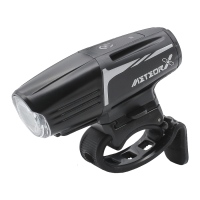

 To Next Page