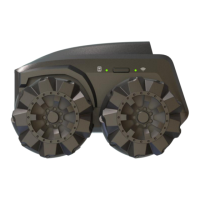
Press and hold the power button for >3 seconds until the power LED
indicator is on. The boot up process can take up to one minutes.
Placing Scout onto the charging station will also power on the device.
How do I charge? How long will Scout work before needing to
recharge?
Scout requires a USB 2.0 Type A adapter with 5V / >2A output. Scout
is not compatible with USB Type C fast chargers. The battery can last
over 2 hours, 1 hour using night vision, and will take up to 3 hours to
charge from a completely depleted state.
I cannot setup Scout using my Apple iPhone?
For iOS users in WiFi direct mode:
1) You must grant Local Access (or Local Network) to the Scout App.
2) With some iPhone models you will need to close down mobile data and
use Airplane Mode in order to connect in Wi-Fi Direct Mode. We are
working to correct this.
What are the AI features of Scout?
Scout runs on Linux + ROS. It can recognize objects such as the
human body, dogs, cats, and more with Google's TensorFlow. It also
runs a Monocular SLAM algorithm to achieve security patrol and to
find its charging port.
Does Scout connect to Alexa or Google Home?
Yes. Scout is compliant with Amazon Alexa and Google Home in
English language. You can expect to stream Scout's visual to Alexa
Show, to send voice commands to control the robot movement, and to
trigger patrol with smart home devices such as door sensors. Only
one patrol path can be triggered. Pairing can be done in Android and
iOS apps from Alexa and Google home.
Why do I need an App? Where to download?
Scout App is required to set up the robot and pair it with your Amazon
and Google accounts. The App is available at the Apple App Store,
Google Play, and Amazon Appstore. Search “Moorebot Scout”.
How do I set up Scout?
Scout is a WiFi-connected device. The WiFi connection and quality are
important for Scout to work well. To set it up, please follow the below
procedure:


 To Next Page
 Loading...