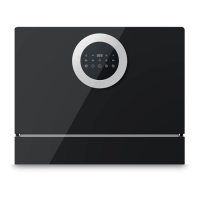
This document is an instruction manual for the MOOSOO MX40 Dishwasher.
Function Description
The MOOSOO MX40 is a dishwasher designed for household use, capable of cleaning up to 6 sets of tableware. It offers various washing programs tailored to different levels of dirt and types of tableware, including Eco, Usual, Intense, Glass, and Rapid. The dishwasher automates the cleaning process, utilizing detergent powder/pods and rinse aid to ensure thorough cleaning and drying. It features a control panel with icons for power, rinse aid shortage, child lock, delay timer, water shortage, child lock button, and display screen, making it user-friendly.
Important Technical Specifications
- Model: MX40
- Dimensions: 550×450×500 mm
- Water Pressure: 0.04~1.0MPa (Injecting pressure)
- Rated Voltage: AC 120V
- Current Frequency: 60Hz
- Rated Power: 870W
- Waterproof Level: IPX1
- Capacity: 6 sets of tableware
Usage Features
The dishwasher can be placed on a flat table or inserted into a cabinet. For cabinet installation, specific dimensions and a drain pipe hole (60x60 mm, 400 mm up from the bottom) are recommended. The cabinet material should be heat-resistant and moisture-proof. When placing it on a table, sufficient space for door opening is required.
Installation:
- Injection Pipe Installation: The supplied injection pipe connects to the dishwasher's injection valve and a corner valve/tap. It's crucial to use the new pipe to prevent leakage. A plastic stopper should be used on the suction port when injecting water from the tap to avoid leakage.
- Drain Pipe Installation: The drain pipe is secured with a ferrule. For insertion, it passes through a cabinet hole and should be placed above the water detector port. The drain pipe should not be twisted, and any extended part should not exceed 5 meters to maintain washing results.
- Fixation and Placement: The dishwasher must be placed levelly to prevent overflowing and electrical leakage. An adjustable screw allows for balancing the appliance. For cabinet insertion, screws are used to fix the appliance to the cabinet sides. The bottom ventilator (550x50 mm) should not be covered, especially by a rug.
Operating Instructions:
- Starting a Program: Close the door, press the Power On icon for 1 second, select the desired program using the Program button, and then press Start/Pause. A flickering icon indicates the dishwasher is working.
- Changing Programs: To change a program during operation, press On/Off to shut down, restart, and select a new program. After washing, "FAN" on the screen indicates the fan motor is still running.
- Child Lock: Press the Child lock button for 3 seconds to activate/deactivate. When active, the Lock icon shines, and other program buttons are locked.
- Delay Start: Press the delay timer for 3 seconds to reset it to "H:00". Select a program, press the delay timer to set the delay, and then press Start/Pause to begin the countdown.
Detergent and Tableware:
- Detergent: Use exclusive dishwasher detergent powder or pods. The recommended amount for heavily soiled tableware is 23 grams. For the Eco program, it's suggested to put half the detergent directly into the dishwasher interior and half into the dispenser.
- Rinse Aid: Add about 100 ml of rinse aid for the first use. Rinse aid helps with drying and shine. The amount can be adjusted via a gear setting; higher gears dispense more. If an extra smooth coating appears, switch to a lower gear and run a rapid wash. The indicator light signals when more rinse aid is needed.
- Tableware Placement: Remove large residues before loading. Place tableware one by one into grooves, tilted with dirty sides down to facilitate washing. Spoons and forks go into the cutlery basket. Avoid placing tableware outside the basket to prevent blocking the spray arm. Sharp items should be placed downward or horizontally. Ensure the spray arm can rotate freely after loading.
- Applicable Tableware: Ceramic, glass, and stainless steel tableware are suitable. Precious metal, color ceramic glaze, and aluminum tableware may experience abrasion. Wooden tableware may deform at high temperatures. Plastic tableware should be checked for heat resistance. Cleaning cloths and certain metal tableware (prone to rust) are not recommended.
Maintenance Features
Regular maintenance is recommended to ensure optimal performance.
- Interior Cleaning: Clean the interior, including crevices and under the door seal, with a citric-acid detergent and a wet cloth. Use dishwasher detergent for general interior cleaning, not washing powder.
- Filter Cup:
- Rotate the filter cup counterclockwise to remove it along with the stainless steel filter.
- Rinse the filter under tap water, using a soft brush to avoid damaging stainless parts.
- After rinsing, put the filter cup back, turning it clockwise until the triangle sign on the filter cup aligns with the sign on the stainless filter.
- Spray Arm Cleaning:
- Remove the bowl basket, then pull the down spray arm up to release its buckle.
- Check for blockages in the water outlets of the spray arms. Use a sharp tool to unblock if necessary, and rinse with water.
Troubleshooting and Error Codes:
The manual provides a comprehensive troubleshooting guide for common issues like tableware not being cleaned, water remaining in the appliance, overflow, and impact sounds. It also lists error codes (E01-E07) and their potential causes and solutions, advising contact with customer service for most error codes. For example, E01 and E02 indicate thermistor short circuits, E03 means the appliance can't heat water, E04 indicates water suction malfunctions, E05 is for overflow, E06 for abnormal heating, and E07 for abnormal suction. Solutions range from checking water connections and pipe placement to restarting programs or contacting customer service.

 Need help?
 General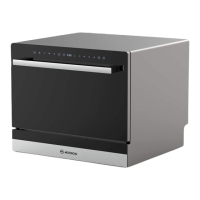

 To Next Page