11
Note:
① Screen lock:
a. If no operation in 30 seconds, screen will be locked.
b. When HP is off, screen will be dark and “0%” will be displayed.
c. Press for 3 seconds to lock screen and it will be dark
② Screen unlock:
a. Press for 3 seconds to unlock screen and it will be lit up.
b. Only after screen is unlocked, any other buttons can be functioned.
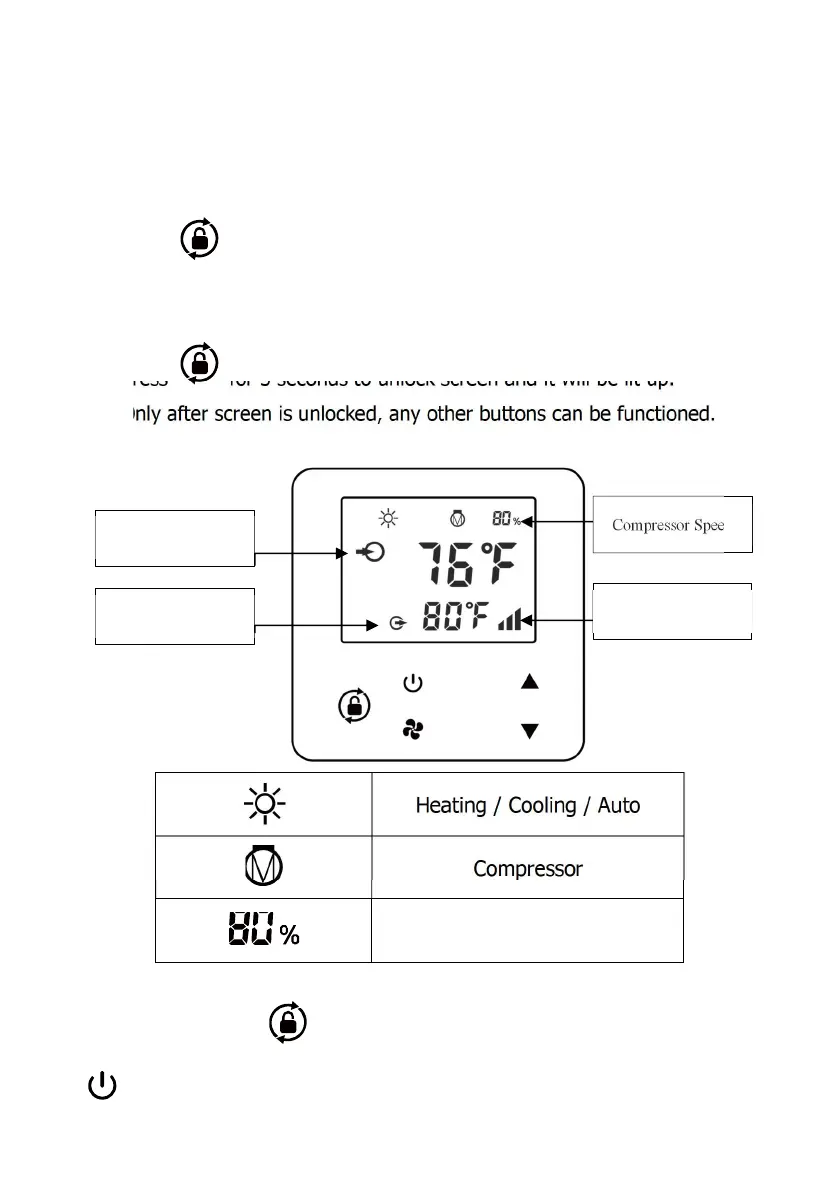
Heating / Cooling / Auto
Compressor
Heating capacity percentage
1.Power On: Press for 3 seconds to light up screen, then press
to power on heat pump.
Compressor Speed
Smart/Silent Mode
Outlet Temperature
Inlet Temperature


 To Next Page