!
Ending Your Workout
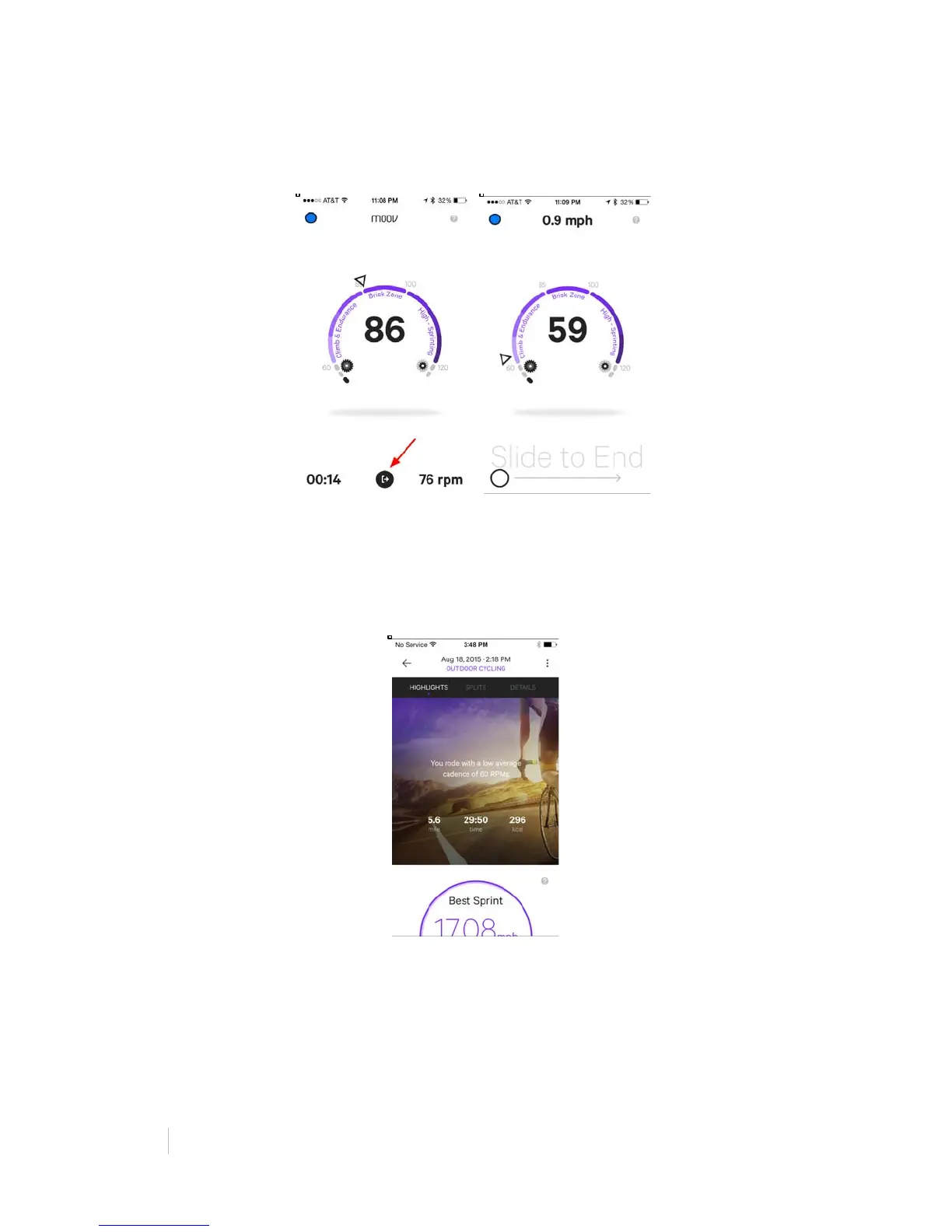
Finished? Tap the “exit” button at the bottom of the screen and swipe to end the
workout.
Activity Report
After you finish your workout, you will be given an Activity Report with details and
highlights of your ride. When you first open your Activity Report, you will be on the
Highlights page, complete with your average cadence, total ride time, total distance, and
calories burned.
This page will also show your Route Difficulty, Fastest Sprint, Moov Power Surge, and
Toughest Climb.
Route Difficulty: The difficulty of a route based on distance, total elevation gain, intensity
of any climbs, and this number of climbs in a route. This is great for comparing routes
and monitoring your progress.


 To Next Page
 Loading...