Fastest Sprint: Your top speed burst. Sprints are a great way to improve cardio strength,
train for explosive power, and burn calories faster.
Moov Power Surge: Your Moov Power (MP) is calculated based on a combination of
speed, elevation grade, cadence, and Moov technology. Moov Power Surge is when you
exerted the biggest burst of power (iPhone 6 and 6 Plus only).
Toughest Climb: Your biggest elevation gain with the highest average grade. See the
distance and time you spent pulling yourself up a hill and how much elevation you
gained.
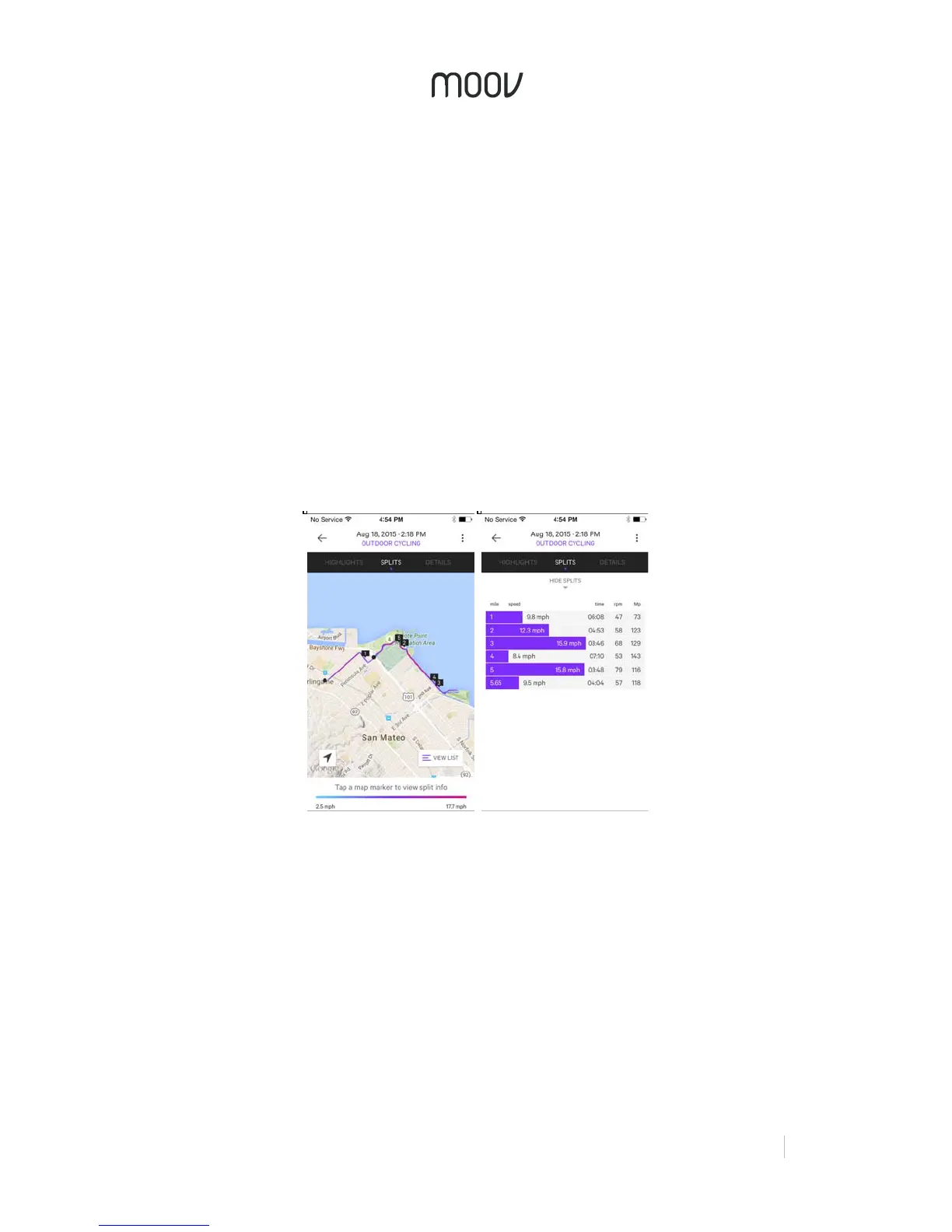
Tap Splits at the top of the report to view your route on the map. The color of the route
corresponds to when you were riding faster or slower, as shown by the key at the bottom
of the page.
To see your individual splits on the map, tap the marker number you want to view and
the map will zoom to that km/mi and your split information will appear on the bottom of
the screen. Tap “View List” on the bottom right to see all your split times and data.
The Details tab breaks down all of your ride data and shows you graphical
representations of your speed, cadence, Moov Power, and elevation. The shadow graph
on the back of the graphs shows your elevation so you can compare your data to the
terrain.


 To Next Page
 Loading...