18
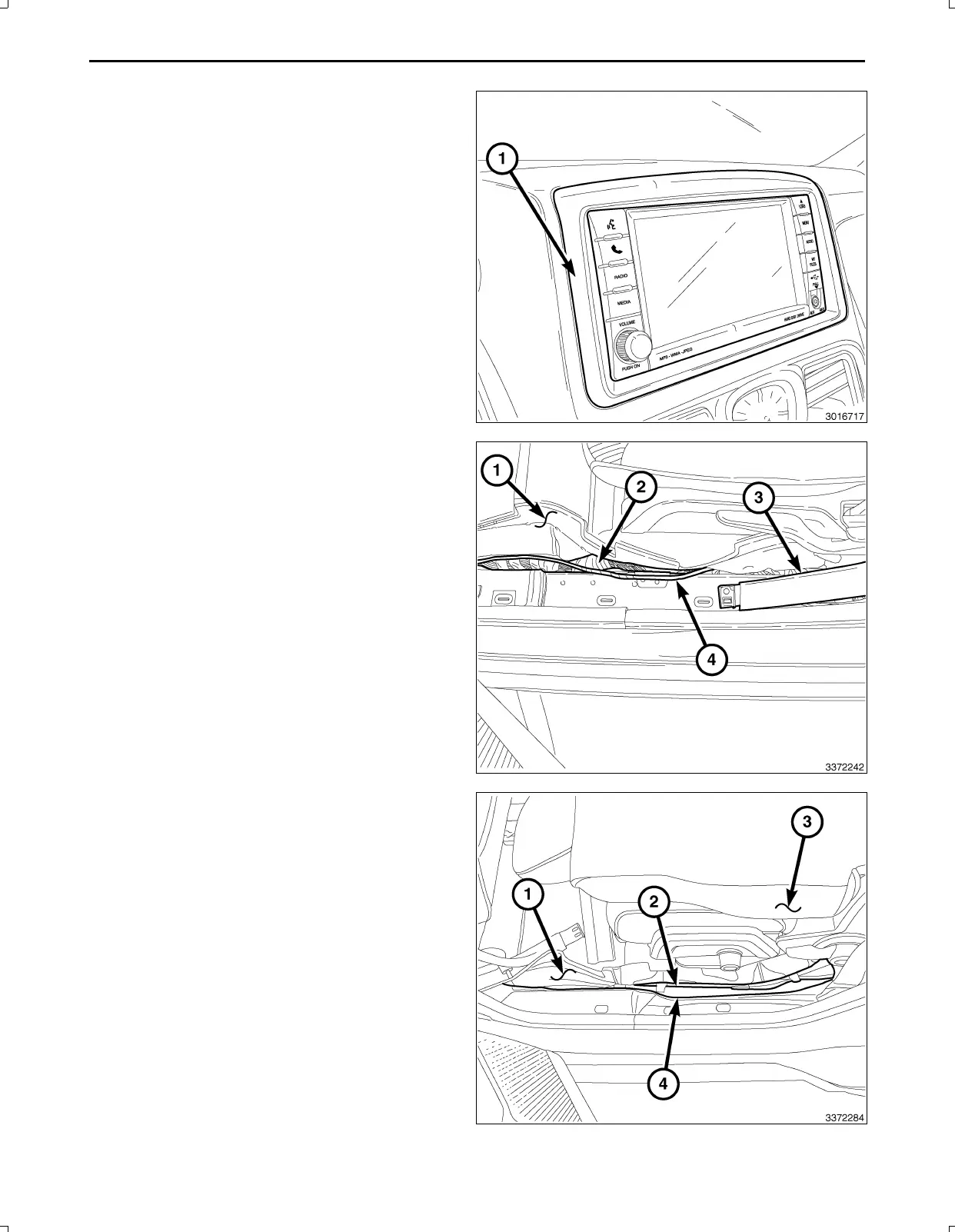
84.Positionthecenterbezel(1)overtheinstrumentpanel
andpressfirmlyandevenlyaroundtheperimeterof
thebezeltoseattheretainingclips.
NOTE:RoutingundertheI/Pshouldbeabovethe
brakepedalsledandsecuredtoeliminatepossible
interferencewithallpedalmovement.Routing
underthekickpanelshouldbesecuredtoeliminate
possibleinterferencewithallpedalmovement.
85.Routethebackupcamerawireharnessfromunderthe
LHsideoftheI/P(abovethebrakepedalsled)behind
theLFkickpanelandsecuretothevehicleharness
withtiestraps.
86.Routethebackupcamerawireharness(4)withthe
vehiclewiringharness(2)undertheedgeofthecarpet
(1)belowtheLFdoorscuffplateandbelowtheBpillar
lowertrim(3).Attachtothevehiclewiringharness(2)
withtiestrapswherenecessary.
87.Routethebackupcamerawireharness(4)underthe
edgeofthecarpet(1)belowtheslidingdoorscuffplate
andaroundtheedgeofthesecondrowseat(3)tobe
routedunderthequartertrimpanel.Attachtothevehi
clewiringharness(2)withtiestrapswherenecessary.
Jun30,2011K6861197


 To Next Page
 Loading...