17
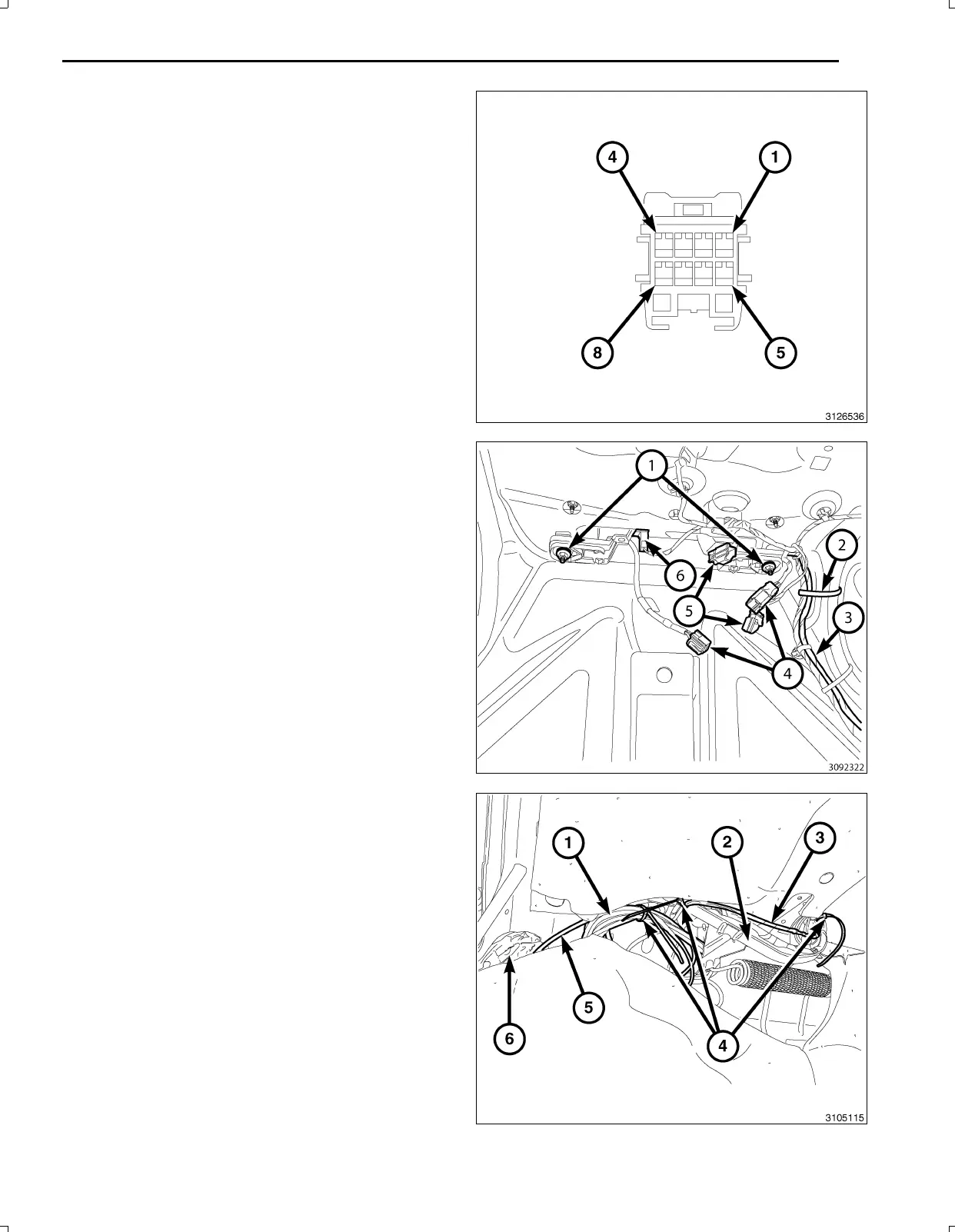
69.Backouttheconnectorterminallockingtabfromthe
backupcameraconnector.
70.Insertthebackupcameraharnesswiresintobackup
cameraconnectorasfollows:
a.12Vignitionpowerwire(PK/OR)cavity2
b.Signalreturnwire(GY/OR)cavity3
c.Signalwire(GY/LB)cavity4
d.Shieldwire(Bare)cavity7
e.Groundwire(BK)cavity8
71.Positionthelampassemblywithbackupcameraand
installtheretainingnuts(1).
72.Connecttheswitchandlampelectricalharnesscon
nectors(5,6).
73.Routethebackupcameraharness(3)withthetrunk
harnessandattachwithtiestraps(2)asnecessary.
74.Connectthebackupcameraconnectors(4)together.
75.Routethebackupcameraharness(3)downthetrunk
hinge(2)andattachusingtiestraps(4)asnecessary.
76.Bundletheexcessharness(1)togetherusingatie
strap(4).
77.Tucktheharnessbundle(1)abovethewheelwellse
curingoutofthetrunk/hingemovementareausingtie
straps(4)asnecessary.
78.Tucktheinsulatingmaterial(6)throughtheaccess
holewherethebackupharness(5)comesthrough
thebodypaneltoprotectfromchaffing.
Nov16,2010K6861117



 To Next Page