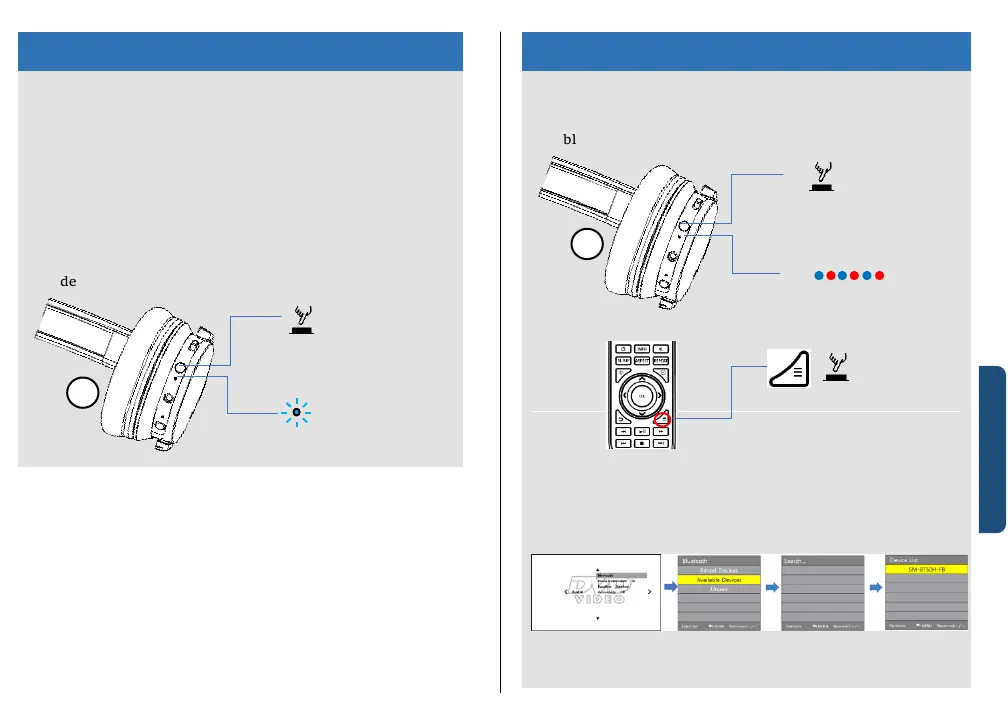
To power on
① Press and hold the POWER button for about 2 seconds
while this unit is turned off.
② Make sure that the indicator flashes blue after the
device powered on.
To power off
① Press and hold the POWER button for about 2 seconds
while this unit is turned off.
② Make sure that the indicator is turned off after the
device powered off.
① Press and hold the POWER button on the left for about
7 seconds.
② The LED indicator beside the POWER button will flash
blue and red alternately.
③ Press the MENU button on the remote control
④ On the “Audio” menu, select the “Bluetooth” menu.
⑤ In the “Bluetooth” menu, select “Available Devices”.
⑥ It will show your headphones on the device list.
⑦ Select your headphones from the device list.
⑧ The LED indicator will flash blue once the pairing
success.


 To Next Page