8
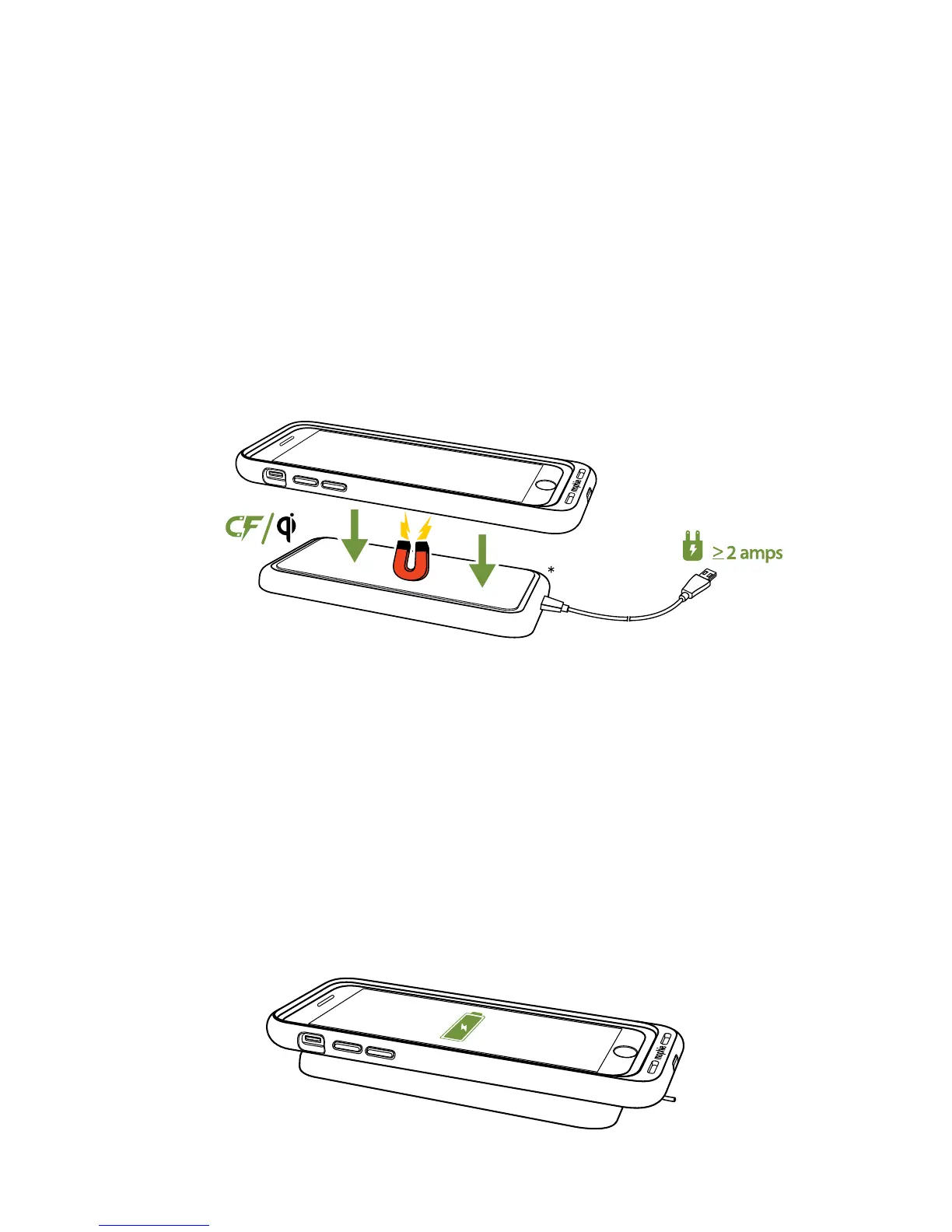
1. Connect the wireless charging base according
to its manufacturer’s instructions. (For models
that include a mophie wireless charging base,
connect it to a wall charging adapter with at
least a 2-amp output.)
• Place the charge force case against a
mophie charge force accessory or on the
wireless charging base to begin charging.
2. Make sure that the charge force case is
centered on the charging base. (When charging
from a mophie wireless charging base or a
mophie charge force accessory the charge
force case will automatically align itself for a
proper charge.)
* mophie wireless charging base not
included in all models




 To Next Page