
 Need help?
Do you have a question about the Mophie PowerStation Pro and is the answer not in the manual?
Connect the supplied USB-C to USB-C cable to the powerstation pro battery's USB-C output port and to your device.
Connect the cable that came with your non-laptop device to the powerstation pro battery's USB-C port or USB-A port.
Use the powerstation pro battery's USB-C and USB-A output ports simultaneously to charge two devices.
Provides power to connected devices before the battery starts recharging itself.
Recharge the battery while it's connected to a USB-C laptop and its wall charger.
Press the status button; LEDs indicate charge level from full to near empty.
Details disclaimers and limitations of the product warranty coverage.
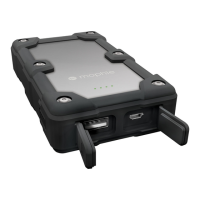
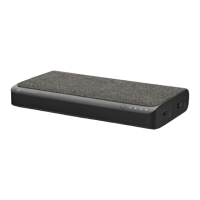
The mophie powerstation pro is a universal battery designed to provide mobile charging for USB-C equipped laptops and other USB devices, including tablets and smartphones. It aims to free users from the limitations of their devices' internal batteries, offering a powerful and compact solution for on-the-go charging.
This powerstation pro battery features a high-density, high-output universal battery that can charge USB-C devices at super-fast speeds, up to 30W, via its dedicated USB-C port. Additionally, it includes a USB-A output port with a maximum charging speed of 2.4A, making it compatible with most USB devices. This dual-port capability allows users to charge their laptop and another device simultaneously, enhancing convenience and efficiency.
One of the key usage features is Priority+ pass-through charging. When the powerstation pro battery is being recharged, it prioritizes providing power to devices connected to its USB-A output port first, before it begins to recharge itself. This ensures that essential devices receive power without interruption. The battery's charging status can be easily monitored using an integrated four-light LED status indicator. By pressing the status button, users can quickly check the current battery life and charging progress, with four illuminated LEDs indicating a full charge and one LED signifying a nearly empty battery. This "know before you go" feature helps users manage their power needs effectively.
The powerstation pro battery is designed for durability and longevity, being rechargeable for over 500 full cycles. This robust design ensures that the battery can be used for extended periods, allowing users to do more for longer. It incorporates mophie's smart adaptive charging technology, which intelligently identifies the connected device and delivers the fastest, most efficient charging speeds available. This optimization ensures that devices are charged quickly and safely. Furthermore, the battery includes Digital Power Management circuitry, which provides built-in protection against short-circuits, overcharge, and temperature fluctuations, prioritizing user safety.
To charge a USB-C equipped laptop, users connect the supplied USB-C to USB-C cable from the powerstation pro battery's USB-C output port to their laptop. Charging commences automatically, and while a laptop is charging, the powerstation battery's status LEDs will blink towards the right. It is crucial not to connect a USB-C equipped laptop to the powerstation pro battery's USB-A port. For charging other devices, such as tablets or smartphones, users connect the cable that came with their device to either the powerstation pro battery's USB-C port or USB-A port and then to their device. Charging begins automatically, with the status LEDs blinking towards the right during this process.
When charging multiple devices, both the USB-C and USB-A output ports can be used simultaneously. Users can connect their devices using the supplied cables or their own device-specific cables. Charging will start immediately, and the status LEDs will blink towards the right.
To recharge the powerstation pro battery itself, users can connect its USB-C port to a wall charger included with their USB-C equipped laptop, a USB-C car charger, or a 2.4A USB-A wall charger using one of the supplied cables. While the powerstation battery is charging, its status LEDs will blink towards the left.
The powerstation pro battery also supports charging while connected to a laptop that is itself connected to a wall charger. In this scenario, after connecting both the powerstation battery and the laptop as instructed, users need to press and hold the powerstation battery's status button for 2 seconds to initiate charging of the powerstation battery. If the status button is not pressed and held, the powerstation battery will not charge in or charge out.
Maintenance of the powerstation pro portable battery is straightforward. Users should keep the battery dry and away from moisture and corrosive materials. Cleaning should be done with a soft, water-dampened cloth, avoiding harsh chemicals, soaps, or detergents. It is also important to ensure that the USB ports do not become contaminated with lint or other debris. Periodically, using a canned-air type of product can help keep the port openings clear. If the powerstation battery is to be stored for an extended period, it should be fully charged first, indicated by all four status LEDs lighting up when the charge status button is pressed.
 General
| Charging source | USB |
|---|---|
| Battery capacity | 6000 mAh |
| Battery technology | - |
| Product color | Orange |
| Charger compatibility | Universal |
| Number of simultaneously connected devices (max) | 1 |
| Input interface | Micro-USB |
 Weight and Dimensions
| Depth | 114.81 mm |
|---|---|
| Width | 63.75 mm |
| Height | 26.16 mm |
| Weight | 359.79 g |



 To Next Page